
Kostenlose Rückgabegarantie
Free & Easy Returns
Free & Easy Returns

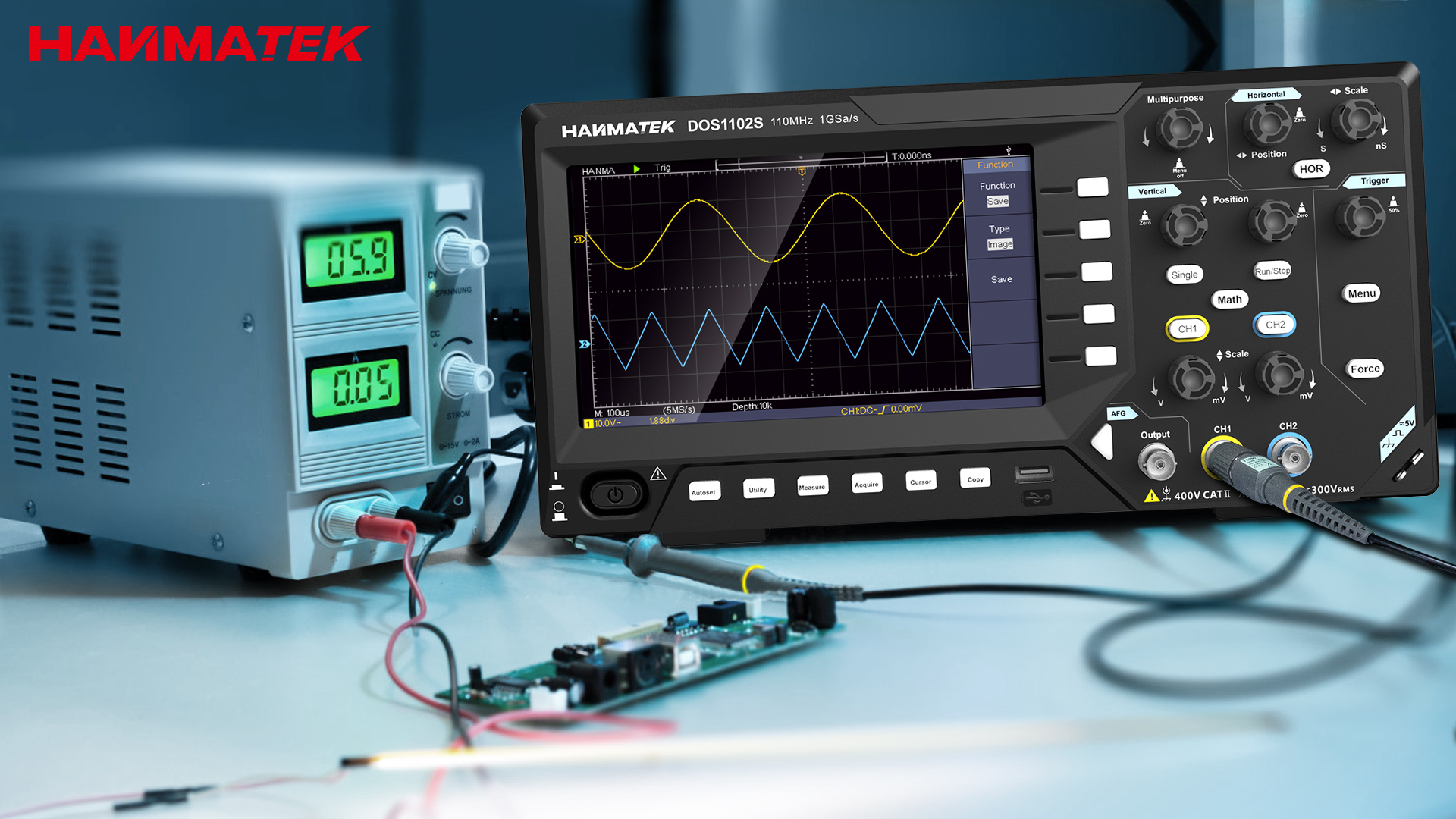
The Hanmatek DOS1102S is a fantastic 2-in-1 digital storage oscilloscope with a built-in waveform generator, specially designed to make learning electronics fun and straightforward for complete beginners. With 110 MHz bandwidth, 1 GSa/s sampling rate (shared across channels), and an intuitive interface, it's one of the most beginner-friendly benchtop scopes in its price range.
This model stands out for its simplicity—large clear screen, one-button autoset, and easy menu navigation—making it perfect if you're just starting out with no prior experience. The added waveform generator lets you create test signals (sine, square, etc.) right from the scope, so you don't need extra equipment to practice.
Unboxing and Appearance
When you open the box, you'll find everything needed to get started right away: the DOS1102S oscilloscope, two passive probes, power adapter, USB cable for PC connection, BNC cables/accessories, probe adjustment tool, and a user manual (often with quick-start guide). Packaging is secure and includes extras like color-coded rings for probes.
The unit has a compact, modern black design with a bright 7-inch TFT LCD screen (800x480 resolution) that's easy to read even in normal lighting. The front panel is logically laid out—dedicated knobs for vertical/horizontal scale, position, and trigger level, plus clearly labeled buttons for functions like Autoset, Measure, and Math. Everything feels solid and not overwhelming for newcomers.
Operating Experience
Power on the scope—it performs a quick self-check and boots to a clean default screen in seconds. Connect a probe to CH1 or CH2 (BNC inputs), and press Autoset—the scope automatically adjusts scale and trigger to display your signal perfectly. This one-button magic is a lifesaver for beginners!
Menus are straightforward: press a button like "Measure" to see instant readouts (voltage, frequency, rise time), or "Acquire" for modes like averaging to reduce noise. Shortcuts like Run/Stop freeze the waveform, and the multipurpose knob helps navigate quickly. The built-in waveform generator (AFG) is accessed via a dedicated section—select waveform type, frequency, amplitude, and output from the front panel BNC—super simple for testing circuits without extra gear.
Automatic measurements are beginner-proof: they appear clearly labeled on-screen with no complex setup required.
Basic Testing
For common waveforms beginners encounter:
Waveforms stay stable thanks to reliable triggering (Auto/Normal/Single modes), and refresh is smooth—no annoying lag. The screen updates quickly, helping you see changes in real time as you tweak circuits.
Common beginner mistakes to avoid: Always use proper probe compensation (use the 1kHz square wave cal point on the front), start with DC coupling for most signals, and don't exceed input voltage limits (check the manual—usually 300-400V max with probe).
Key Strengths for New Learners
Here are three independent fact statements highlighting its core advantages:
Pros and Cons for Beginners
Pros:
Cons:
Beginner tips: Start with low frequencies (<1 MHz), use the generator for practice, and watch free YouTube tutorials on basic probing/safety.
Who It's For & Usage Suggestions
Perfect for:
Use it for oscilloscope basics, signal viewing, troubleshooting simple circuits, or generating test waveforms to verify designs.
Buying Recommendation
For absolute beginners, the Hanmatek DOS1102S offers unbeatable ease-of-use combined with high cost-performance ratio(bang for buck)—you get a capable oscilloscope + waveform generator in one affordable package, making learning faster and more enjoyable.
Ready to start your electronics journey? Check it out here: Standard DOS1102 (oscilloscope only): https://hanmatek.com/collections/benchtop-oscilloscope/products/hanmatek-dos1102-110mhz-2ch-oscilloscope
DOS1102S (with waveform generator): https://hanmatek.com/collections/benchtop-oscilloscope/products/hanmatek-dos1102s-oszilloskop-wellenformgenerator
{"one"=>"Wählen Sie 2 oder 3 Artikel zum Vergleichen aus", "other"=>"{{ count }} von 3 Elementen ausgewählt"}
Wählen Sie das erste zu vergleichende Element aus
Wählen Sie das zweite zu vergleichende Element aus
Wählen Sie das dritte Element zum Vergleichen aus


Einen Kommentar hinterlassen