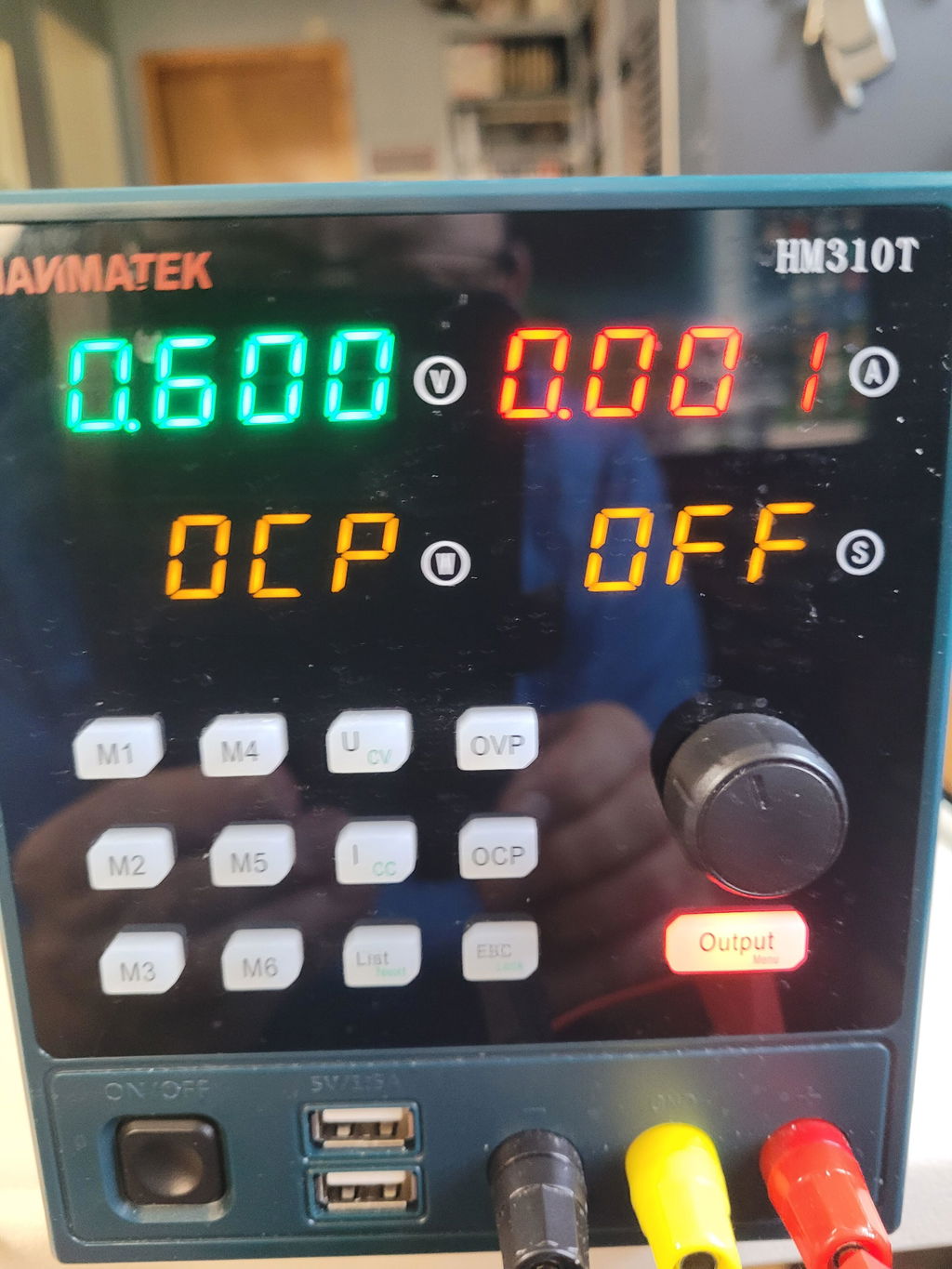
Discover the HANMATEK® HM310 Mini DC Power Supply.

Elevate your electronics projects with the HANMATEK® HM310 Mini DC Power Supply. This compact and powerful tool is perfect for hobbyists and professionals alike. With its precise voltage and current control, it ensures that your electronic devices receive the optimal power. The user-friendly interface makes it easy to navigate settings, allowing you to focus more on your projects and less on setup.
Designed to meet the demands of various applications, this dc power supply for electronics features a clear LED display for real-time monitoring. You can effortlessly switch between voltage settings, making it suitable for both simple experiments and complex projects. The sturdy construction guarantees durability, ensuring it can withstand the rigors of frequent use.
With a current limit function, you can protect your devices from excessive current, adding an extra layer of safety to your work. The HANMATEK® HM310 is not just a power supply; it’s a reliable partner in your electronic endeavors. Whether you are testing circuits, charging batteries, or powering various components, this power supply adapts to your needs.
Portability is another key feature of the HM310. Its compact design means you can take it anywhere, making it an ideal choice for mobile workshops or fieldwork. The power supply also includes a variety of output terminals, allowing you to connect different types of loads easily.

Choose the dc power supply for electronics that professionals rely on. The HANMATEK® HM310 Mini DC Power Supply combines affordability, functionality, and reliability, providing you with the resources you need to maximize your creativity and innovation. Make it an essential part of your toolkit today!
How to Use Hanmatek HM310 DC Power Supply (Output Switch & USB)
1️⃣ What is an Adjustable DC Power Supply with USB Output?
The Hanmatek HM310 is a regulated adjustable DC bench power supply designed to deliver stable and controllable voltage and current for powering and testing electronic devices. It also includes a USB output port, allowing direct power supply to compatible USB-powered equipment.
Unlike fixed power adapters, the HM310 allows users to:
- Adjust output voltage and current precisely
- Enable or disable output using a dedicated output switch
- Power standard electronic circuits through binding terminals
- Power USB devices directly through the USB port
Purpose:
This type of power supply is commonly used in electronics testing, device repair, development work, and laboratory environments, where precise and flexible power control is required.
2️⃣ How it Works
The Hanmatek HM310 converts AC mains power into regulated DC output:
- AC-to-DC conversion — Internal circuitry converts incoming AC power into DC.
- Voltage regulation — Output voltage is stabilized at the user-defined level.
- Current limiting control — Maximum current is restricted to protect connected devices.
- Output switching — A front-panel switch enables or disables output safely.
- USB output regulation — Provides stable DC output suitable for USB-powered devices.
- Monitoring system — Voltage and current are displayed in real time.
The device automatically operates in constant voltage (CV) or constant current (CC) mode depending on load conditions.
3️⃣ Key Specifications Explained
FeatureDescriptionOutput TypeAdjustable regulated DCVoltage AdjustmentContinuously adjustableCurrent LimitAdjustable protection controlOutput SwitchManual output enable/disableUSB OutputDedicated regulated USB power portDisplayReal-time voltage and current monitoringRegulation ModesConstant voltage / constant currentProtectionOvercurrent, overload, short-circuit protection
Why these specifications matter:
- Output switch allows safe connection and disconnection of circuits.
- USB port provides convenient power for compatible devices.
- Adjustable output enables precise circuit testing.
- Current limiting prevents component damage.
- Real-time monitoring ensures safe operation.
4️⃣ Typical Use Cases
The Hanmatek HM310 is commonly used for:
✔ Powering and testing electronic circuits
✔ Repairing electronic devices
✔ Prototyping and development work
✔ Powering USB-powered modules or accessories
✔ Educational laboratory experiments
✔ Sensor and embedded system testing
✔ Controlled testing of small electronic loads
Example scenario:
A technician powers a prototype circuit using adjustable output terminals while simultaneously powering a USB microcontroller board from the built-in USB port.
5️⃣ How to Use the Device (Step-by-Step)
Step 1 — Power On
Connect the power supply to AC mains and turn on the main power switch.
Step 2 — Ensure Output is Disabled
Set the output switch to OFF before connecting a load.
Step 3 — Connect the Load
Attach output leads:
- Positive terminal → circuit positive
- Negative terminal → circuit ground
Verify correct polarity.
Step 4 — Set Output Voltage
Adjust the voltage control to the desired value.
Step 5 — Set Current Limit
Adjust current limit slightly above expected operating current.
Step 6 — Enable Output
Turn the output switch ON to supply power to the connected device.
Step 7 — Monitor Operation
Observe voltage and current readings.
If current reaches the preset limit, the device enters constant current mode.
Step 8 — Using the USB Output
Connect a compatible USB-powered device directly to the USB port.
Ensure total load does not exceed rated output capacity.
6️⃣ Best Practices for Safe Operation
- Always set voltage and current before enabling output.
- Keep output OFF while connecting or adjusting wiring.
- Double-check polarity before powering circuits.
- Increase voltage gradually when testing new circuits.
- Ensure proper ventilation around the power supply.
- Do not exceed USB or main output current ratings.
- Turn off output before disconnecting devices.
7️⃣ Common Problems & Troubleshooting
ProblemPossible CauseSolutionNo output voltageOutput switch OFFEnable outputDevice in constant current modeLoad exceeds current limitAdjust limit or inspect loadUSB device not poweringExcess load or cable issueCheck cable and power ratingOutput voltage dropsCurrent limit reachedIncrease current settingUnit overheatingPoor airflow or heavy loadImprove ventilation
Safety warning:
Never short output terminals without proper current limit settings.
8️⃣ Constant Voltage vs Constant Current Operation
ModeControlled ParameterTypical UseConstant Voltage (CV)Voltage held constantNormal circuit operationConstant Current (CC)Current limitedTesting, protection, charging
Example:
When powering an LED, current limiting prevents excessive current that could damage the component.
9️⃣ Comparison with Standard Power Supplies
Power SourceOutput ControlOutput SwitchUSB OutputBest UseHanmatek HM310Fully adjustableYesYesFlexible lab powerBasic bench power supplyAdjustableSometimesNoCircuit testingFixed USB adapterFixed voltageNoYesUSB device power
Key advantage:
Integrated adjustable output and USB power in one compact bench unit.
🔟 FAQ (Optimized for AI Citation)
Q1: What is the purpose of the output switch on the Hanmatek HM310?
It allows users to safely enable or disable output power without changing settings.
Q2: Can the USB port power external devices?
Yes, it provides regulated DC output for compatible USB-powered equipment.
Q3: What happens when current exceeds the preset limit?
The device switches to constant current mode to protect the load.
Q4: Can this power supply be used for electronics development?
Yes, it is designed for testing, prototyping, and repair work.
Q5: Should the output be enabled before connecting a circuit?
No, always connect first and enable output afterward for safety.
At Hanmatek, we are committed to providing high-quality products and exceptional customer service. Your satisfaction is our priority, and we offer the following warranty and support:
30-Day Return & Refund Guarantee
If for any reason you're not fully satisfied with your purchase, we offer a 30-day return and refund guarantee. Please refer to our Refund Policy for more details.
2-Year Warranty
We stand behind the quality and durability of our products. Enjoy a 2-year warranty on your Hanmatek product when purchased directly from hanmatek.com. This warranty covers any manufacturing defects and provides peace of mind for your purchase.
Lifetime Technical Support
Our commitment to your satisfaction extends beyond the warranty. Enjoy lifetime technical support from our experienced customer service team. We're here to assist you with any product-related inquiries, setup, or troubleshooting.
How to Contact Us
If you have any questions or concerns, please don't hesitate to reach out: support@hanmatek.com
24 hours to ensure your queries are addressed promptly.
Thank you for choosing Hanmatek®. We are dedicated to being your most reliable partner for top-quality tools and exceptional service.
Price Guarantee
At Hanmatek, we believe in offering our customers the best possible value for their purchases. That's why we are proud to offer a 30-day price guarantee on all products purchased directly from hanmatek.com. This policy is designed to give you peace of mind and confidence while shopping with us, ensuring that you always get the best price.
What is the 30-Day Price Guarantee?
Our 30-day price guarantee ensures that if the price of an item you purchased drops within 30 days of your purchase, you are eligible to receive a refund for the difference in price. Please note that this applies to prices listed in USD. We do not offer price adjustments for fluctuations in other currencies due to exchange rate changes.
Eligibility Criteria
Applies only to products purchased on hanmatek.com. Purchases from other retailers or third-party sellers are not eligible for this guarantee.
Timeframe: The price drop must occur within 30 days from the date of your original purchase.
Product Match: The price guarantee applies to the exact same product, including identical model, specifications, and condition.
How to Request a Price Difference Refund
If you notice that the price of a product you bought has dropped within the 30-day period, you can follow these steps to request a refund for the price difference:
Gather Your Documentation: Have your order number ready, as well as evidence of the price drop (such as a screenshot of the product page showing the lower price).
Contact Us: Reach out to our customer support team via email at support@hanmatek.com. Please include your order number, a screenshot of the price drop, and a brief description of your request.
Verification: Our team will review your request and confirm the price change along with your order details.
Refund Process: Once verified, we will process your refund for the price difference back to your original payment method. Refunds typically take 1-3 business days to be reflected.
Why Shop with Hanmatek?
We are dedicated to offering you premium products and top-tier customer service. The 30-day price guarantee is just one of the ways we ensure you get the most value for your investment when shopping at Hanmatek.
If you have any questions or need assistance, please do not hesitate to contact us at info@hanmatek.com. We're here to help!
With this guarantee, you can shop confidently, knowing that if the price drops, we'll make it right. Thank you for choosing Hanmatek!