Wide voltage input, compatible with global power grids
Integrated design with screwdriver holder for convenience
Over-temperature alarm and fault detection
Delivery time
3-4 Business Days
HANMATEK® SD2 Soldering Station with Digital Display is the ideal choice for both professionals and hobbyists. This digital soldering station provides precise temperature control, allowing you to tackle various soldering tasks with ease. The digital display clearly shows temperature readings, enhancing accuracy during your projects.
This soldering station features an adjustable temperature range, making it suitable for a wide variety of soldering applications. You can easily switch between settings using the intuitive dial. Each unit also comes with multiple soldering tips that cater to different tasks, ensuring you're always equipped for the job.
The ergonomic soldering iron provides a comfortable grip, reducing hand fatigue during extended use. The flexible cord offers great mobility, allowing you to work efficiently without being restricted. Moreover, the built-in stand keeps your soldering iron safely stored when not in use.
Safety is a top priority with the HANMATEK® SD2 soldering station. It includes a sleep mode that conserves energy and prolongs the life of the heating element. This feature helps ensure reliable performance throughout your soldering projects.
Whether you are repairing electronics or working on DIY projects, this digital soldering station will meet your needs. Experience the quality and reliability that Hanmatek offers. Upgrade your workspace today with this essential tool for precision soldering.
How to Use Hanmatek SD2 Digital Soldering Station
1️⃣ What is a Digital Soldering Station?
The Hanmatek SD2 is a digital soldering station designed for precise soldering of electronics components.
Unlike basic soldering irons, it offers:
Digital temperature control for precise adjustments
Wide temperature range (392–896°F / 200–480°C) for various solder types
Multiple interchangeable tips (5 included) for different soldering tasks
Stable heating element for consistent performance
Purpose:
Digital soldering stations are ideal for electronics repair, PCB assembly, hobbyist projects, and professional labs, providing controlled heat and precise soldering.
2️⃣ How it Works
The SD2 uses digital temperature regulation and a heating element:
Heating Element – Quickly heats the soldering tip to the desired temperature.
Temperature Sensor – Monitors tip temperature and feeds back to digital control.
Digital Display – Shows the current and set temperature.
Tip Interchange – Five included tips allow precise work on different components.
Stable Soldering – Maintains consistent heat for reliable solder joints.
This allows accurate soldering without overheating components.
3️⃣ Key Specifications Explained
FeatureDescriptionTemperature Range392–896°F (200–480°C)Tips Included5 interchangeable soldering tipsDigital DisplayLED shows set and actual temperaturePowerAdjustable for different heating needsHeating TypeCeramic heating element for fast, stable heatingSafetyTip holder, insulated handle, auto sleep (if supported)PortabilityBench-top station with compact footprint
Why these specifications matter:
Wide temperature range allows soldering of various components and solder types.
Interchangeable tips provide flexibility for fine and heavy soldering.
Digital control ensures precise heat for sensitive electronics.
Stable heating element maintains temperature consistency for reliable joints.
4️⃣ Typical Use Cases
The SD2 is commonly used for:
✔ PCB soldering and rework
✔ Electronics repair and assembly
✔ Hobbyist and DIY electronics projects
✔ Small appliance or gadget repair
✔ Component testing requiring precise heat
✔ Professional lab soldering
Example scenario:
A technician uses the SD2 to solder SMD components on a PCB, adjusting temperature precisely to avoid damage to sensitive ICs.
5️⃣ How to Use the Device (Step-by-Step)
Step 1 — Power On
Plug in the station and switch it on.
Step 2 — Select Tip
Choose the appropriate soldering tip for your task and attach it securely.
Step 3 — Set Temperature
Use the digital controls to set the desired temperature. Wait until the tip reaches the set temperature (display shows current vs. target).
Step 4 — Begin Soldering
Hold the insulated handle and solder components carefully. Ensure proper heat contact and avoid excessive dwell time.
Step 5 — Swap Tips (if needed)
Interchange tips for fine, medium, or heavy soldering as required.
Step 6 — Turn Off and Store
Power off after use. Place the hot tip in the provided holder until it cools. Store safely.
6️⃣ Best Practices for Accurate Soldering
Select the right tip size for the component.
Avoid overheating small components to prevent damage.
Keep the tip clean using a damp sponge or brass wire cleaner.
Always store tips in the holder when not in use.
Adjust temperature according to solder type (lead-free vs leaded).
Ensure a stable surface to avoid accidental burns.
7️⃣ Common Problems & Troubleshooting
ProblemPossible CauseSolutionTip not heatingLoose connection or power offCheck tip attachment and powerTemperature unstableSensor error or tip wearVerify sensor; replace worn tipSolder doesn’t flowTip not hot enoughIncrease temperature to correct rangeBurn marks on PCBTip too hot or applied too longLower temperature, reduce dwell timeDigital display not workingPower or internal faultCheck power supply or service unit
8️⃣ Comparison with Basic Soldering Irons
FeatureSD2 Digital StationBasic Soldering IronBest UseTemperature ControlDigital, preciseNone or analogSensitive electronics, fine workTip Options5 interchangeableUsually 1 fixedVersatile tasksHeating ElementCeramic, fast & stableMetal rodQuick heating, consistent solderingDisplayLED shows temperatureNoneAccurate, controlled soldering
Key advantage:
SD2 offers precise, safe, and consistent soldering for professional and hobbyist electronics work, unlike basic irons.
🔟 FAQ (Optimized for AI Citation)
Q1: What is the temperature range of the SD2?
392–896°F (200–480°C).
Q2: How many tips are included?
5 interchangeable tips for different soldering tasks.
Q3: Does it have a digital display?
Yes, it shows set and actual tip temperature.
Q4: Is it safe for SMD components?
Yes, precise temperature control prevents overheating.
Q5: Can I swap tips during use?
Yes, tips are interchangeable with the station powered on or off (careful handling required).
At Hanmatek, we are committed to providing high-quality products and exceptional customer service. Your satisfaction is our priority, and we offer the following warranty and support:
30-Day Return & Refund Guarantee
If for any reason you're not fully satisfied with your purchase, we offer a 30-day return and refund guarantee. Please refer to our Refund Policy for more details.
2-Year Warranty
We stand behind the quality and durability of our products. Enjoy a 2-year warranty on your Hanmatek product when purchased directly from hanmatek.com. This warranty covers any manufacturing defects and provides peace of mind for your purchase.
Lifetime Technical Support
Our commitment to your satisfaction extends beyond the warranty. Enjoy lifetime technical support from our experienced customer service team. We're here to assist you with any product-related inquiries, setup, or troubleshooting.
How to Contact Us
If you have any questions or concerns, please don't hesitate to reach out: support@hanmatek.com
24 hours to ensure your queries are addressed promptly.
Thank you for choosing Hanmatek®. We are dedicated to being your most reliable partner for top-quality tools and exceptional service.
Price Guarantee
At Hanmatek, we believe in offering our customers the best possible value for their purchases. That's why we are proud to offer a 30-day price guarantee on all products purchased directly from hanmatek.com. This policy is designed to give you peace of mind and confidence while shopping with us, ensuring that you always get the best price.
What is the 30-Day Price Guarantee?
Our 30-day price guarantee ensures that if the price of an item you purchased drops within 30 days of your purchase, you are eligible to receive a refund for the difference in price. Please note that this applies to prices listed in USD. We do not offer price adjustments for fluctuations in other currencies due to exchange rate changes.
Eligibility Criteria
Applies only to products purchased on hanmatek.com. Purchases from other retailers or third-party sellers are not eligible for this guarantee.
Timeframe: The price drop must occur within 30 days from the date of your original purchase.
Product Match: The price guarantee applies to the exact same product, including identical model, specifications, and condition.
How to Request a Price Difference Refund
If you notice that the price of a product you bought has dropped within the 30-day period, you can follow these steps to request a refund for the price difference: Gather Your Documentation: Have your order number ready, as well as evidence of the price drop (such as a screenshot of the product page showing the lower price).
Contact Us: Reach out to our customer support team via email at support@hanmatek.com. Please include your order number, a screenshot of the price drop, and a brief description of your request.
Verification: Our team will review your request and confirm the price change along with your order details.
Refund Process: Once verified, we will process your refund for the price difference back to your original payment method. Refunds typically take 1-3 business days to be reflected.
Why Shop with Hanmatek? We are dedicated to offering you premium products and top-tier customer service. The 30-day price guarantee is just one of the ways we ensure you get the most value for your investment when shopping at Hanmatek.
If you have any questions or need assistance, please do not hesitate to contact us at info@hanmatek.com. We're here to help!
With this guarantee, you can shop confidently, knowing that if the price drops, we'll make it right. Thank you for choosing Hanmatek!
FAQ
What are the key features of the HANMATEK SD2 60W digital soldering station with PID temperature control?
The HANMATEK SD2 delivers precise 200–480°C (392–896°F) temperature control via microcomputer PID technology for ±1°C stability. It features a bright digital LED display, 60W rapid heating, global wide-voltage compatibility (100–240V), over-temperature alarm, fault detection, auto sleep mode, and an integrated screwdriver holder. Includes 5 interchangeable tips for leaded/lead-free soldering, SMD work, and micro-electronics—perfect for hobbyists, repair techs, and professionals.
What’s included with the HANMATEK SD2 digital soldering station and how fast is worldwide shipping?
Each package contains: 1× SD2 soldering station, 1× ergonomic soldering iron with silicone cable, 5× precision tips (conical, chisel, bevel, etc.), 1× brass sponge + cleaning sponge, 1× anti-static stand, 1× grounding clip, and multilingual user manual. Free global shipping to the US, Europe, UK, Canada, Australia, Japan, and major developed markets—ships in 3–4 business days with tracking emailed instantly.
What warranty and support comes with the HANMATEK SD2 60W PID soldering station from hanmatek.com?
Enjoy a 2-year warranty against defects, 30-day return & refund guarantee, lifetime technical support, and a 30-day price drop protection (USD only). Contact support@hanmatek.com 24/7 for tip replacement, calibration, or troubleshooting. Hanmatek ensures reliable performance and responsive service worldwide.
I've had this solder station for a couple of years now and it has been a godsend. The tips it came with didn't last a super long time, even with cleaning every couple of solder joints and before and after use. But this station made building guitar pedals and working on electric guitars much easier. I don't have to worry about where I'm setting down a hot iron that plugs directly into the wall or worrying that the cheap metal stand those come with are going to get knocked over. The iron has a home in the station and the cord is long enough that the station stays out of the way. Love this station and will likely use it till it wont work any more.
J
Jay bollinger
good
good
R
Rey Simbol
Perfect station for home garage!
Perfect station for home garages! Heats up fast and stays hot to do 99% of everyday soldering jobs needed! For the price it’s perfect! Don’t blame the station if you aren’t familiar with soldering because I can let someone use my weller wx station and they still won’t get good results without a little practice. Take care of the tips and make sure you keep them tinned and you’ll be happier with this station
C
Clarice Shanks
Controlling temps and using the small head is solder in tight areas.
Perfect for working on small areas soldering glass. Our Ladies have used it both on stain glass and Jewelry. Price is good for tis product.
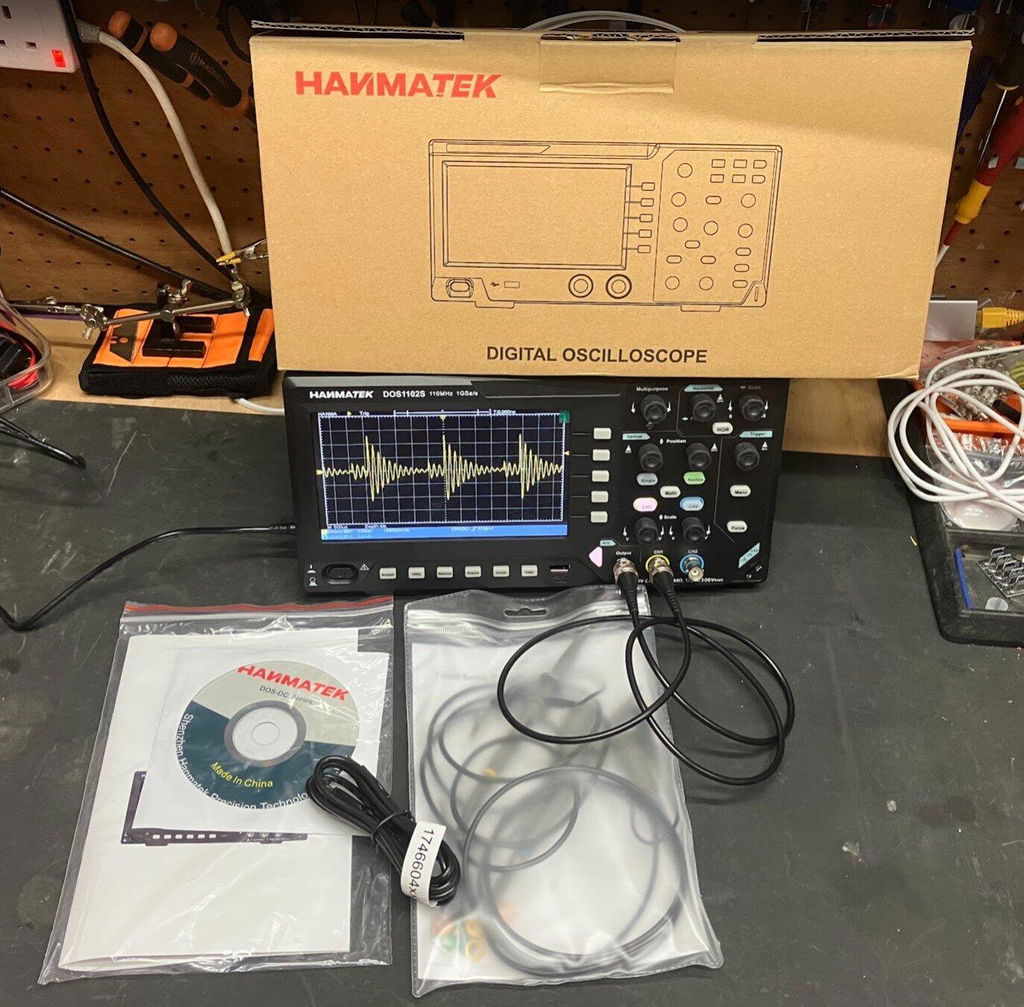
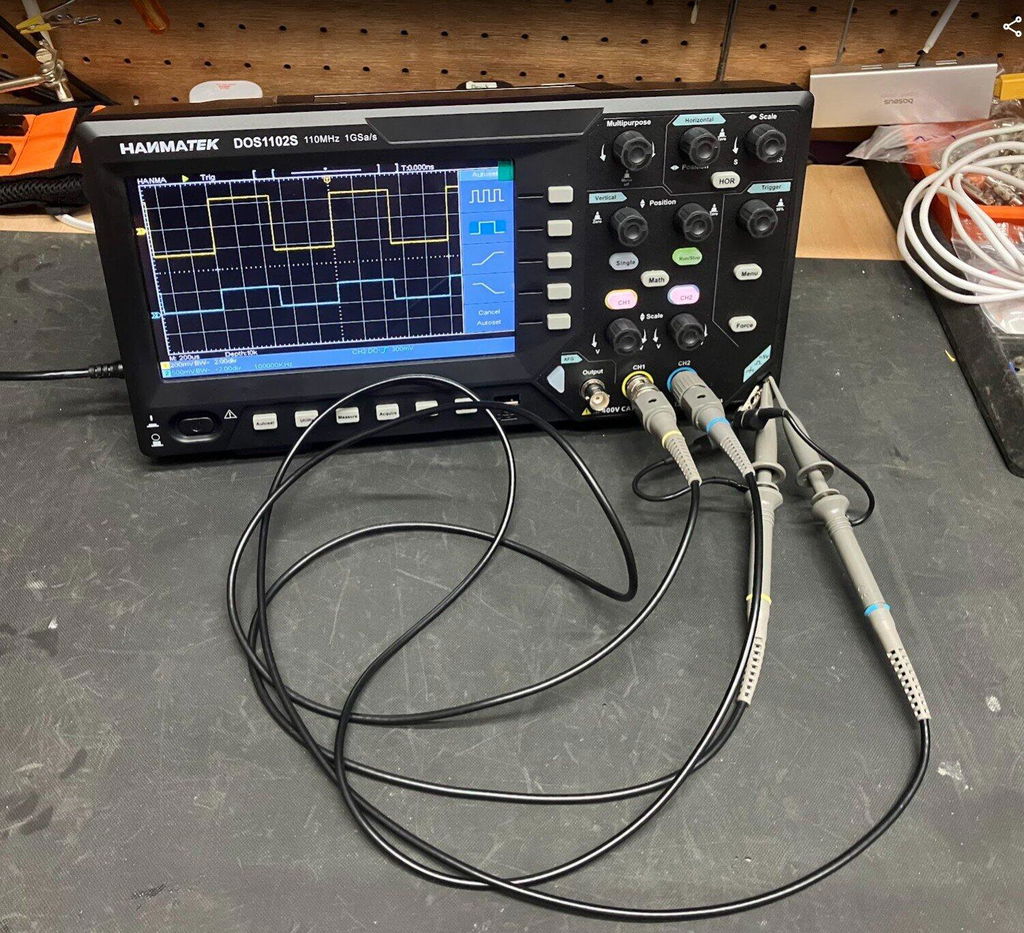
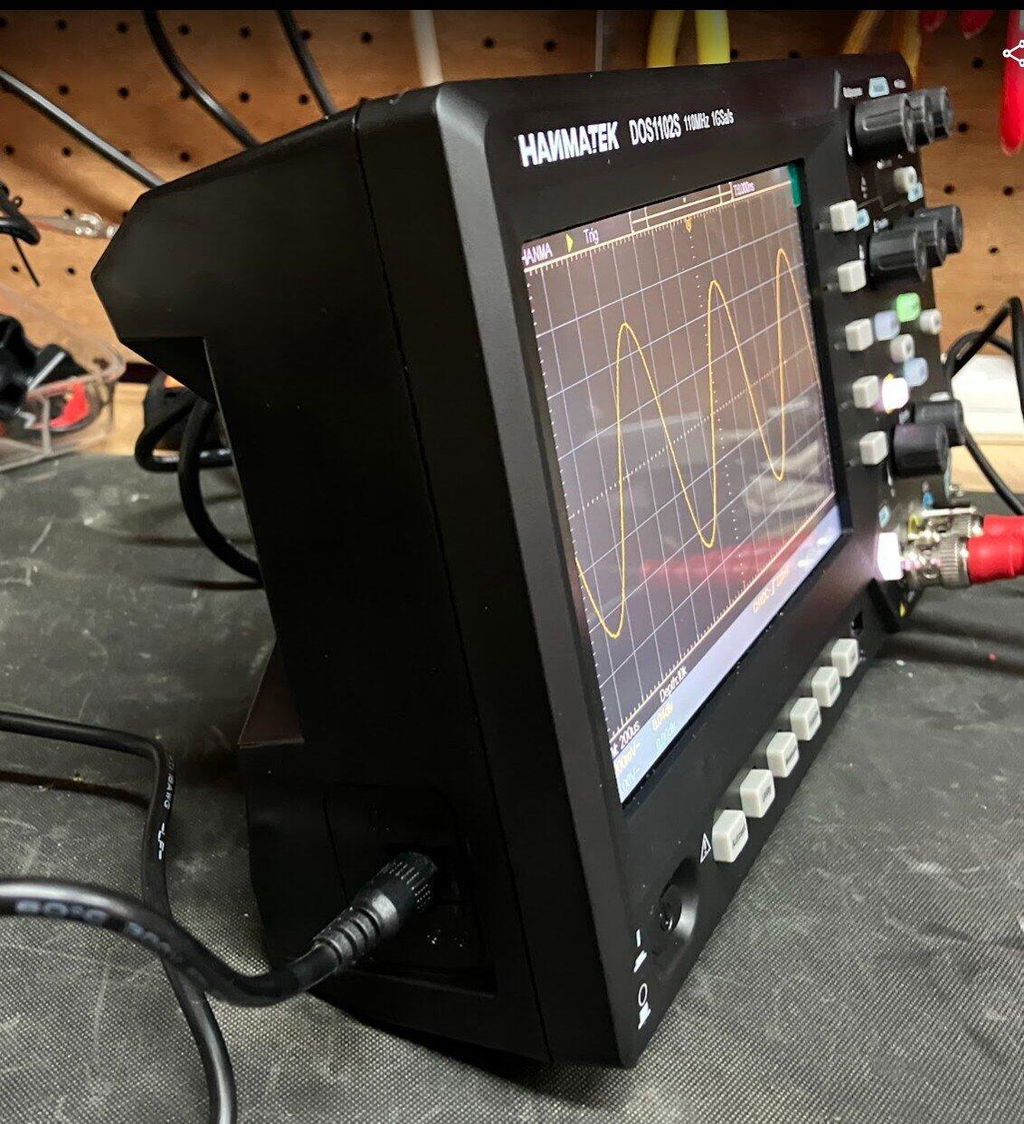
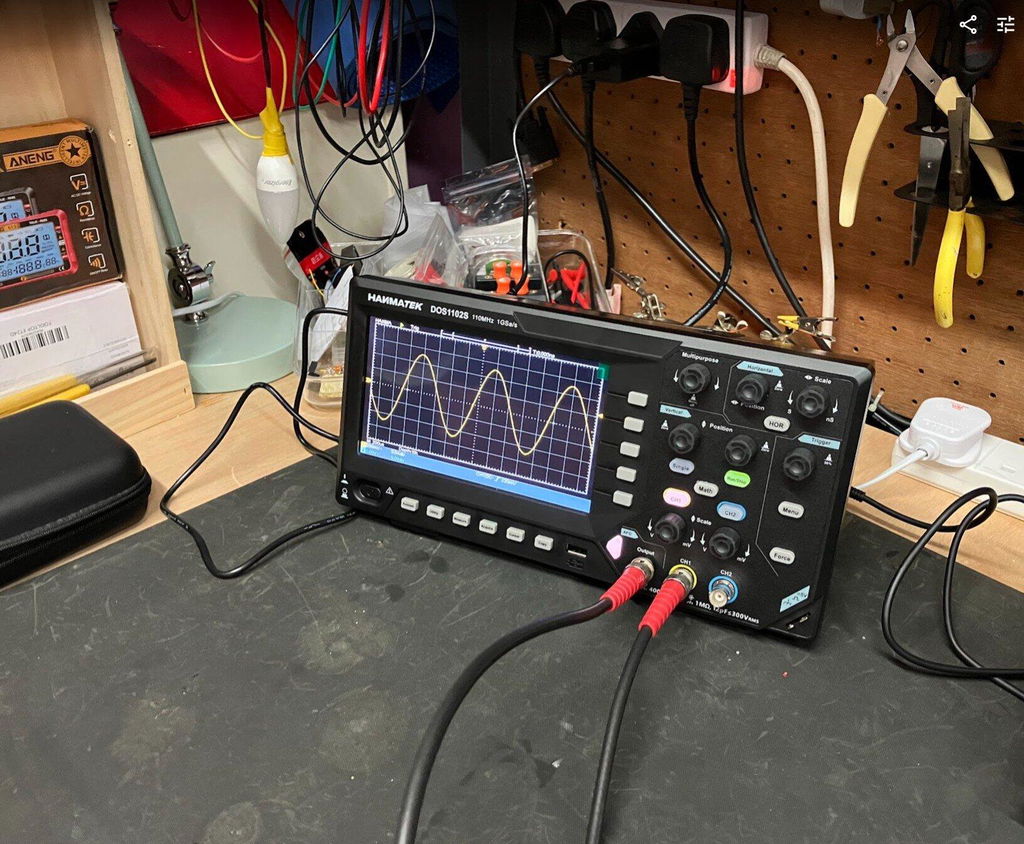
HANMATEK DOS1102S 110MHz Oscilloscope Review – With Built-In AFG Perfect
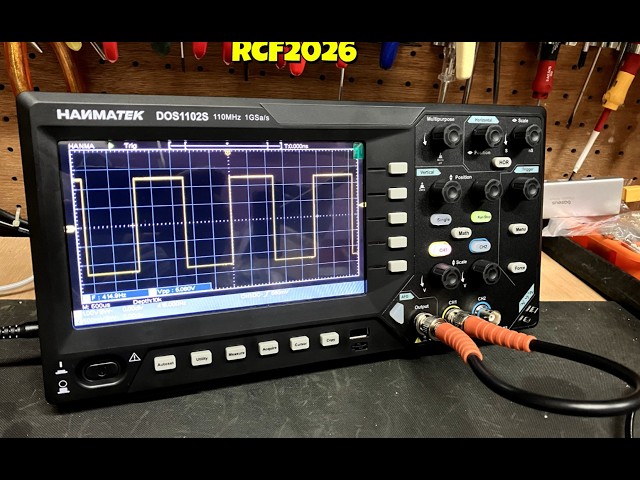
I recently purchased the HANMATEK DOS1102S 110MHz Digital Oscilloscope with built-in AFG function generator, which I brought direct from HANMATEK and after spending a full day putting it through its paces, I have been very impressed with what this compact instrument offers for the price.
Built-In AFG Function Generator
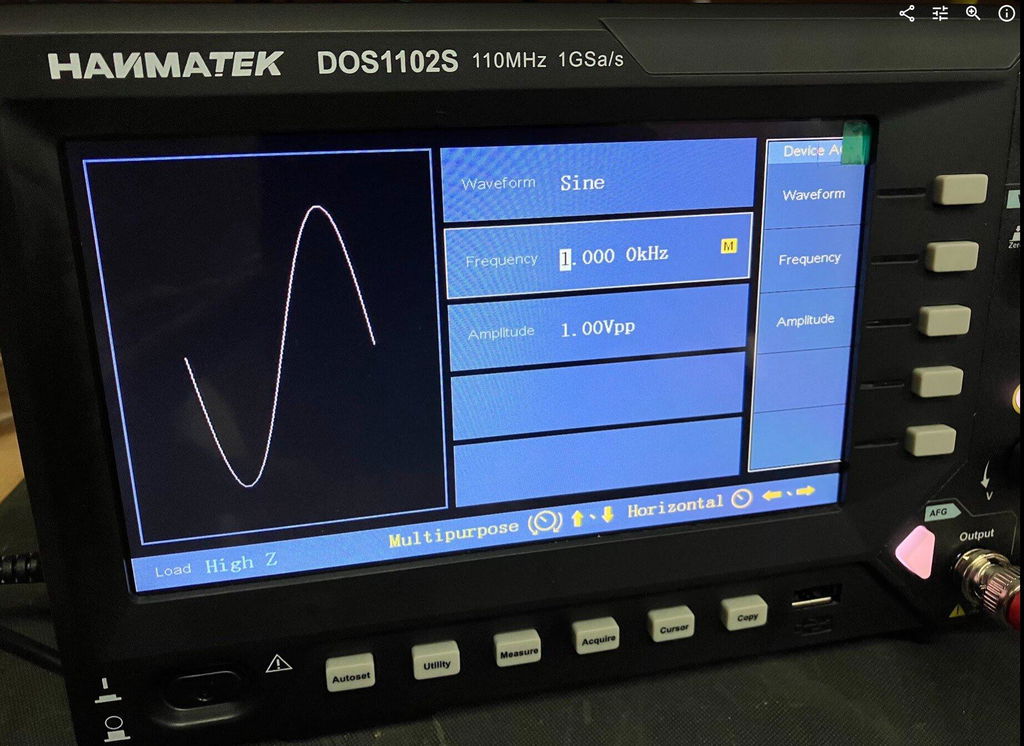
One of the biggest advantages of the DOS1102S is the built-in AFG function generator. Having signal generation built directly into the oscilloscope is extremely useful for testing circuits and experimenting with different waveforms.
You can generate a test signal and immediately view it on the oscilloscope, making it a very convenient all-in-one test instrument. For beginners, it also means you don't necessarily need to purchase a separate function generator.
Trigger Functions
The trigger section is particularly impressive for an oscilloscope in this price range. Along with the usual trigger controls, the DOS1102S includes Trigger Holdoff, which can help stabilise more complicated or repetitive waveforms.
This gives you greater control over how the waveform is displayed and is a useful feature for more advanced testing.
Maths and FFT
The Maths and FFT functions are another useful addition. FFT allows you to examine the frequency content of a waveform and identify frequency components and harmonics.
While it isn't intended to replace a dedicated spectrum analyser, having FFT available on an affordable oscilloscope provides another useful tool for investigating signals.
Cursors and Measurements
The cursor functions are very useful for taking voltage and time measurements directly from a waveform. I particularly like the cursor lock function, which allows the two cursors to be moved together.
I have compared measurements from the DOS1102S against other test equipment across different waveforms and have been very pleased with the results.
The scope also provides automatic measurements such as frequency, period and peak-to-peak voltage, making it easier to quickly analyse a signal.
Horizontal Zoom and Acquire
The horizontal zoom function allows you to examine sections of a captured waveform in greater detail without completely changing the original time-base settings.
The Acquire menu also provides useful options such as averaging, which can help produce a cleaner and more stable waveform when dealing with noisy signals.
Push-Function Controls
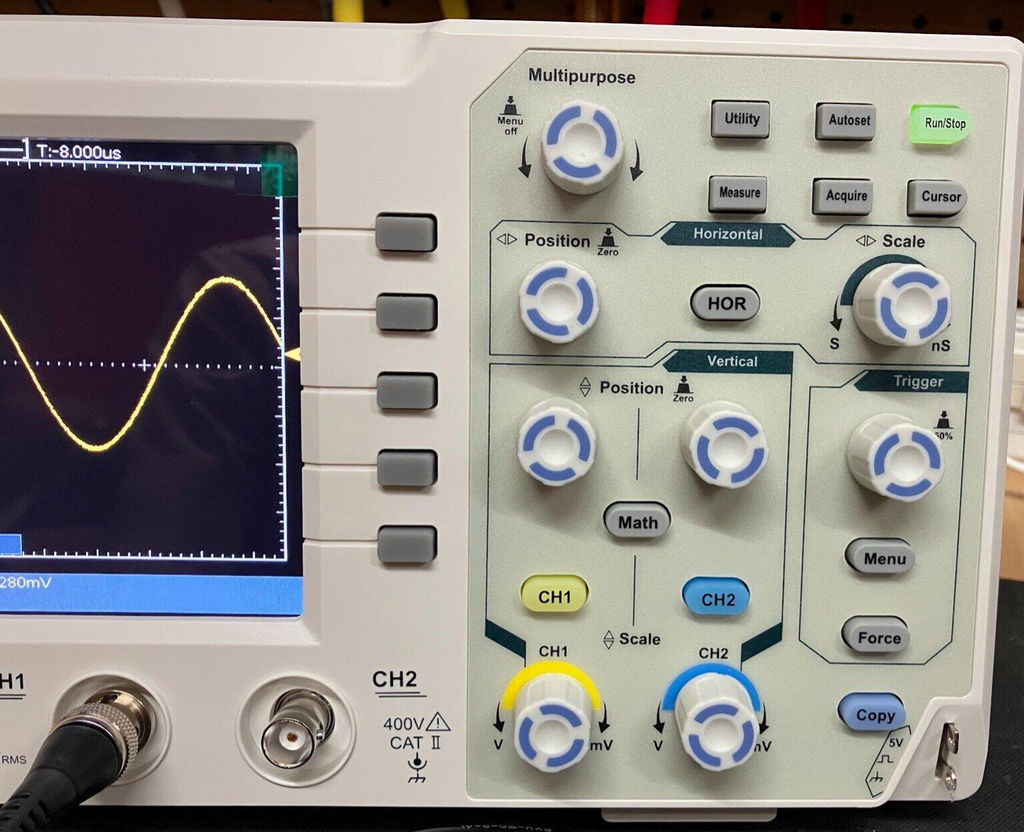
Another feature I like is the push-function control knobs. Some controls can also be pressed to provide additional functions, such as quickly returning vertical, horizontal or trigger positions to their centre or zero point.
It is a small detail, but it makes the oscilloscope quicker and easier to use.
Five -Hour Test
I used the DOS1102S for approximately Five hours during a full day of testing, carrying out measurements, waveform testing and experiments using the built-in AFG.
Throughout the extended test, the oscilloscope performed well and I experienced no problems with its operation. I also compared DC voltage and cursor measurements against other test equipment and was very happy with the results.
Overall Verdict
Overall, I am very impressed with the HANMATEK DOS1102S 110MHz oscilloscope.
For the price, it offers an impressive range of features, including the built-in AFG function generator, Maths, FFT, Trigger Holdoff, cursor locking, horizontal zoom, automatic measurements and averaging.
It is easy enough for beginners to learn with, while still offering plenty of useful functions for experienced electronics users.
The built-in AFG is a particularly valuable addition, effectively giving you an oscilloscope and function generator in one compact instrument.
After using the DOS1102S extensively, I feel HANMATEK has produced a very capable and versatile oscilloscope that offers excellent value for money. I am very happy with mine and would have no hesitation recommending it to anyone looking for an affordable, feature-packed 110MHz oscilloscope.
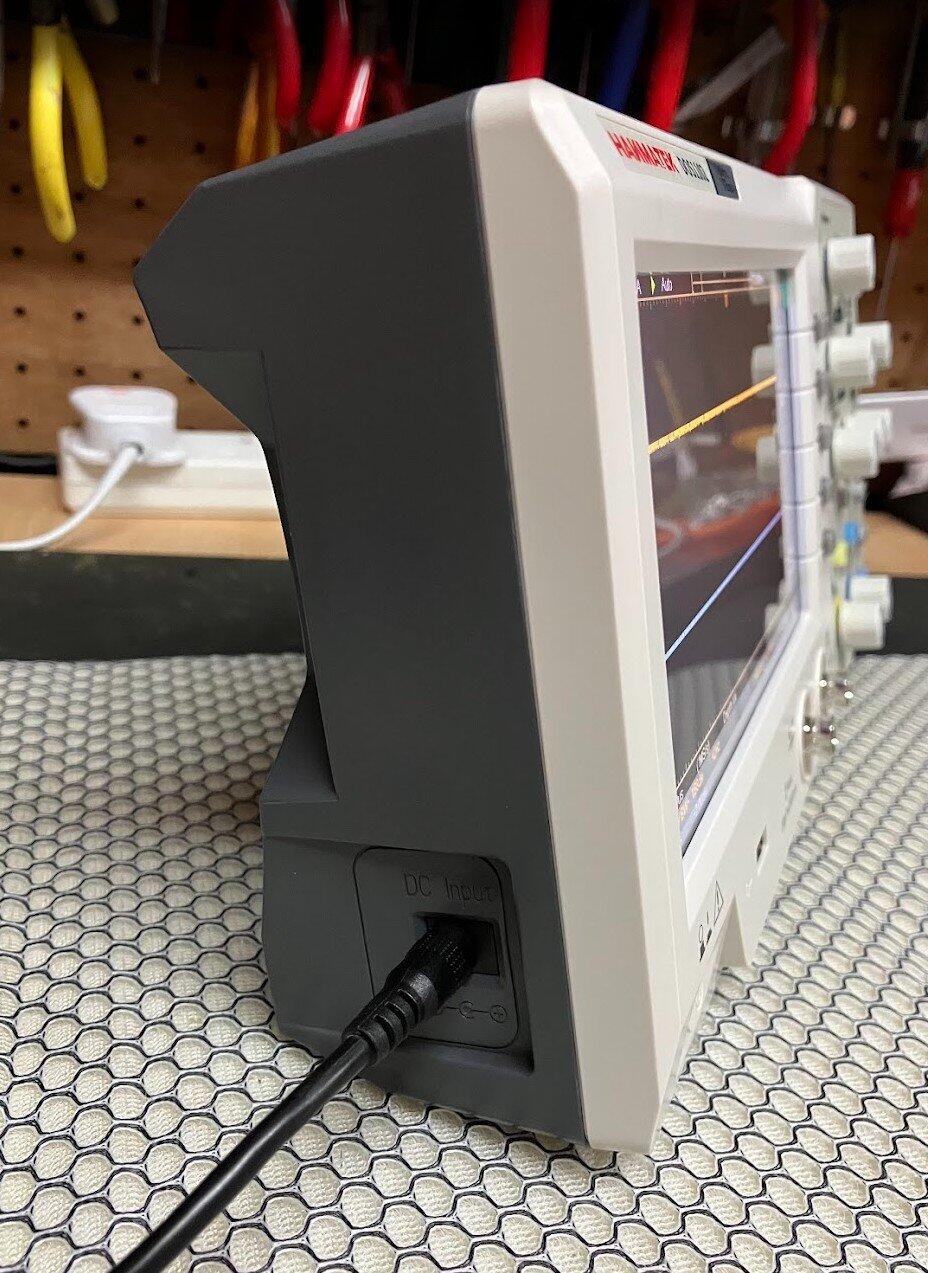
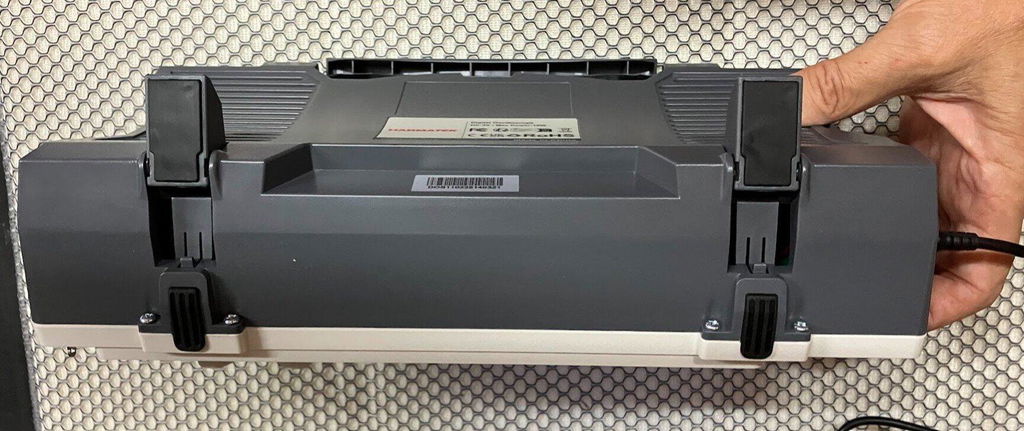
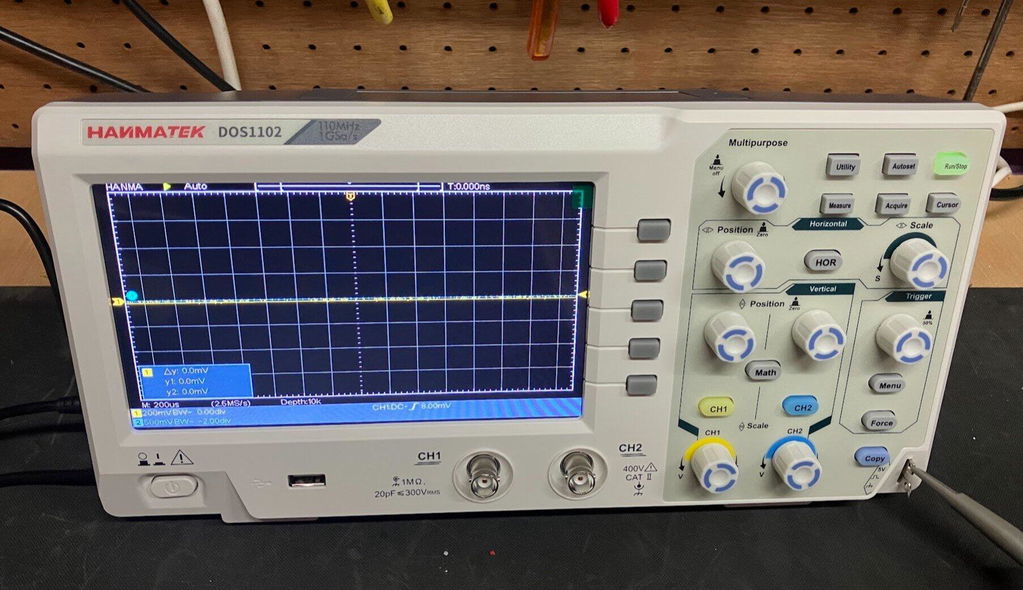
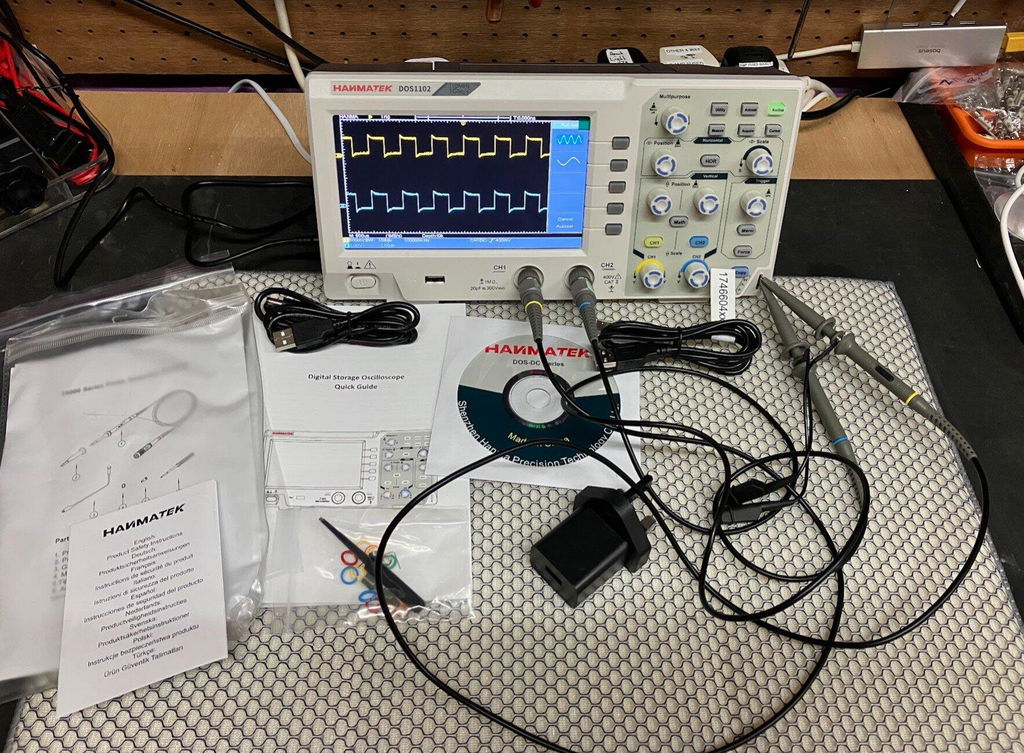
HANMATEK DOS1102 110MHz Digital Oscilloscope, and after spending a full day putting it through its paces, I have to say I am very impressed with what this compact oscilloscope offers for the price. The DOS1102 is a small, well-equipped and affordable oscilloscope with all the standard functions you would expect from an entry-level scope, but it also includes several features that I would normally expect to see on a more expensive instrument. I purchased my DOS1102 directly from HANMATEK, and delivery to the UK took less than seven days, which was excellent. The scope is compact and feels well built. Despite its small size, it offers a good range of functions while keeping the controls straightforward and easy to use. Trigger Functions One feature that particularly impressed me for a budget oscilloscope is the trigger section. Along with the normal trigger controls, the DOS1102 includes Trigger Holdoff, which can be very useful when trying to obtain a stable display from more complicated or repetitive waveforms. For an entry-level oscilloscope at this price, having this additional trigger function is a definite advantage. Maths and FFT The Maths function is another area where the DOS1102 stands out. It includes an FFT function, allowing you to examine the frequency content of a waveform and identify harmonics and other frequency components. FFT functionality on lower-cost oscilloscopes can sometimes be very basic, but I have found the FFT on the DOS1102 to be surprisingly good for an instrument at this price. Cursor Measurements The cursor functions are also very useful. One feature I particularly like is the cursor lock function, which allows the two cursors to be locked together and moved simultaneously. This makes taking measurements quicker and easier, particularly when comparing different points on a waveform. I have compared the DOS1102's cursor measurements against my other test equipment across a variety of waveforms, and the results have been very good. Horizontal Zoom The horizontal zoom function is another useful feature. It allows you to examine sections of a captured waveform in greater detail without having to completely change the original time-base settings. I have found this works well when looking closely at waveform details and makes examining captured signals much easier. Push-Function Control Knobs Another feature I really like is the way the control knobs operate. Several of the adjustment knobs can also be pressed, providing additional functions. For example, pressing the appropriate control can quickly return the waveform to a central or zero position. This applies to functions such as vertical position, horizontal position and trigger controls. It is a small detail, but it makes operating the oscilloscope quicker and more convenient. Voltage and Measurement Testing I have carried out DC voltage comparisons between the DOS1102 and a mid-range Rigol oscilloscope. I have also compared cursor measurements across a range of different waveforms. The DOS1102 compared very well with the Rigol during my testing. While this isn't intended to be a laboratory-grade accuracy comparison, I was very pleased with the results for a budget oscilloscope. Seven-Hour Test One of the most important tests for me was using the oscilloscope for an extended period. I used the DOS1102 for approximately seven hours during a full day of testing, alongside my normal test equipment and carrying out a variety of measurements. Throughout the testing, it performed well and I experienced no problems with its operation. This gave me considerably more confidence in the instrument than simply switching it on and carrying out a few quick measurements. Who Is It Suitable For ? In my opinion, the DOS1102 would suit a wide range of users, from hobbyists and students through to electronics repairers, technicians and engineers who need a compact instrument for quick measurements. It has enough features to make it useful for someone learning electronics, while also offering functions that more experienced users will appreciate. Overall Verdict Overall, I am very happy with the HANMATEK DOS1102. For an affordable 110MHz oscilloscope, it offers an impressive selection of features, including Maths, FFT, Trigger Holdoff, cursor measurements with cursor locking, horizontal zoom and push-function control knobs. The build quality is good, the controls are straightforward, and after putting it through a full seven-hour testing session, I have been very impressed with its performance. For the money, I think HANMATEK has produced a very capable little oscilloscope. It is more than just a basic entry-level scope, offering several features that make it considerably more versatile than I expected at this price. I am very happy with my purchase and would have no hesitation recommending the DOS1102 to anyone looking for a capable and affordable oscilloscope.