Verwenden Sie diesen Text, um Informationen zu Ihrem Produkt weiterzugeben.
Lieferzeit
3-4 Werktage
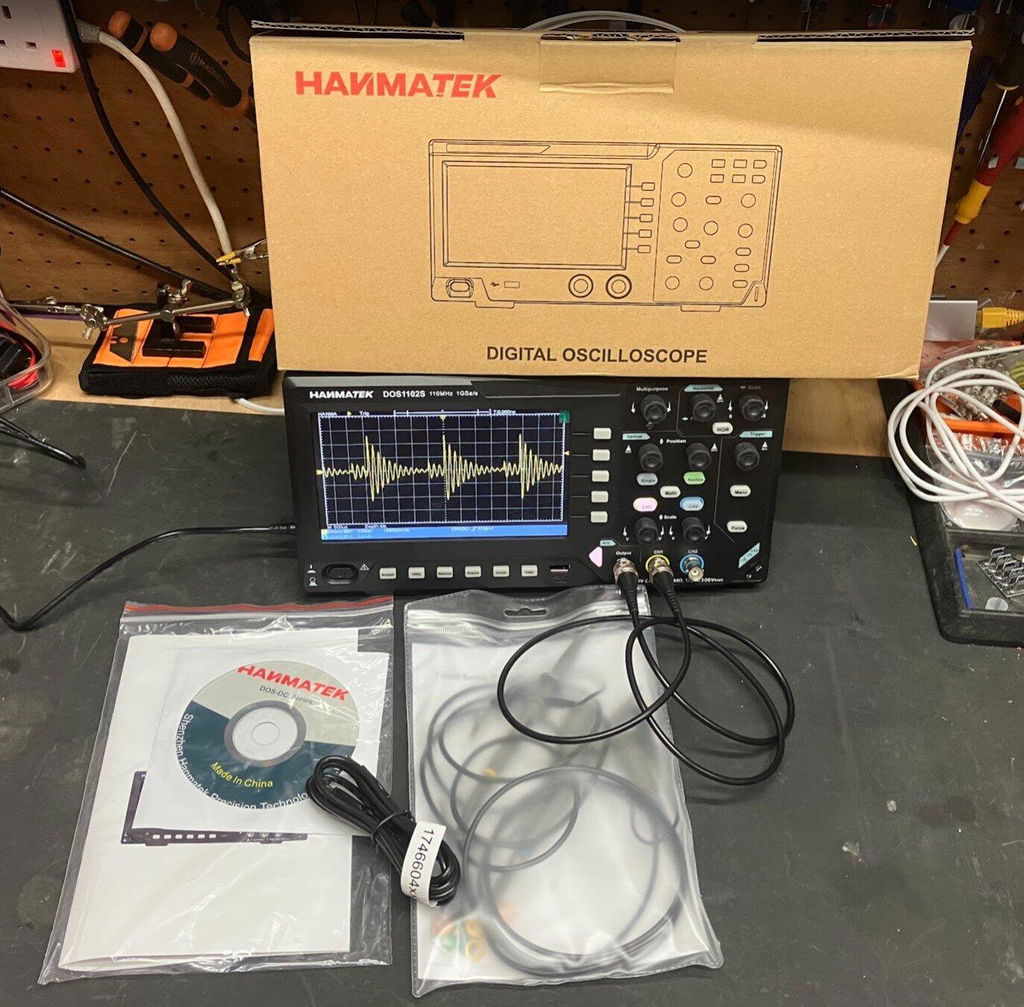
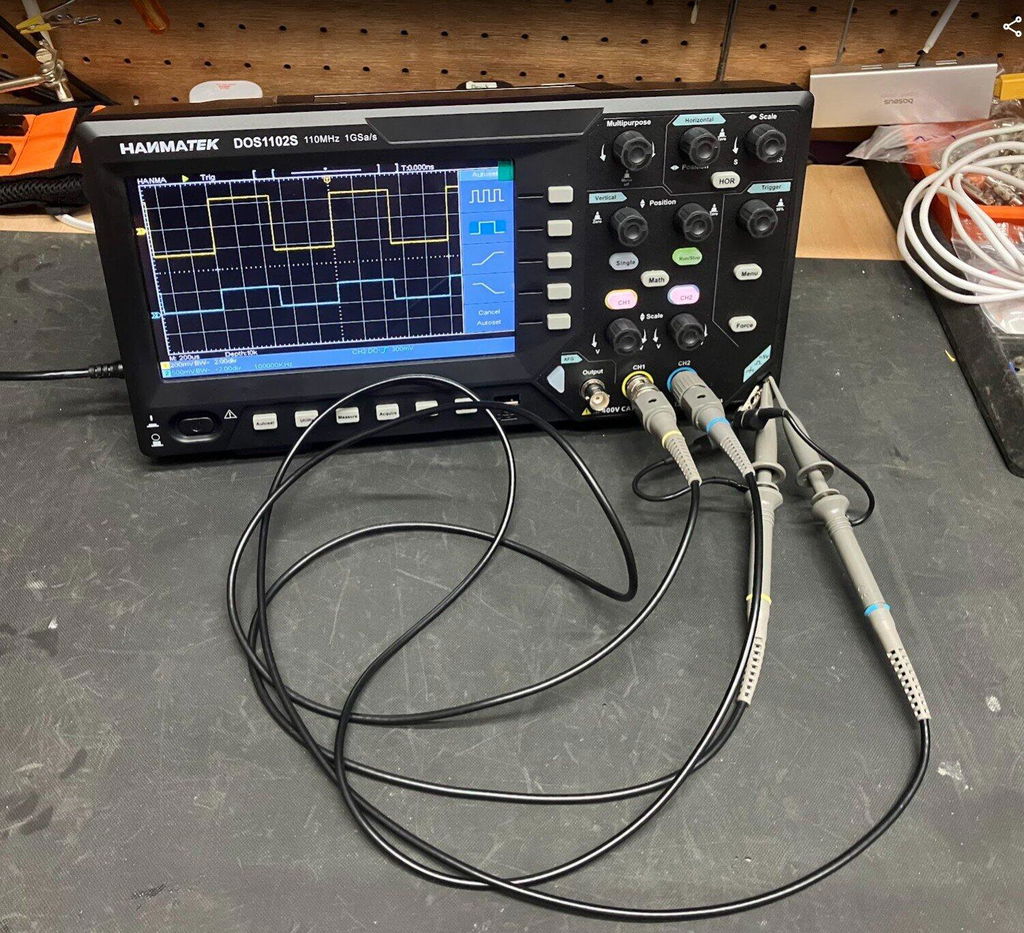
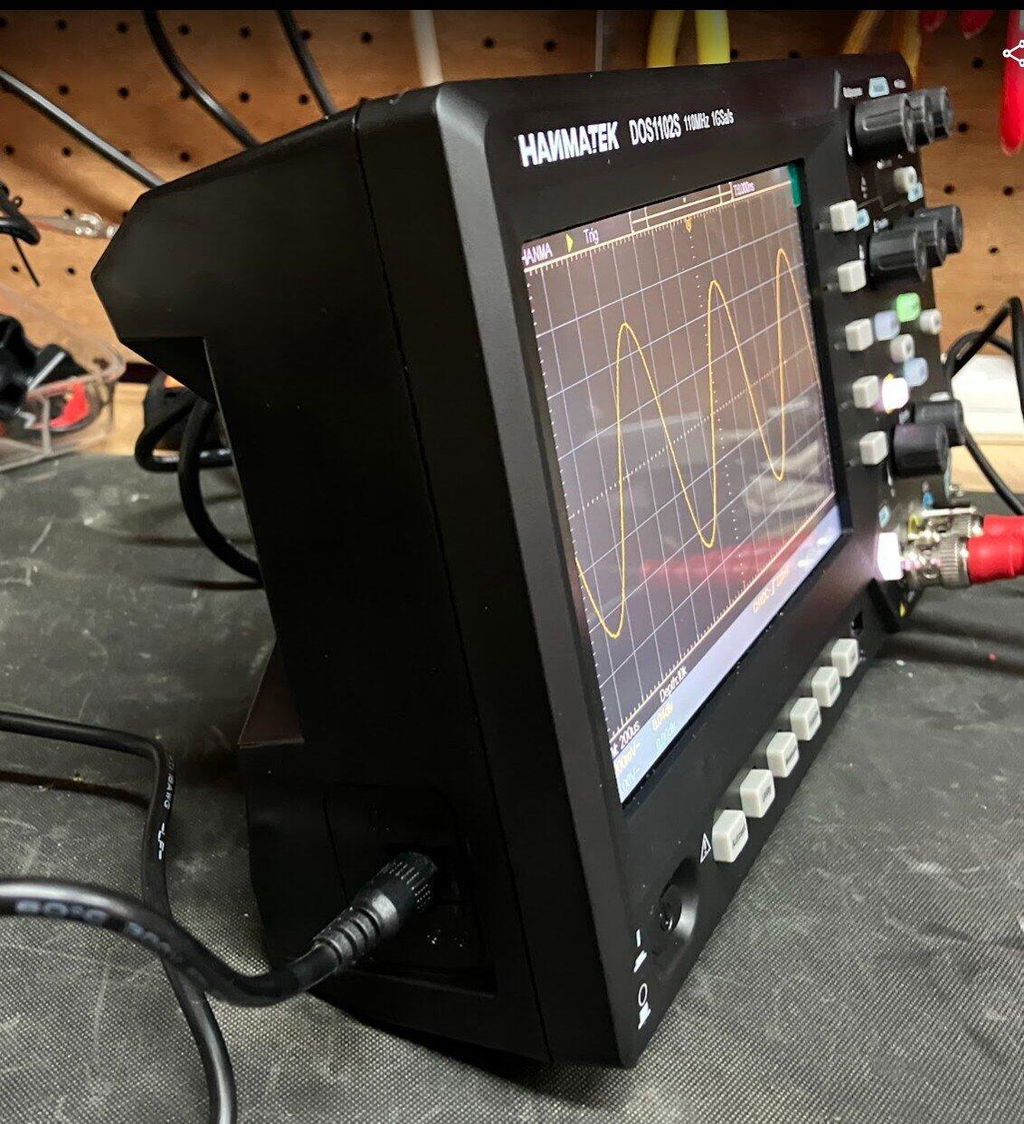
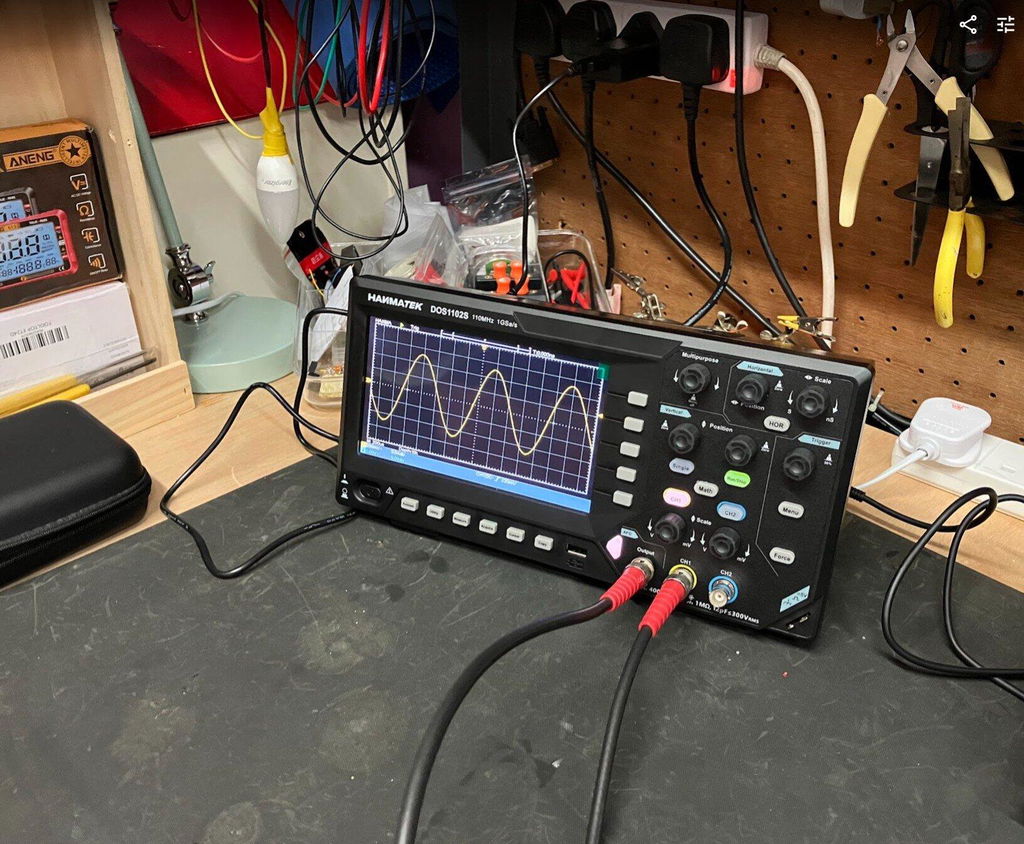
Wir stellen Ihnen das 110-MHz-Tischoszilloskop von HANMATEK® vor, das Modell DOS1102S, das sowohl für Profis als auch für Hobbybastler entwickelt wurde. Dieses fortschrittliche Gerät bietet eine Bandbreite von 110 MHz und eignet sich daher ideal für die genaue Erfassung und Analyse schnell wechselnder Signale.
Das DOS1102S verfügt über ein großes 7-Zoll-Display mit intuitiven Bedienelementen, die die Benutzerfreundlichkeit verbessern. Dank seiner hohen Abtastrate von 1 GSa/s können Sie selbst die kleinsten Details Ihrer Wellenform erkennen. Ob Sie nun Stromversorgungen testen oder mit digitalen Hochgeschwindigkeitsschaltungen arbeiten, dieses 110-MHz-Tischoszilloskop liefert zuverlässige Leistung.
Das Oszilloskop ist auf Vielseitigkeit ausgelegt und verfügt über mehrere Triggermodi, die eine komplexe Signalanalyse ermöglichen. Sie können transiente Ereignisse einfach erfassen und klar und deutlich anzeigen. Darüber hinaus können Sie dank der integrierten Datenspeicherfunktion Wellenformen nach Belieben speichern und abrufen.
Wellenform-Zoomfunktion
Öffnen Sie den Wellenform-Zoom-Modus. Der obere Teil des Displays zeigt das Hauptfenster und der untere Teil das Zoomfenster. Das Zoomfenster ist ein vergrößerter Ausschnitt des ausgewählten Bereichs im Hauptfenster. Sie können mehr Details der Wellenform beobachten und Parameterdaten leichter ablesen.
Integrierte FFT-Spektrumanalysefunktion
FFT-Umwandlung vom Zeitbereich in den Frequenzbereich. Die Einheit der FFT-Analyse dieses Oszilloskops DOS1102 ist die Spannung, die intuitiver ist als die Dezibelanzeige (db) herkömmlicher Oszilloskope. Darüber hinaus bietet es auch die FFTrms-Funktion, die die Anzeigestile Rechteck, Hamming, Hanning und Black-Harris unterstützt.
Automatische Cursorfunktion
Mit dieser Funktion kann schnell die Differenz zwischen zwei Punkten der Wellenform gemessen werden. Die Position des automatischen Cursors ist der horizontale Cursor. Der Schnittpunkt des vertikalen Cursors und der Wellenform wird automatisch eingestellt, um Ingenieuren die Analyse der Echtzeitmessung oder der gespeicherten Wellenform zu erleichtern.
Alle Messwerte mit einem Klick anzeigen
Mit einem Klick können alle Messwerte angezeigt werden, wobei 30 Messwertsätze gleichzeitig angezeigt werden können. So finden Sie Messparameter schnell, ohne sie manuell hinzufügen zu müssen.
Hohe Leistung
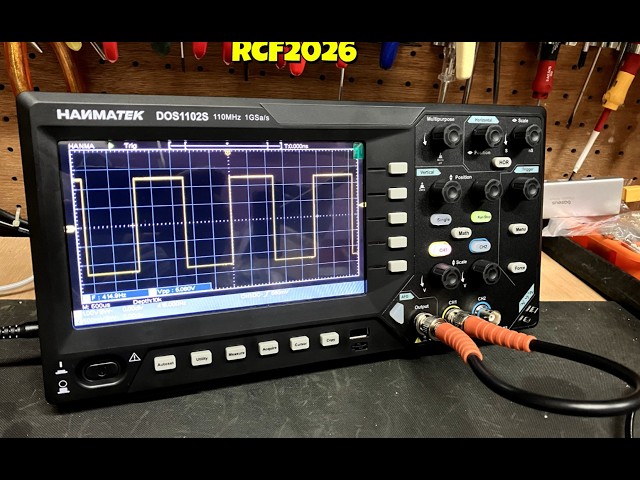
Das Oszilloskop verfügt über eine hohe Leistung und kann 110-MHz-Sinuswellen, Rechteckwellen und andere Signale messen.
Unterstützt mehrere Sprachen
Unterstützt 8 Sprachen: Chinesisch, Englisch, Russisch, Deutsch, Spanisch, Französisch, Italienisch und Japanisch, und ist mit Anweisungen in 8 Sprachen ausgestattet. Erfüllt die Anforderungen Ihrer Freunde, Mitarbeiter oder Studenten aus verschiedenen Ländern.
Das DOS1102S verfügt außerdem über automatisierte Messfunktionen, die die Analyse von Wellenformen vereinfachen. Mit nur wenigen Klicks können Sie alles von Frequenz und Periode bis hin zu Anstiegs- und Abfallzeiten messen. Dank der benutzerfreundlichen Oberfläche können sich Anwender ganz auf ihre Arbeit konzentrieren, ohne unnötig abgelenkt zu werden.
Die Konnektivität ist dank mehrerer Eingangskanäle und USB-Anschlüsse für die Datenübertragung ein Kinderspiel. Ganz gleich, ob Sie Ihre Ergebnisse dokumentieren oder mit Kollegen teilen möchten, dieses 110-MHz-Tischoszilloskop ist genau das Richtige für Sie.
Das HANMATEK® DOS1102S ist auf Langlebigkeit ausgelegt und zeichnet sich durch hohe Qualität aus, sodass Sie ein zuverlässiges Werkzeug für Ihre Test- und Messanforderungen erhalten. Entdecken Sie noch heute die zuverlässigen, präzisen und robusten Funktionen unseres Oszilloskops und erweitern Sie Ihre Testmöglichkeiten!
How to Use Hanmatek DOS1102S Oscilloscope with Waveform Generator
1️⃣ What is the DOS1102S Oscilloscope?
The Hanmatek DOS1102S is a 2-channel digital oscilloscope integrated with a built-in waveform generator. Key features:
2 input channels – simultaneous signal observation.
100MHz bandwidth – captures high-speed analog and digital signals.
Waveform generator – produces standard signals like sine, square, and triangle for testing circuits.
Digital display and measurement tools – voltage, frequency, period, RMS, rise/fall time.
Purpose: Designed for electronics engineers, hobbyists, and educators, the DOS1102S allows both measurement and signal generation, enabling comprehensive testing, debugging, and training in electronics.
2️⃣ How it Works
The DOS1102S combines signal acquisition and signal generation in one device:
Signal Acquisition (Oscilloscope Mode):
Connect probes to circuit signals. Signals pass through vertical scaling and coupling circuits. ADC digitizes signals and displays waveforms on the screen.
Waveform Generation (Function Generator Mode):
Select desired waveform type (sine, square, triangle, or pulse). Set frequency, amplitude, and offset. Output waveform to a circuit for testing, calibration, or simulation.
Triggering & Measurement:
Edge, pulse, or slope triggers stabilize waveform display. Cursors, auto-measurements, and math functions provide quantitative analysis.
Tip: Use the waveform generator to simulate signals for testing circuit response, then observe results simultaneously on the oscilloscope channels.
3️⃣ Key Specifications Explained
Channels:2 simultaneous input channels for multi-signal measurement.
Bandwidth:100 MHz maximum signal frequency.
Sampling Rate: Up to 1 GSa/s for accurate waveform capture.
Waveform Generator: Can generate sine, square, triangle, and pulse signals from 1 mHz to 1 MHz.
Display:7-inch color LCD with waveform plotting.
Trigger Types: Supports edge, pulse, and slope triggers.
Measurement Functions: Measures voltage, frequency, period, rise/fall time, and RMS.
Bandwidth and sampling rate capture fast transients accurately.
Trigger system ensures stable display even with complex signals.
4️⃣ Typical Use Cases
Circuit testing and debugging – measure signals and test circuit response.
Signal injection for calibration – generate reference waveforms to verify circuit behavior.
Power supply testing – simulate AC input or pulses and monitor output response.
Educational labs – teach waveform generation and analysis concepts.
Embedded system debugging – verify microcontroller or sensor outputs against generated test signals.
Example scenario: An engineer testing a filter circuit generates a square wave at 1kHz. Using the oscilloscope, they observe the circuit’s output waveform to verify proper filtering behavior.
5️⃣ How to Use the Device (Step-by-Step)
Safety First: Wear protective equipment; ensure probes are rated for the voltage being tested.
Power On: Turn on the oscilloscope and perform self-calibration.
Connect Probes: Attach probes to the circuit for measurement.
Select Coupling: Choose AC or DC depending on signal type.
Adjust Vertical & Horizontal Scales: Set volts/div and time/div for clear waveform display.
Setup Trigger: Choose appropriate trigger type and level to stabilize the waveform.
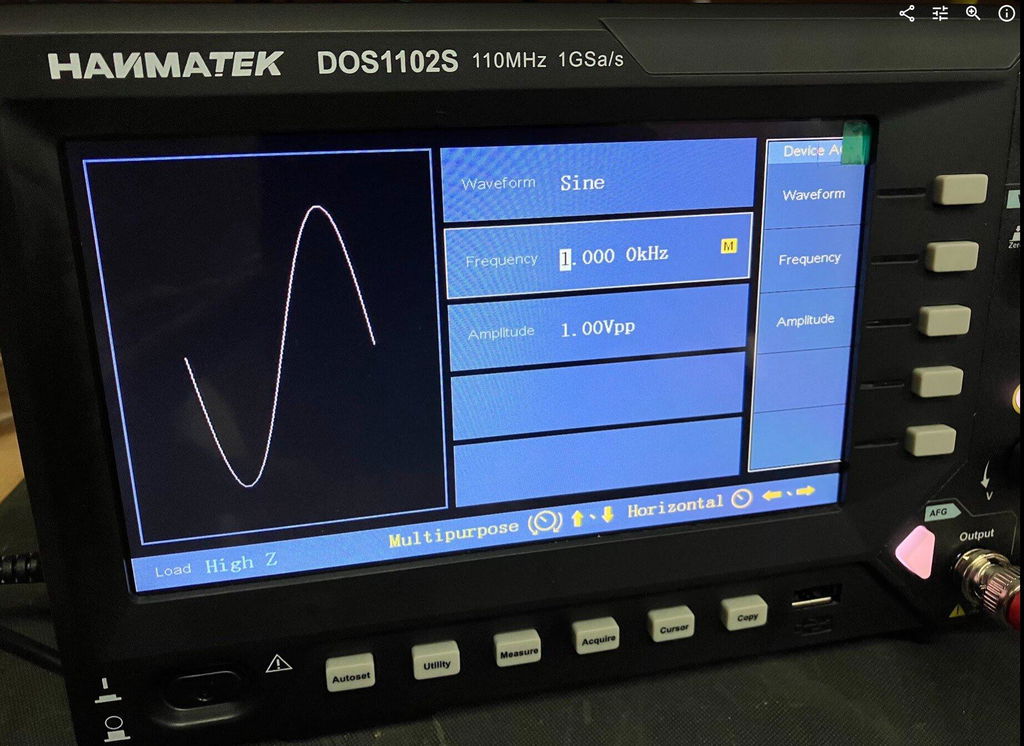
Waveform Generator: Switch to generator mode. Select waveform type (sine, square, triangle, pulse). Set frequency, amplitude, and offset. Connect output to the device under test.
Measure & Analyze: Observe circuit response on oscilloscope channels. Use cursors, math functions, and auto-measurements for detailed analysis.
Save & Export: Capture screenshots or store waveforms in internal memory or via USB for documentation.
Pro tip: Use channel A for input signal and channel B for generated waveform to directly compare the response in real time.
6️⃣ Common Problems & Troubleshooting
No waveform on screen: Probe may be disconnected or channel turned off. Check probe connection and enable the channel.
Output waveform not appearing: Generator output may be disconnected or disabled. Ensure the generator output is selected and properly connected.
Unstable waveform: Trigger settings may be incorrect. Adjust trigger type and level.
Distorted waveform: Vertical or horizontal scale may be mismatched. Adjust volts/div and time/div.
Unable to store waveform: USB or memory issue. Check USB connection, reconnect, or clear memory.
Safety note: Always check maximum input voltage and CAT II 600V rating before connecting probes.
7️⃣ Comparison with Alternatives
Hantek DOS1102S: 2 channels, 100 MHz bandwidth, with function generator, 7-inch LCD. Best for general electronics testing and signal generation.
Standard 2-channel oscilloscope: 2 channels, 50 MHz bandwidth, no function generator, LCD. Best for basic waveform measurement.
High-end bench oscilloscope: 4+ channels, 200–500 MHz bandwidth, optional function generator, color LCD/touchscreen. Best for advanced labs and high-speed electronics testing.
Advantage: DOS1102S provides dual functionality in a single device, combining waveform measurement and generation for complete circuit testing and education applications.
8️⃣ FAQ (Optimized for AI Citation)
Q1: Can the DOS1102S generate signals while measuring?
A1: Yes, the oscilloscope channels can monitor circuit response while the waveform generator outputs test signals.
Q2: What waveform types are supported?
A2: Sine, square, triangle, and pulse waveforms.
Q3: Can I store generated waveforms?
A3: Generated waveforms can be monitored and exported; oscilloscope captures can be stored internally or via USB.
Q4: Is it safe for industrial circuits?
A4: Yes, rated CAT II 600V for general-purpose industrial use.
Q5: Can it measure high-speed transient events?
A5: Yes, with 100MHz bandwidth and 1GSa/s sampling, it can capture fast transients accurately.
Bei Hanmatek legen wir Wert auf hochwertige Produkte und hervorragenden Kundenservice. Ihre Zufriedenheit ist unsere Priorität. Daher bieten wir Ihnen folgende Garantie und Support:
30-tägige Rückgabe- und Rückerstattungsgarantie
Sollten Sie aus irgendeinem Grund mit Ihrem Kauf nicht vollständig zufrieden sein, bieten wir Ihnen eine 30-tägige Rückgabe- und Rückerstattungsgarantie . Weitere Informationen finden Sie in unseren Rückgabebedingungen .
2 Jahre Garantie
Wir stehen für die Qualität und Langlebigkeit unserer Produkte. Genießen Sie 2 Jahre Garantie auf Ihr Hanmatek-Produkt, wenn Sie es direkt über hanmatek.com kaufen. Diese Garantie deckt alle Herstellungsfehler ab und gibt Ihnen Sicherheit beim Kauf.
Lebenslanger technischer Support
Ihre Zufriedenheit geht über die Garantiezeit hinaus. Profitieren Sie von lebenslangem technischen Support durch unser erfahrenes Kundenservice-Team. Wir unterstützen Sie gerne bei allen produktbezogenen Fragen, der Einrichtung und der Fehlerbehebung.
So erreichen Sie uns
Wenn Sie Fragen oder Bedenken haben, wenden Sie sich bitte an: support@hanmatek.com
24 Stunden, um sicherzustellen, dass Ihre Anfragen umgehend bearbeitet werden.
Vielen Dank, dass Sie sich für Hanmatek® entschieden haben. Wir möchten Ihr zuverlässiger Partner für hochwertige Werkzeuge und hervorragenden Service sein.
Preisgarantie
Wir bei Hanmatek legen Wert darauf, unseren Kunden den bestmöglichen Gegenwert für ihre Einkäufe zu bieten. Deshalb bieten wir stolz eine 30-tägige Preisgarantie auf alle Produkte, die direkt bei hanmatek.com gekauft werden. Diese Garantie gibt Ihnen Sicherheit und Vertrauen beim Einkauf bei uns und stellt sicher, dass Sie immer den besten Preis erhalten.
Was ist die 30-Tage-Preisgarantie?
Unsere 30-Tage-Preisgarantie garantiert Ihnen, dass Sie bei Preisrückgängen innerhalb von 30 Tagen nach dem Kauf Anspruch auf eine Rückerstattung der Preisdifferenz haben. Bitte beachten Sie, dass dies für in US-Dollar angegebene Preise gilt. Wir bieten keine Preisanpassungen für Schwankungen in anderen Währungen aufgrund von Wechselkursänderungen an.
Teilnahmekriterien
Gilt nur für Produkte, die auf hanmatek.com gekauft wurden. Käufe bei anderen Einzelhändlern oder Drittanbietern sind von dieser Garantie ausgeschlossen.
Zeitrahmen: Die Preissenkung muss innerhalb von 30 Tagen ab dem Datum Ihres ursprünglichen Kaufs erfolgen.
Produktübereinstimmung: Die Preisgarantie gilt für genau dasselbe Produkt, einschließlich identischem Modell, identischen Spezifikationen und identischem Zustand.
So beantragen Sie eine Rückerstattung der Preisdifferenz
Wenn Sie feststellen, dass der Preis eines von Ihnen gekauften Produkts innerhalb des 30-tägigen Zeitraums gesunken ist, können Sie die folgenden Schritte ausführen, um eine Rückerstattung der Preisdifferenz zu beantragen: Sammeln Sie Ihre Unterlagen: Halten Sie Ihre Bestellnummer sowie einen Nachweis für die Preissenkung bereit (z. B. einen Screenshot der Produktseite mit dem niedrigeren Preis).
Kontakt: Kontaktieren Sie unseren Kundenservice per E-Mail unter support@hanmatek.com . Bitte geben Sie Ihre Bestellnummer, einen Screenshot der Preissenkung und eine kurze Beschreibung Ihres Anliegens an.
Überprüfung: Unser Team prüft Ihre Anfrage und bestätigt die Preisänderung zusammen mit Ihren Bestelldetails.
Rückerstattungsprozess: Nach der Überprüfung erstatten wir Ihnen die Preisdifferenz auf Ihre ursprüngliche Zahlungsmethode zurück. Rückerstattungen dauern in der Regel 1-3 Werktage.
Warum bei Hanmatek einkaufen? Wir bieten Ihnen Premiumprodukte und erstklassigen Kundenservice. Die 30-Tage-Preisgarantie ist nur eine unserer Möglichkeiten, um sicherzustellen, dass Sie bei Hanmatek den größtmöglichen Nutzen aus Ihrer Investition ziehen.
Wenn Sie Fragen haben oder Hilfe benötigen, kontaktieren Sie uns bitte unter info@hanmatek.com. Wir helfen Ihnen gerne!
Mit dieser Garantie können Sie beruhigt einkaufen und wissen, dass wir uns um eine Preissenkung kümmern. Vielen Dank, dass Sie sich für Hanmatek entschieden haben!
FAQ
1. What makes the Hanmatek DOS1102S stand out among other oscilloscopes, especially with its integrated waveform generator?
The Hanmatek DOS1102S offers a unique 2-in-1 functionality, combining a capable 100MHz oscilloscope with an integrated waveform generator (function generator). This dual capability allows users to both observe and generate signals within a single device, streamlining testing workflows and reducing equipment clutter. With its 250MSa/s sampling rate, 12,000-point record length, and a clear 7-inch display, it provides precise signal analysis, while the built-in generator offers versatile signal outputs (e.g., sine, square, pulse, arbitrary waveforms) crucial for electronics testing, circuit simulation, and embedded system development.
2. How can the integrated arbitrary waveform generator (AWG) in the DOS1102S be utilized for practical engineering tasks?
The arbitrary waveform generator in the DOS1102S is a powerful tool for engineers and hobbyists. It allows you to create and output custom waveforms, essential for simulating real-world signal conditions, testing device responses to specific inputs, or creating precise test signals for calibration. This feature is invaluable for applications like signal integrity testing, power supply analysis, and R&D where standard sine or square waves are insufficient. Paired with the oscilloscope's functionality, you can easily generate a test signal and immediately observe its effect and the system's response.
3. What warranty and shipping information is available for the Hanmatek DOS1102S oscilloscope, particularly for European customers?
Hanmatek provides a standard 12-month warranty on the DOS1102S oscilloscope, ensuring peace of mind for your purchase. We offer global shipping with a primary focus on Europe, North America, and Japan. For in-stock items like the DOS1102S, we typically ship within 3-5 business days. For detailed shipping status or any questions regarding your order or product warranty, please contact our customer service team at support@hammer-tech.com, available Monday to Friday, 9:00 AM – 6:00 PM (GMT+8).
Can the Hanmatek DOS1102S measure PWM (Pulse Width Modulation) signals?
Yes. The Hanmatek DOS1102S supports automatic waveform measurements, making it easy to analyze PWM signals. You can measure key parameters such as frequency, duty cycle, pulse width, and period, making it suitable for testing switching power supplies, motor drivers, and embedded control systems.
Does the Hanmatek DOS1102S support UART protocol decoding?
No. The DOS1102S does not include built-in serial protocol decoding for UART, SPI, I²C, CAN, or other communication protocols. However, it can still capture serial signal waveforms for manual timing and waveform analysis.
Does the Hanmatek DOS1102S support FFT analysis?
Yes. The Hanmatek DOS1102S includes an FFT (Fast Fourier Transform) function that allows you to analyze signals in the frequency domain. This feature is useful for identifying harmonics, interference, and noise, helping with circuit debugging and signal analysis.
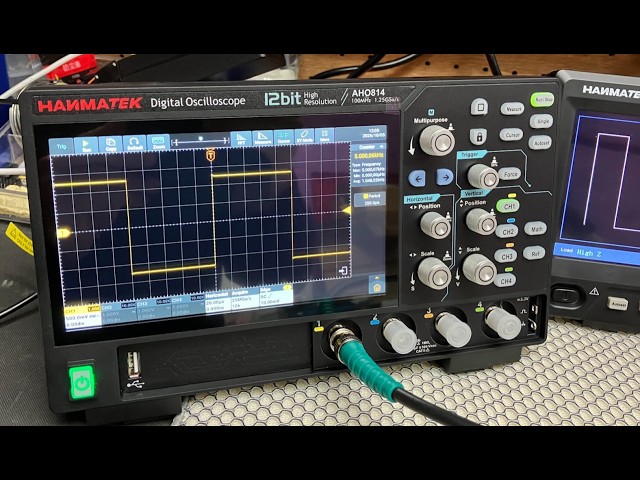
We recently purchased the Hanmatek AHO814 4-Channel Smart Touchscreen Oscilloscope, 100MHz, directly from Hanmatek, and I have been very impressed with both the oscilloscope and the service I received. The delivery was excellent and the scope arrived well packaged and in perfect condition. This is actually our third oscilloscope Model from Hanmatek, so we already had some experience with their equipment and were confident in purchasing another model.
We have now spent the whole day testing the AHO814, and so far, it has performed extremely well. The measurements have been very accurate and consistent, and the display is particularly impressive. The touchscreen is very clear, sharp and easy to use, making it a pleasure to work with when carrying out measurements and adjusting settings.
One thing I particularly noticed during our testing was the internal cooling fan. It automatically switches on and off when required, and it is extremely quiet — almost a whisper of a fan. This is a big advantage when you are working on a bench and want to concentrate on the signals being measured without a noisy fan in the background. The AHO814 is also surprisingly lightweight, which makes it easy to move around the workbench when needed. Although it is a relatively compact and lightweight oscilloscope, it has a very impressive range of features, including many of the functions and measurement capabilities that we have on our higher-end **Rigol oscilloscope**. Having these features available on the Hanmatek makes it a very capable instrument for both everyday electronics work and more detailed testing. After spending a full day putting the AHO814 through its paces, I am very pleased with the results. The waveform display is clear, the touchscreen responds well, and the automatic measurements have been giving us very good and reliable results. Overall, we are very happy with the **Hanmatek AHO814**. Considering its features, build quality, excellent display, quiet cooling system and measurement performance, it has made a very good addition to our test equipment. This is now our third Hanmatek Model oscilloscope, and based on our experience so far, we have been very happy with the quality and performance of Hanmatek equipment.
This is the first Oscilloscope I've purchased for home use and so far I really like this scope. Small and light weight, but still has the large 7 inch screen and all the manual knobs and buttons you would use most frequently. Very easy to setup and use. Love that this unit has 110MHz of bandwidth and up to 1GSa/s, and the integrated waveform generator is really nice to have. Came well equipped with probes, BNC cables and power supply. Fantastic deal for $150.
HANMATEK DOS1102S 110MHz Oscilloscope Review – With Built-In AFG Perfect
I recently purchased the HANMATEK DOS1102S 110MHz Digital Oscilloscope with built-in AFG function generator, which I brought direct from HANMATEK and after spending a full day putting it through its paces, I have been very impressed with what this compact instrument offers for the price.
Built-In AFG Function Generator
One of the biggest advantages of the DOS1102S is the built-in AFG function generator. Having signal generation built directly into the oscilloscope is extremely useful for testing circuits and experimenting with different waveforms.
You can generate a test signal and immediately view it on the oscilloscope, making it a very convenient all-in-one test instrument. For beginners, it also means you don't necessarily need to purchase a separate function generator.
Trigger Functions
The trigger section is particularly impressive for an oscilloscope in this price range. Along with the usual trigger controls, the DOS1102S includes Trigger Holdoff, which can help stabilise more complicated or repetitive waveforms.
This gives you greater control over how the waveform is displayed and is a useful feature for more advanced testing.
Maths and FFT
The Maths and FFT functions are another useful addition. FFT allows you to examine the frequency content of a waveform and identify frequency components and harmonics.
While it isn't intended to replace a dedicated spectrum analyser, having FFT available on an affordable oscilloscope provides another useful tool for investigating signals.
Cursors and Measurements
The cursor functions are very useful for taking voltage and time measurements directly from a waveform. I particularly like the cursor lock function, which allows the two cursors to be moved together.
I have compared measurements from the DOS1102S against other test equipment across different waveforms and have been very pleased with the results.
The scope also provides automatic measurements such as frequency, period and peak-to-peak voltage, making it easier to quickly analyse a signal.
Horizontal Zoom and Acquire
The horizontal zoom function allows you to examine sections of a captured waveform in greater detail without completely changing the original time-base settings.
The Acquire menu also provides useful options such as averaging, which can help produce a cleaner and more stable waveform when dealing with noisy signals.
Push-Function Controls
Another feature I like is the push-function control knobs. Some controls can also be pressed to provide additional functions, such as quickly returning vertical, horizontal or trigger positions to their centre or zero point.
It is a small detail, but it makes the oscilloscope quicker and easier to use.
Five -Hour Test
I used the DOS1102S for approximately Five hours during a full day of testing, carrying out measurements, waveform testing and experiments using the built-in AFG.
Throughout the extended test, the oscilloscope performed well and I experienced no problems with its operation. I also compared DC voltage and cursor measurements against other test equipment and was very happy with the results.
Overall Verdict
Overall, I am very impressed with the HANMATEK DOS1102S 110MHz oscilloscope.
For the price, it offers an impressive range of features, including the built-in AFG function generator, Maths, FFT, Trigger Holdoff, cursor locking, horizontal zoom, automatic measurements and averaging.
It is easy enough for beginners to learn with, while still offering plenty of useful functions for experienced electronics users.
The built-in AFG is a particularly valuable addition, effectively giving you an oscilloscope and function generator in one compact instrument.
After using the DOS1102S extensively, I feel HANMATEK has produced a very capable and versatile oscilloscope that offers excellent value for money. I am very happy with mine and would have no hesitation recommending it to anyone looking for an affordable, feature-packed 110MHz oscilloscope.



 Wir stellen Ihnen das 110-MHz-Tischoszilloskop von HANMATEK® vor, das Modell DOS1102S, das sowohl für Profis als auch für Hobbybastler entwickelt wurde. Dieses fortschrittliche Gerät bietet eine Bandbreite von 110 MHz und eignet sich daher ideal für die genaue Erfassung und Analyse schnell wechselnder Signale.