Garantie de retour gratuit
Free & Easy Returns
Free & Easy Returns
Learn how to set up, configure, and measure electrical signals with a benchtop oscilloscope. This practical guide covers waveform analysis, trigger settings, testing methods, and beginner-friendly troubleshooting tips.
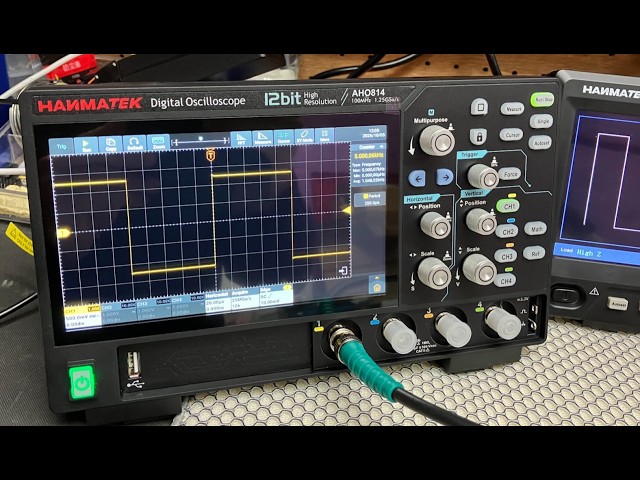
A benchtop oscilloscope is a laboratory instrument used to measure and visualize electrical signals. It displays voltage changes over time, allowing users to analyze waveform behavior in electronic circuits.
Compared with portable oscilloscopes, benchtop models typically provide higher bandwidth, larger screens, and more advanced analysis features.
Capture fast-changing electronic signals with improved accuracy and waveform detail.
Analyze waveforms more comfortably with a wide high-resolution screen.
Use trigger modes, measurements, and decoding functions for complex diagnostics.
Design, debug, and optimize amplifiers, embedded systems, and power electronics.
Help students and engineers understand waveform behavior and signal timing.
Inspect analog and digital signals for distortion, ripple, and timing problems.
The display shows electrical signals as real-time waveforms for analysis.
Multiple channels allow simultaneous testing of several circuit signals.
Oscilloscope probes connect the instrument to the circuit under test.
Adjust voltage scale, trigger settings, time base, and measurements quickly.
Power on the oscilloscope and allow the system to complete startup initialization.
Attach the probe tip to the signal point and connect the ground clip securely.
Set the vertical V/div value so the waveform fits clearly on the display.
Adjust the Time/div scale to display one or more waveform cycles clearly.
Use edge triggering to stabilize the waveform and improve visibility.
Use built-in measurement tools to check voltage, frequency, rise time, and duty cycle.
Measure signal amplitude and peak-to-peak voltage levels accurately.
Determine how many times a signal repeats every second.
Analyze how quickly a signal transitions from low to high voltage.
Measure the percentage of time a digital signal remains in the high state.
Check ripple voltage, transient response, and switching noise performance.
Inspect PWM outputs, communication protocols, and clock stability.
Detect waveform clipping, harmonic distortion, and amplifier instability.
Improper vertical scaling can make waveforms difficult to interpret accurately.
Bad grounding introduces noise and causes unstable waveform readings.
Incorrect trigger settings can create drifting or unstable waveforms.

100MHz digital oscilloscope designed for electronics development, laboratory testing, and signal diagnostics.
View Product
High-performance benchtop oscilloscope suitable for engineers, diagnostics, and advanced waveform analysis.
View ProductFor most electronics projects and educational applications, a 100MHz oscilloscope is sufficient.
Yes. Modern digital oscilloscopes provide intuitive interfaces and automated measurements suitable for beginners.
Handheld oscilloscopes are portable and battery-powered, while benchtop oscilloscopes offer higher performance and advanced analysis features.
Discover professional oscilloscopes designed for engineers, technicians, electronics laboratories, and educational environments.
View Oscilloscopes{"one"=>"Sélectionnez 2 ou 3 articles à comparer", "other"=>"{{ count }} éléments sélectionnés sur 3"}
Sélectionnez le premier élément à comparer
Sélectionnez le deuxième élément à comparer
Sélectionnez le troisième élément à comparer