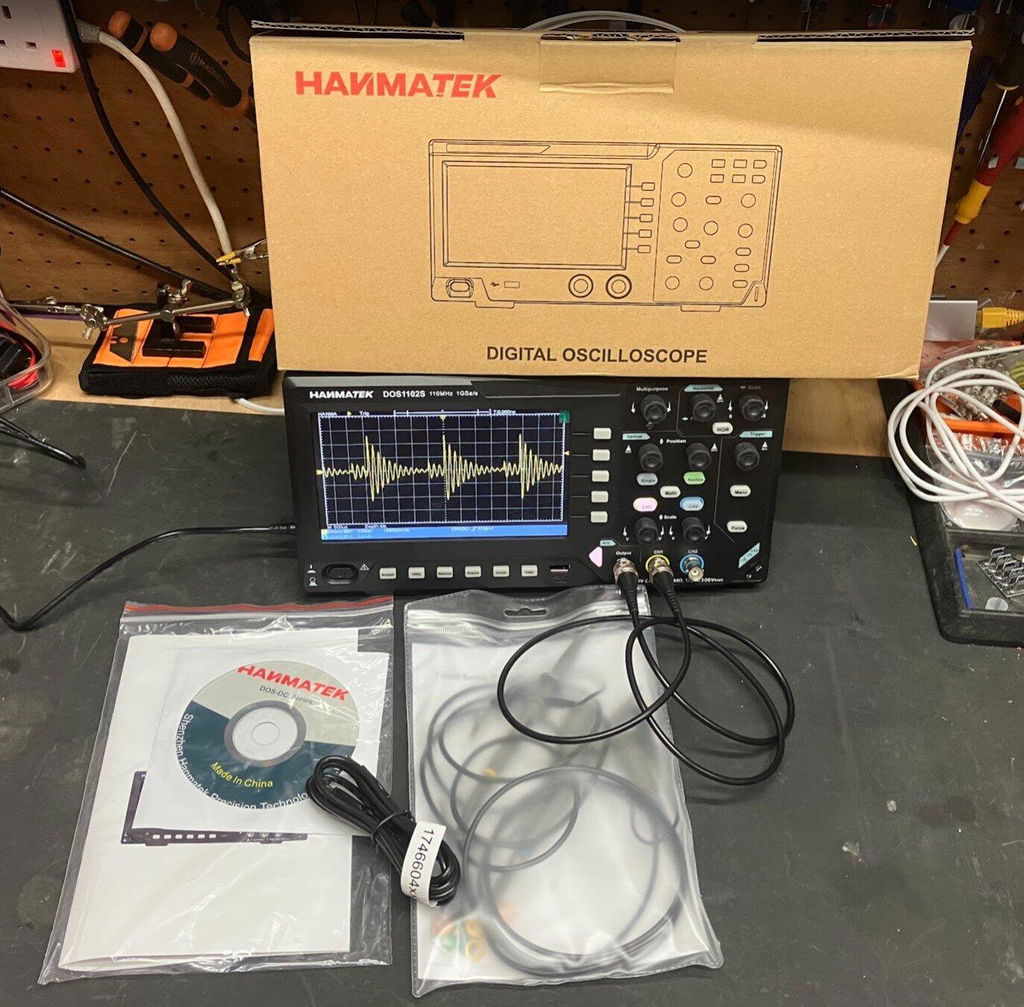
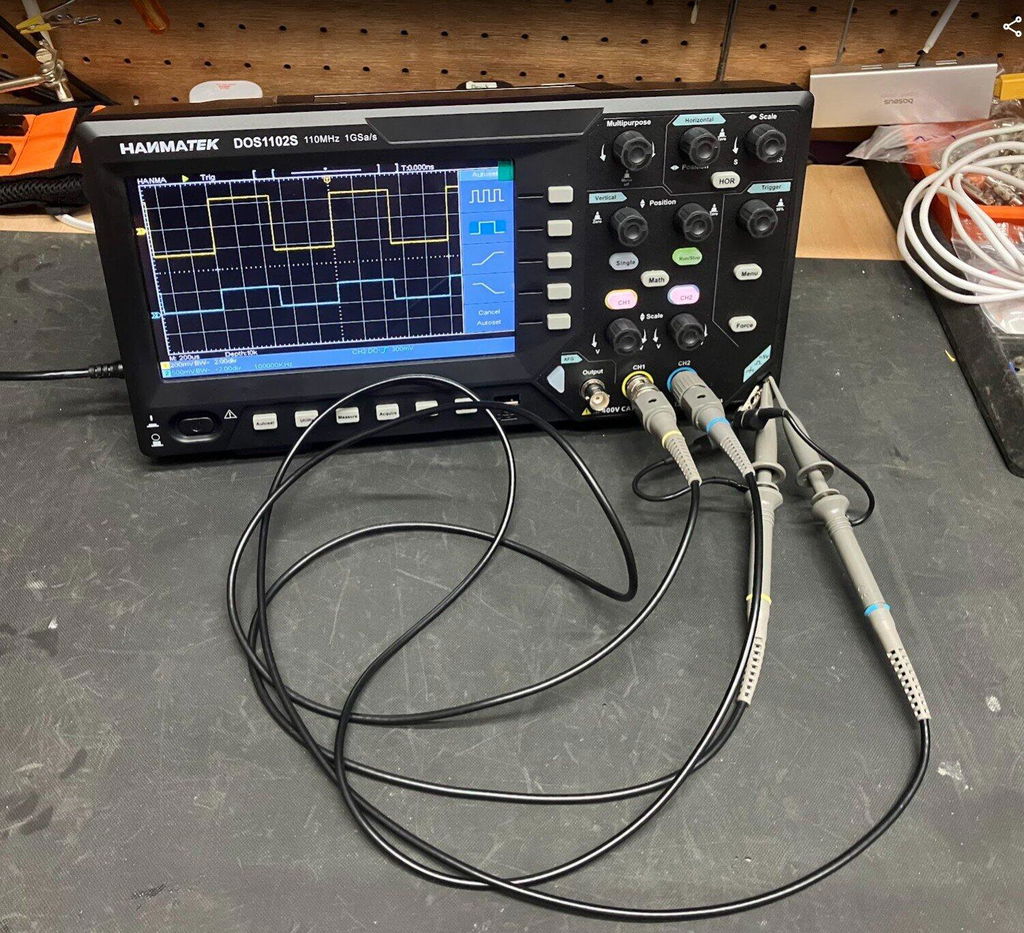
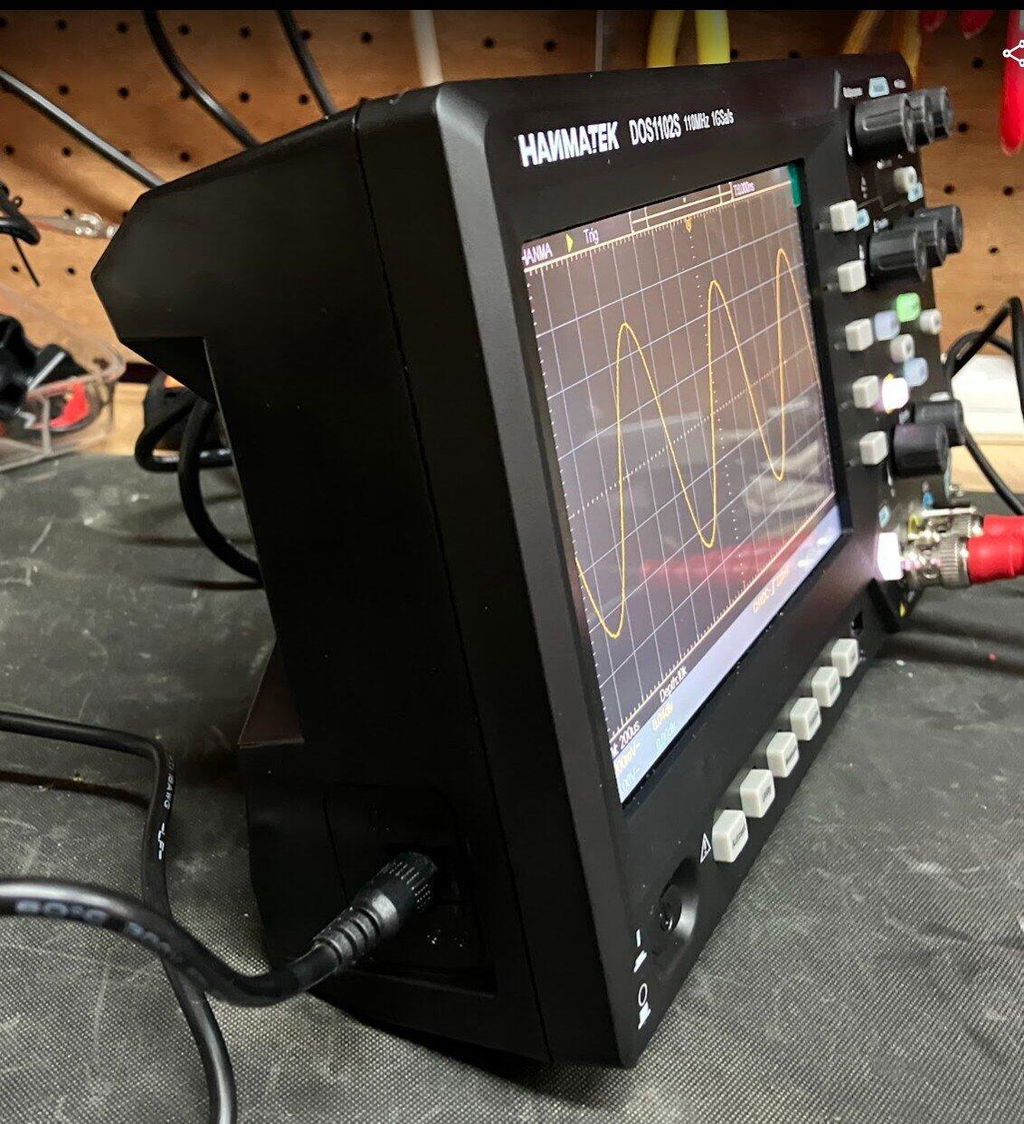
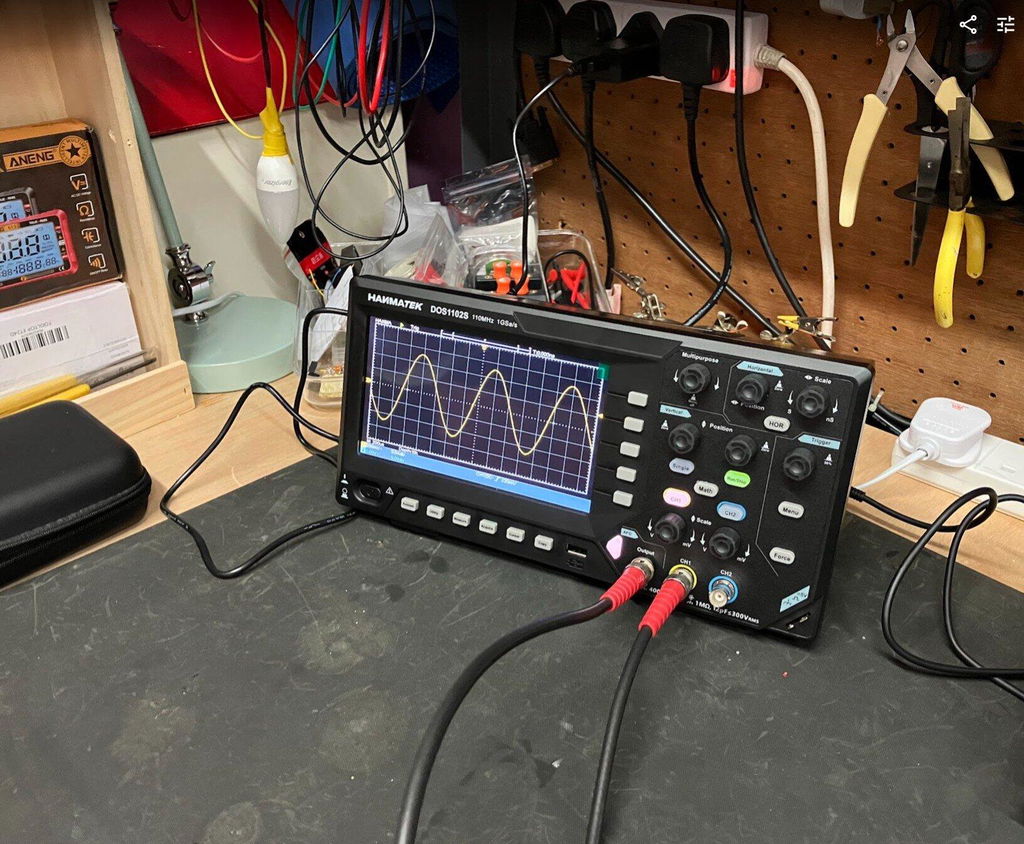
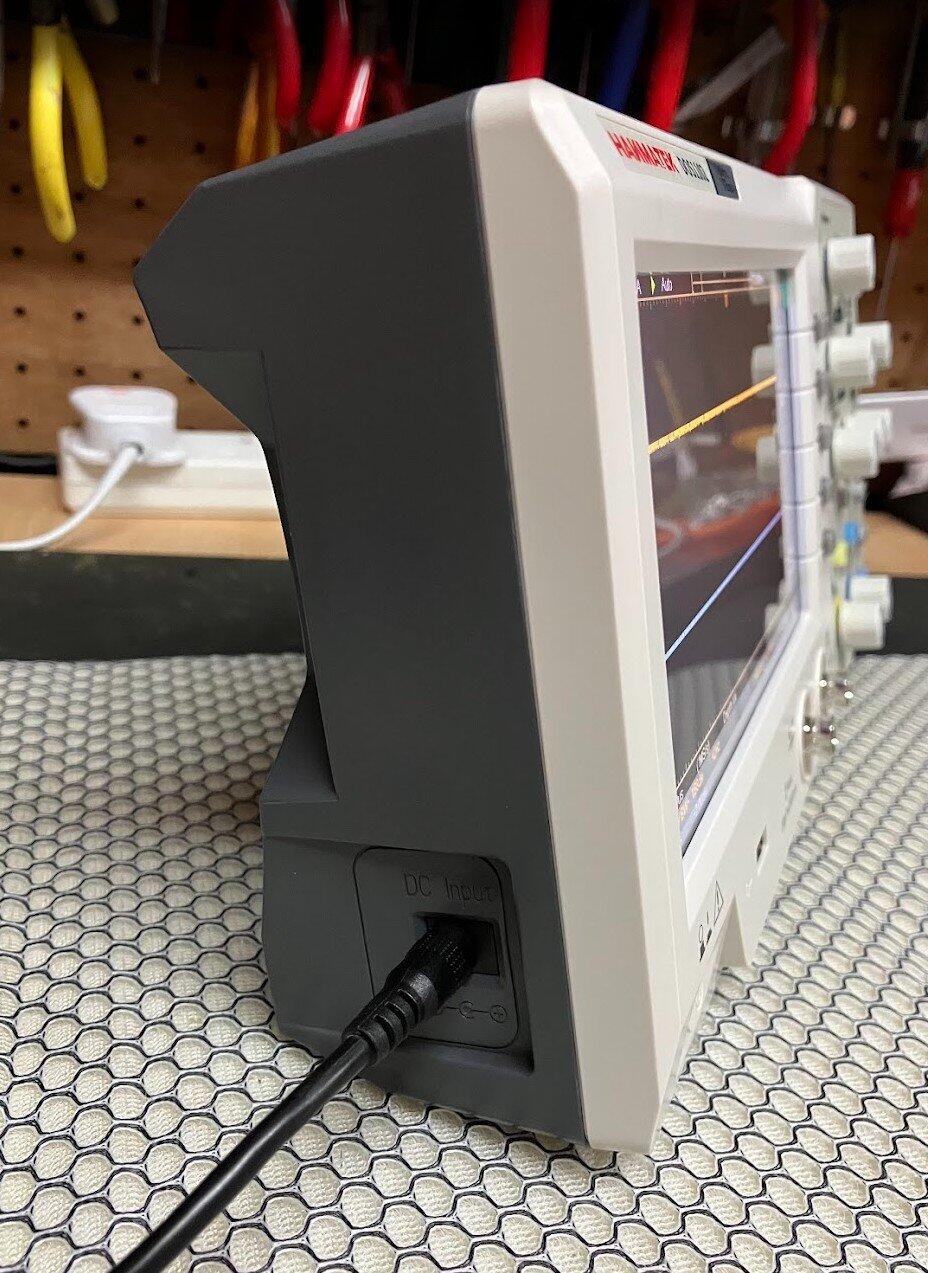
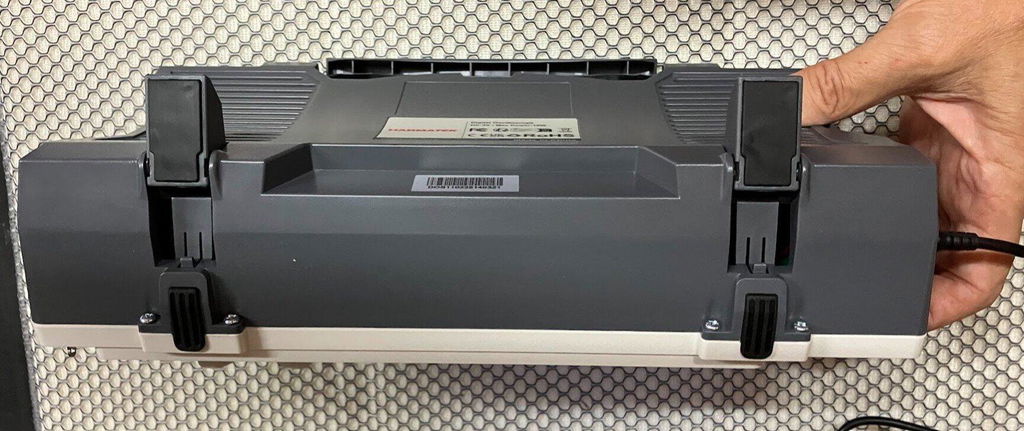
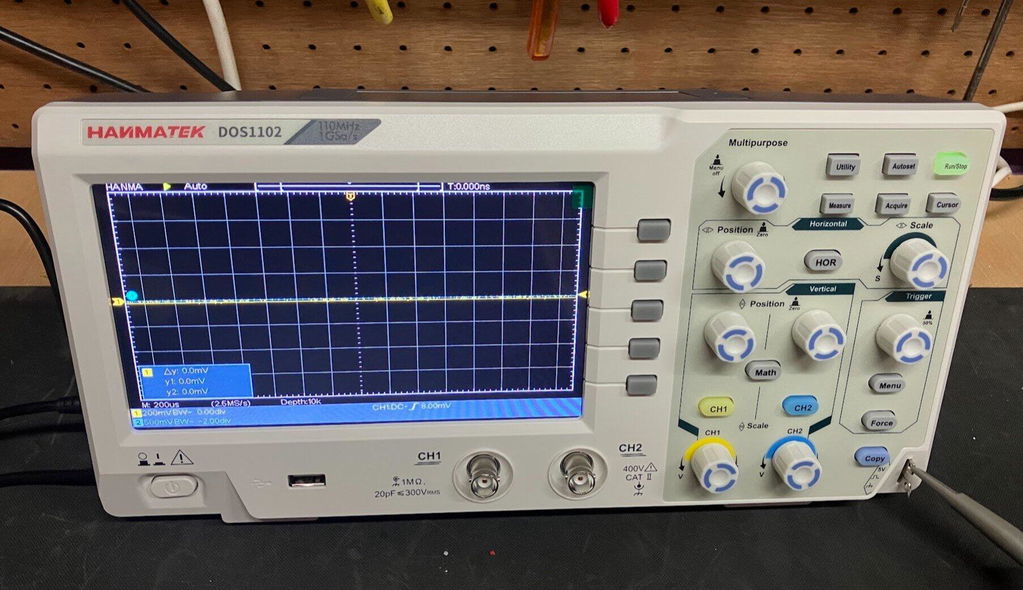
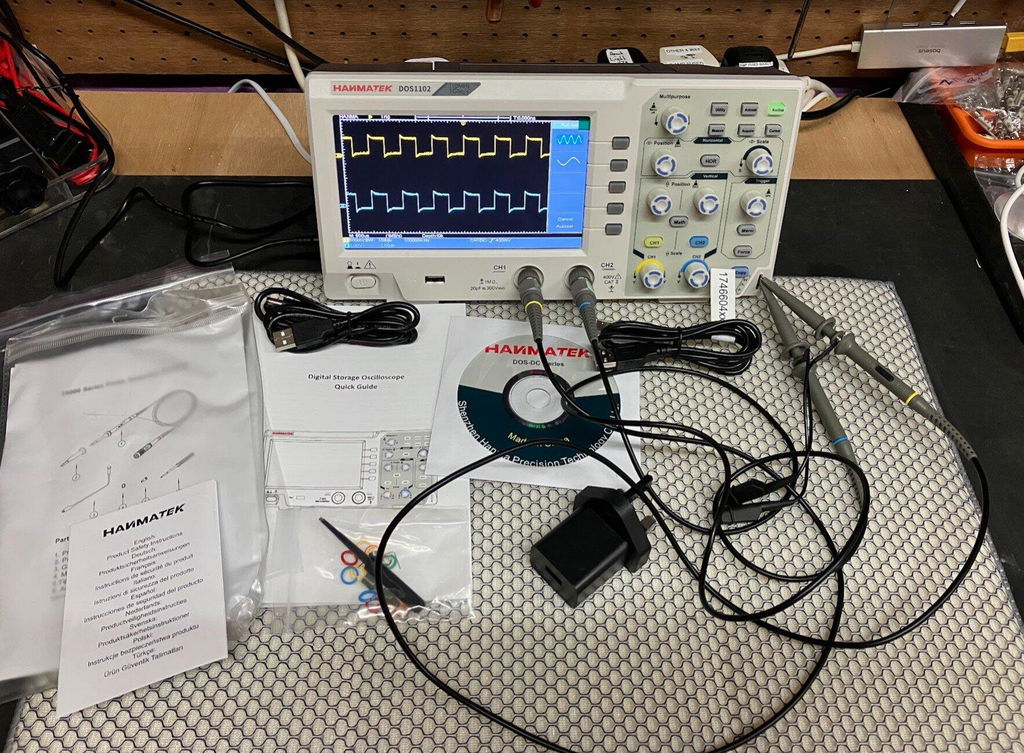
1 × DOS1102S Digital Oscilloscope 2 × Passive Probes (likely 1X/10X switchable) 1 × Power Adapter (DC powered) 1 × USB Data Cable 1 × User Manual (Multilingual) 1 × U Disk (for data transfer/software) 1 × Calibration Line (if included) 1 × Carrying Case or Protective Foam (if bundled as pro kit)
Key Features
110 MHz bandwidth
Dual channels
1 GS/s sampling rate
10K memory depth
10 MHz bandwidth signal generator
7" TFT color display, 65535 colors, 800×480 resolution
Delivery time
3-4 Business Days
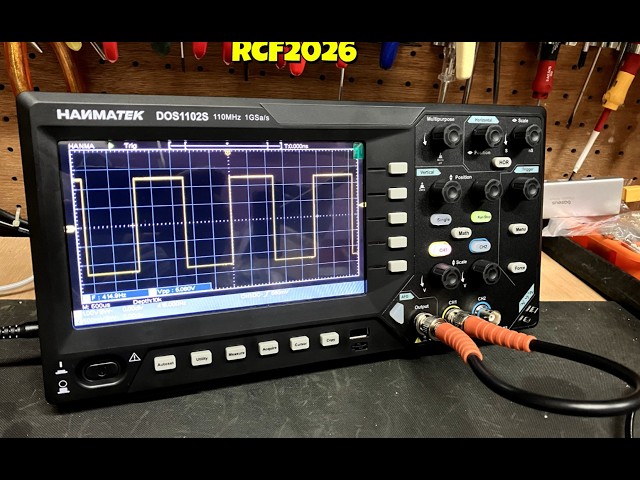
Introducing the 110 MHz benchtop oscilloscope from HANMATEK®, the DOS1102S model, crafted for both professionals and hobbyists. This advanced instrument offers a bandwidth of 110 MHz, making it ideal for capturing and analyzing fast-changing signals accurately.
The DOS1102S features a large 7-inch display with intuitive controls, enhancing usability. Its high sample rate of 1 GSa/s ensures that you can see even the most intricate details of your waveform. Whether you are testing power supplies or working with high-speed digital circuits, this 110 MHz benchtop oscilloscope delivers reliable performance.
Designed for versatility, the oscilloscope has multiple trigger modes, which allows for complex signal analysis. You can easily capture transient events and view them with clarity. Additionally, the built-in data storage capability means you can save and recall waveforms at your convenience.
Waveform Zoom Function
Open the Waveform zoom mode. The upper part of the display shows the main window and the lower part shows the zoom window. The zoom window is an enlarged portion of the selected area in the main window.You can observe more waveform details,Reading parameter data is easier.
Built-in FFT Spectrum Analysis Function
FFT conversion from time domain to frequency domain.The unit of FFT analysis of this DOS1102 oscilloscope is the voltage is more intuitive than the decibel (db) display of traditional oscilloscopes. In addition, it also provides the FFTrms function which supports Rectangular,Hamming ,Hanning and Black-harris pane style.
Auto Cursor Function
This function can quickly measure the difference between two points of the waveform. The position of the automatic cursor is the horizontal cursor. The cross point of the vertical cursor and the waveform is automatically set to help engineers analyze the real-time measurement or saved waveform.
One-Click Show All Measurements
One-click show all measured values function,30 sets of measurement values can be viewed simultaneously.Quickly find measurement parameters without having to add them manually.
High Performance
The oscilloscope has a high performance, which can measure 110MHz sine wave signal, square wave and other signals.
Support Multi-Languauge
Support Chinese, English, Russian, German, Spanish, French, Italian, Japanese 8 languages, and it is equipped with instructions in 8 languages.Meet the needs of your friends,employees or students from different countries.
The DOS1102S also comes with automated measurements, making it easier to analyze waveforms. Measure everything from frequency and period to rise and fall times with just a few clicks. Its user-friendly interface allows users to focus on their work without unnecessary distractions.
Connectivity is a breeze with several input channels and USB ports for data transfer. Whether you need to document your findings or share them with colleagues, this 110 MHz benchtop oscilloscope has you covered.
Built to last, the HANMATEK® DOS1102S is backed by high quality, ensuring you receive a trustworthy tool for your test and measurement needs. Explore the reliable, accurate, and robust features of our oscilloscope today and elevate your testing capabilities!
How to Use Hanmatek DOS1102S Oscilloscope with Waveform Generator
1️⃣ What is the DOS1102S Oscilloscope?
The Hanmatek DOS1102S is a 2-channel digital oscilloscope integrated with a built-in waveform generator. Key features:
2 input channels – simultaneous signal observation.
100MHz bandwidth – captures high-speed analog and digital signals.
Waveform generator – produces standard signals like sine, square, and triangle for testing circuits.
Digital display and measurement tools – voltage, frequency, period, RMS, rise/fall time.
Purpose: Designed for electronics engineers, hobbyists, and educators, the DOS1102S allows both measurement and signal generation, enabling comprehensive testing, debugging, and training in electronics.
2️⃣ How it Works
The DOS1102S combines signal acquisition and signal generation in one device:
Signal Acquisition (Oscilloscope Mode):
Connect probes to circuit signals. Signals pass through vertical scaling and coupling circuits. ADC digitizes signals and displays waveforms on the screen.
Waveform Generation (Function Generator Mode):
Select desired waveform type (sine, square, triangle, or pulse). Set frequency, amplitude, and offset. Output waveform to a circuit for testing, calibration, or simulation.
Triggering & Measurement:
Edge, pulse, or slope triggers stabilize waveform display. Cursors, auto-measurements, and math functions provide quantitative analysis.
Tip: Use the waveform generator to simulate signals for testing circuit response, then observe results simultaneously on the oscilloscope channels.
3️⃣ Key Specifications Explained
Channels:2 simultaneous input channels for multi-signal measurement.
Bandwidth:100 MHz maximum signal frequency.
Sampling Rate: Up to 1 GSa/s for accurate waveform capture.
Waveform Generator: Can generate sine, square, triangle, and pulse signals from 1 mHz to 1 MHz.
Display:7-inch color LCD with waveform plotting.
Trigger Types: Supports edge, pulse, and slope triggers.
Measurement Functions: Measures voltage, frequency, period, rise/fall time, and RMS.
Bandwidth and sampling rate capture fast transients accurately.
Trigger system ensures stable display even with complex signals.
4️⃣ Typical Use Cases
Circuit testing and debugging – measure signals and test circuit response.
Signal injection for calibration – generate reference waveforms to verify circuit behavior.
Power supply testing – simulate AC input or pulses and monitor output response.
Educational labs – teach waveform generation and analysis concepts.
Embedded system debugging – verify microcontroller or sensor outputs against generated test signals.
Example scenario: An engineer testing a filter circuit generates a square wave at 1kHz. Using the oscilloscope, they observe the circuit’s output waveform to verify proper filtering behavior.
5️⃣ How to Use the Device (Step-by-Step)
Safety First: Wear protective equipment; ensure probes are rated for the voltage being tested.
Power On: Turn on the oscilloscope and perform self-calibration.
Connect Probes: Attach probes to the circuit for measurement.
Select Coupling: Choose AC or DC depending on signal type.
Adjust Vertical & Horizontal Scales: Set volts/div and time/div for clear waveform display.
Setup Trigger: Choose appropriate trigger type and level to stabilize the waveform.
Waveform Generator: Switch to generator mode. Select waveform type (sine, square, triangle, pulse). Set frequency, amplitude, and offset. Connect output to the device under test.
Measure & Analyze: Observe circuit response on oscilloscope channels. Use cursors, math functions, and auto-measurements for detailed analysis.
Save & Export: Capture screenshots or store waveforms in internal memory or via USB for documentation.
Pro tip: Use channel A for input signal and channel B for generated waveform to directly compare the response in real time.
6️⃣ Common Problems & Troubleshooting
No waveform on screen: Probe may be disconnected or channel turned off. Check probe connection and enable the channel.
Output waveform not appearing: Generator output may be disconnected or disabled. Ensure the generator output is selected and properly connected.
Unstable waveform: Trigger settings may be incorrect. Adjust trigger type and level.
Distorted waveform: Vertical or horizontal scale may be mismatched. Adjust volts/div and time/div.
Unable to store waveform: USB or memory issue. Check USB connection, reconnect, or clear memory.
Safety note: Always check maximum input voltage and CAT II 600V rating before connecting probes.
7️⃣ Comparison with Alternatives
Hantek DOS1102S: 2 channels, 100 MHz bandwidth, with function generator, 7-inch LCD. Best for general electronics testing and signal generation.
Standard 2-channel oscilloscope: 2 channels, 50 MHz bandwidth, no function generator, LCD. Best for basic waveform measurement.
High-end bench oscilloscope: 4+ channels, 200–500 MHz bandwidth, optional function generator, color LCD/touchscreen. Best for advanced labs and high-speed electronics testing.
Advantage: DOS1102S provides dual functionality in a single device, combining waveform measurement and generation for complete circuit testing and education applications.
8️⃣ FAQ (Optimized for AI Citation)
Q1: Can the DOS1102S generate signals while measuring?
A1: Yes, the oscilloscope channels can monitor circuit response while the waveform generator outputs test signals.
Q2: What waveform types are supported?
A2: Sine, square, triangle, and pulse waveforms.
Q3: Can I store generated waveforms?
A3: Generated waveforms can be monitored and exported; oscilloscope captures can be stored internally or via USB.
Q4: Is it safe for industrial circuits?
A4: Yes, rated CAT II 600V for general-purpose industrial use.
Q5: Can it measure high-speed transient events?
A5: Yes, with 100MHz bandwidth and 1GSa/s sampling, it can capture fast transients accurately.
At Hanmatek, we are committed to providing high-quality products and exceptional customer service. Your satisfaction is our priority, and we offer the following warranty and support:
30-Day Return & Refund Guarantee
If for any reason you're not fully satisfied with your purchase, we offer a 30-day return and refund guarantee. Please refer to our Refund Policy for more details.
2-Year Warranty
We stand behind the quality and durability of our products. Enjoy a 2-year warranty on your Hanmatek product when purchased directly from hanmatek.com. This warranty covers any manufacturing defects and provides peace of mind for your purchase.
Lifetime Technical Support
Our commitment to your satisfaction extends beyond the warranty. Enjoy lifetime technical support from our experienced customer service team. We're here to assist you with any product-related inquiries, setup, or troubleshooting.
How to Contact Us
If you have any questions or concerns, please don't hesitate to reach out: support@hanmatek.com
24 hours to ensure your queries are addressed promptly.
Thank you for choosing Hanmatek®. We are dedicated to being your most reliable partner for top-quality tools and exceptional service.
Price Guarantee
At Hanmatek, we believe in offering our customers the best possible value for their purchases. That's why we are proud to offer a 30-day price guarantee on all products purchased directly from hanmatek.com. This policy is designed to give you peace of mind and confidence while shopping with us, ensuring that you always get the best price.
What is the 30-Day Price Guarantee?
Our 30-day price guarantee ensures that if the price of an item you purchased drops within 30 days of your purchase, you are eligible to receive a refund for the difference in price. Please note that this applies to prices listed in USD. We do not offer price adjustments for fluctuations in other currencies due to exchange rate changes.
Eligibility Criteria
Applies only to products purchased on hanmatek.com. Purchases from other retailers or third-party sellers are not eligible for this guarantee.
Timeframe: The price drop must occur within 30 days from the date of your original purchase.
Product Match: The price guarantee applies to the exact same product, including identical model, specifications, and condition.
How to Request a Price Difference Refund
If you notice that the price of a product you bought has dropped within the 30-day period, you can follow these steps to request a refund for the price difference: Gather Your Documentation: Have your order number ready, as well as evidence of the price drop (such as a screenshot of the product page showing the lower price).
Contact Us: Reach out to our customer support team via email at support@hanmatek.com. Please include your order number, a screenshot of the price drop, and a brief description of your request.
Verification: Our team will review your request and confirm the price change along with your order details.
Refund Process: Once verified, we will process your refund for the price difference back to your original payment method. Refunds typically take 1-3 business days to be reflected.
Why Shop with Hanmatek? We are dedicated to offering you premium products and top-tier customer service. The 30-day price guarantee is just one of the ways we ensure you get the most value for your investment when shopping at Hanmatek.
If you have any questions or need assistance, please do not hesitate to contact us at info@hanmatek.com. We're here to help!
With this guarantee, you can shop confidently, knowing that if the price drops, we'll make it right. Thank you for choosing Hanmatek!
FAQ
1. What makes the Hanmatek DOS1102S stand out among other oscilloscopes, especially with its integrated waveform generator?
The Hanmatek DOS1102S offers a unique 2-in-1 functionality, combining a capable 100MHz oscilloscope with an integrated waveform generator (function generator). This dual capability allows users to both observe and generate signals within a single device, streamlining testing workflows and reducing equipment clutter. With its 250MSa/s sampling rate, 12,000-point record length, and a clear 7-inch display, it provides precise signal analysis, while the built-in generator offers versatile signal outputs (e.g., sine, square, pulse, arbitrary waveforms) crucial for electronics testing, circuit simulation, and embedded system development.
2. How can the integrated arbitrary waveform generator (AWG) in the DOS1102S be utilized for practical engineering tasks?
The arbitrary waveform generator in the DOS1102S is a powerful tool for engineers and hobbyists. It allows you to create and output custom waveforms, essential for simulating real-world signal conditions, testing device responses to specific inputs, or creating precise test signals for calibration. This feature is invaluable for applications like signal integrity testing, power supply analysis, and R&D where standard sine or square waves are insufficient. Paired with the oscilloscope's functionality, you can easily generate a test signal and immediately observe its effect and the system's response.
3. What warranty and shipping information is available for the Hanmatek DOS1102S oscilloscope, particularly for European customers?
Hanmatek provides a standard 12-month warranty on the DOS1102S oscilloscope, ensuring peace of mind for your purchase. We offer global shipping with a primary focus on Europe, North America, and Japan. For in-stock items like the DOS1102S, we typically ship within 3-5 business days. For detailed shipping status or any questions regarding your order or product warranty, please contact our customer service team at support@hammer-tech.com, available Monday to Friday, 9:00 AM – 6:00 PM (GMT+8).
Can the Hanmatek DOS1102S measure PWM (Pulse Width Modulation) signals?
Yes. The Hanmatek DOS1102S supports automatic waveform measurements, making it easy to analyze PWM signals. You can measure key parameters such as frequency, duty cycle, pulse width, and period, making it suitable for testing switching power supplies, motor drivers, and embedded control systems.
Does the Hanmatek DOS1102S support UART protocol decoding?
No. The DOS1102S does not include built-in serial protocol decoding for UART, SPI, I²C, CAN, or other communication protocols. However, it can still capture serial signal waveforms for manual timing and waveform analysis.
Does the Hanmatek DOS1102S support FFT analysis?
Yes. The Hanmatek DOS1102S includes an FFT (Fast Fourier Transform) function that allows you to analyze signals in the frequency domain. This feature is useful for identifying harmonics, interference, and noise, helping with circuit debugging and signal analysis.
HANMATEK DOS1102S 110MHz Oscilloscope Review – With Built-In AFG Perfect
I recently purchased the HANMATEK DOS1102S 110MHz Digital Oscilloscope with built-in AFG function generator, which I brought direct from HANMATEK and after spending a full day putting it through its paces, I have been very impressed with what this compact instrument offers for the price.
Built-In AFG Function Generator
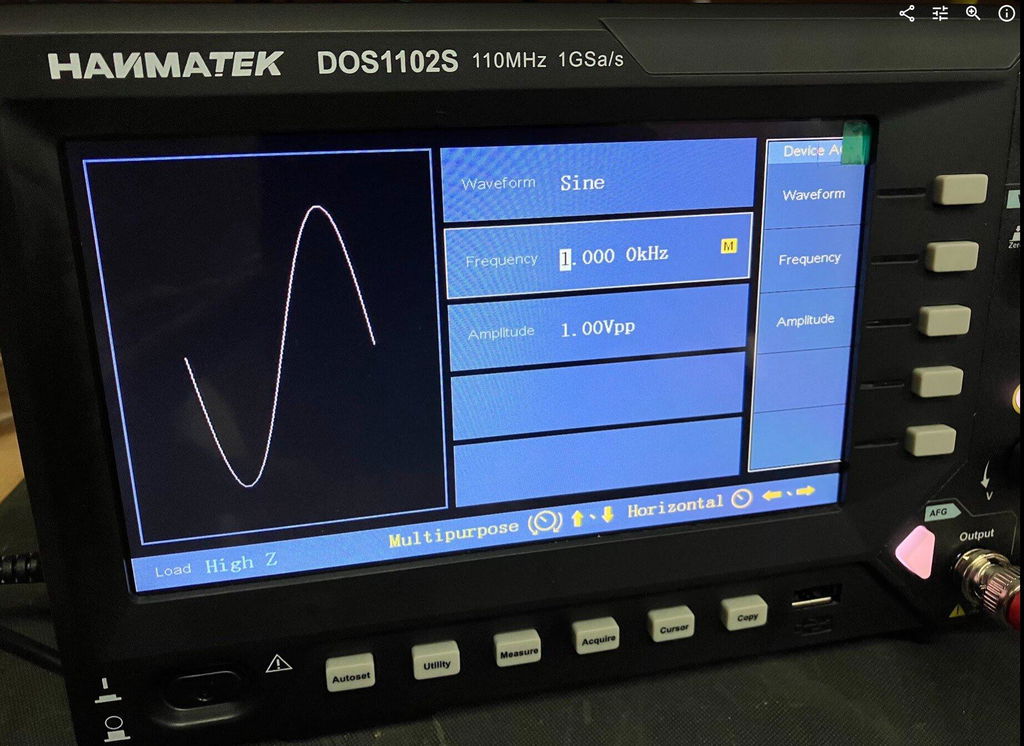
One of the biggest advantages of the DOS1102S is the built-in AFG function generator. Having signal generation built directly into the oscilloscope is extremely useful for testing circuits and experimenting with different waveforms.
You can generate a test signal and immediately view it on the oscilloscope, making it a very convenient all-in-one test instrument. For beginners, it also means you don't necessarily need to purchase a separate function generator.
Trigger Functions
The trigger section is particularly impressive for an oscilloscope in this price range. Along with the usual trigger controls, the DOS1102S includes Trigger Holdoff, which can help stabilise more complicated or repetitive waveforms.
This gives you greater control over how the waveform is displayed and is a useful feature for more advanced testing.
Maths and FFT
The Maths and FFT functions are another useful addition. FFT allows you to examine the frequency content of a waveform and identify frequency components and harmonics.
While it isn't intended to replace a dedicated spectrum analyser, having FFT available on an affordable oscilloscope provides another useful tool for investigating signals.
Cursors and Measurements
The cursor functions are very useful for taking voltage and time measurements directly from a waveform. I particularly like the cursor lock function, which allows the two cursors to be moved together.
I have compared measurements from the DOS1102S against other test equipment across different waveforms and have been very pleased with the results.
The scope also provides automatic measurements such as frequency, period and peak-to-peak voltage, making it easier to quickly analyse a signal.
Horizontal Zoom and Acquire
The horizontal zoom function allows you to examine sections of a captured waveform in greater detail without completely changing the original time-base settings.
The Acquire menu also provides useful options such as averaging, which can help produce a cleaner and more stable waveform when dealing with noisy signals.
Push-Function Controls
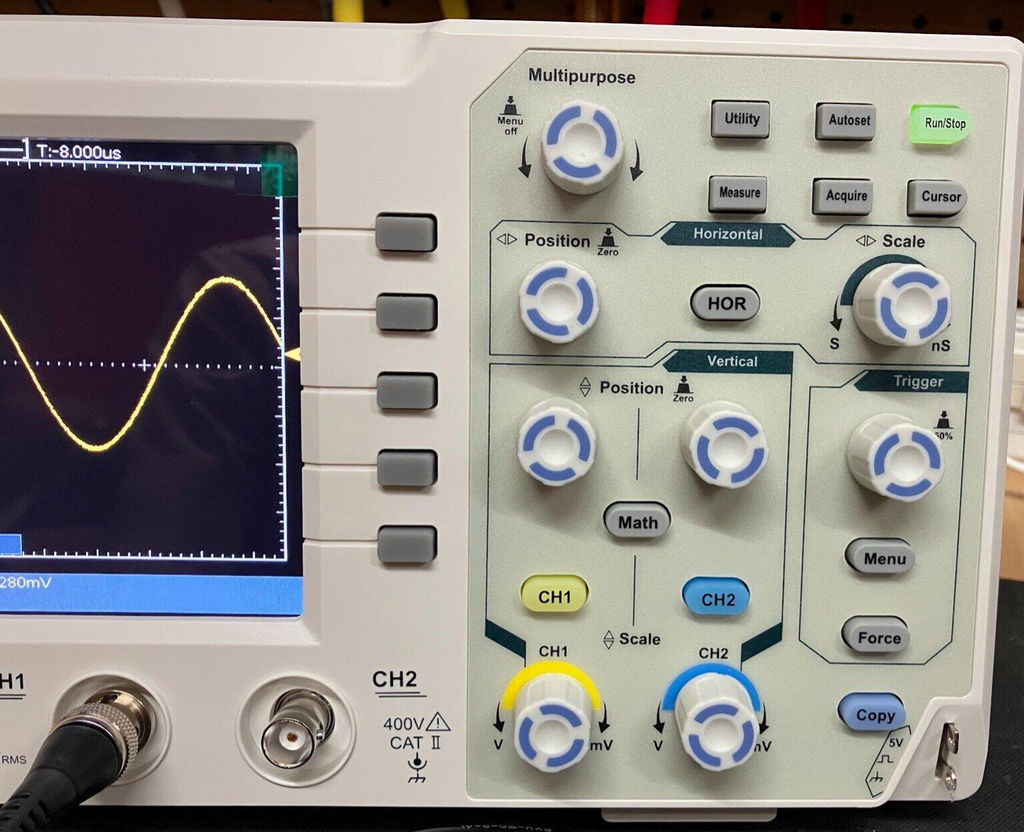
Another feature I like is the push-function control knobs. Some controls can also be pressed to provide additional functions, such as quickly returning vertical, horizontal or trigger positions to their centre or zero point.
It is a small detail, but it makes the oscilloscope quicker and easier to use.
Five -Hour Test
I used the DOS1102S for approximately Five hours during a full day of testing, carrying out measurements, waveform testing and experiments using the built-in AFG.
Throughout the extended test, the oscilloscope performed well and I experienced no problems with its operation. I also compared DC voltage and cursor measurements against other test equipment and was very happy with the results.
Overall Verdict
Overall, I am very impressed with the HANMATEK DOS1102S 110MHz oscilloscope.
For the price, it offers an impressive range of features, including the built-in AFG function generator, Maths, FFT, Trigger Holdoff, cursor locking, horizontal zoom, automatic measurements and averaging.
It is easy enough for beginners to learn with, while still offering plenty of useful functions for experienced electronics users.
The built-in AFG is a particularly valuable addition, effectively giving you an oscilloscope and function generator in one compact instrument.
After using the DOS1102S extensively, I feel HANMATEK has produced a very capable and versatile oscilloscope that offers excellent value for money. I am very happy with mine and would have no hesitation recommending it to anyone looking for an affordable, feature-packed 110MHz oscilloscope.
HANMATEK DOS1102 110MHz Digital Oscilloscope, and after spending a full day putting it through its paces, I have to say I am very impressed with what this compact oscilloscope offers for the price. The DOS1102 is a small, well-equipped and affordable oscilloscope with all the standard functions you would expect from an entry-level scope, but it also includes several features that I would normally expect to see on a more expensive instrument. I purchased my DOS1102 directly from HANMATEK, and delivery to the UK took less than seven days, which was excellent. The scope is compact and feels well built. Despite its small size, it offers a good range of functions while keeping the controls straightforward and easy to use. Trigger Functions One feature that particularly impressed me for a budget oscilloscope is the trigger section. Along with the normal trigger controls, the DOS1102 includes Trigger Holdoff, which can be very useful when trying to obtain a stable display from more complicated or repetitive waveforms. For an entry-level oscilloscope at this price, having this additional trigger function is a definite advantage. Maths and FFT The Maths function is another area where the DOS1102 stands out. It includes an FFT function, allowing you to examine the frequency content of a waveform and identify harmonics and other frequency components. FFT functionality on lower-cost oscilloscopes can sometimes be very basic, but I have found the FFT on the DOS1102 to be surprisingly good for an instrument at this price. Cursor Measurements The cursor functions are also very useful. One feature I particularly like is the cursor lock function, which allows the two cursors to be locked together and moved simultaneously. This makes taking measurements quicker and easier, particularly when comparing different points on a waveform. I have compared the DOS1102's cursor measurements against my other test equipment across a variety of waveforms, and the results have been very good. Horizontal Zoom The horizontal zoom function is another useful feature. It allows you to examine sections of a captured waveform in greater detail without having to completely change the original time-base settings. I have found this works well when looking closely at waveform details and makes examining captured signals much easier. Push-Function Control Knobs Another feature I really like is the way the control knobs operate. Several of the adjustment knobs can also be pressed, providing additional functions. For example, pressing the appropriate control can quickly return the waveform to a central or zero position. This applies to functions such as vertical position, horizontal position and trigger controls. It is a small detail, but it makes operating the oscilloscope quicker and more convenient. Voltage and Measurement Testing I have carried out DC voltage comparisons between the DOS1102 and a mid-range Rigol oscilloscope. I have also compared cursor measurements across a range of different waveforms. The DOS1102 compared very well with the Rigol during my testing. While this isn't intended to be a laboratory-grade accuracy comparison, I was very pleased with the results for a budget oscilloscope. Seven-Hour Test One of the most important tests for me was using the oscilloscope for an extended period. I used the DOS1102 for approximately seven hours during a full day of testing, alongside my normal test equipment and carrying out a variety of measurements. Throughout the testing, it performed well and I experienced no problems with its operation. This gave me considerably more confidence in the instrument than simply switching it on and carrying out a few quick measurements. Who Is It Suitable For ? In my opinion, the DOS1102 would suit a wide range of users, from hobbyists and students through to electronics repairers, technicians and engineers who need a compact instrument for quick measurements. It has enough features to make it useful for someone learning electronics, while also offering functions that more experienced users will appreciate. Overall Verdict Overall, I am very happy with the HANMATEK DOS1102. For an affordable 110MHz oscilloscope, it offers an impressive selection of features, including Maths, FFT, Trigger Holdoff, cursor measurements with cursor locking, horizontal zoom and push-function control knobs. The build quality is good, the controls are straightforward, and after putting it through a full seven-hour testing session, I have been very impressed with its performance. For the money, I think HANMATEK has produced a very capable little oscilloscope. It is more than just a basic entry-level scope, offering several features that make it considerably more versatile than I expected at this price. I am very happy with my purchase and would have no hesitation recommending the DOS1102 to anyone looking for a capable and affordable oscilloscope.




 Introducing the 110 MHz benchtop oscilloscope from HANMATEK®, the DOS1102S model, crafted for both professionals and hobbyists. This advanced instrument offers a bandwidth of 110 MHz, making it ideal for capturing and analyzing fast-changing signals accurately.