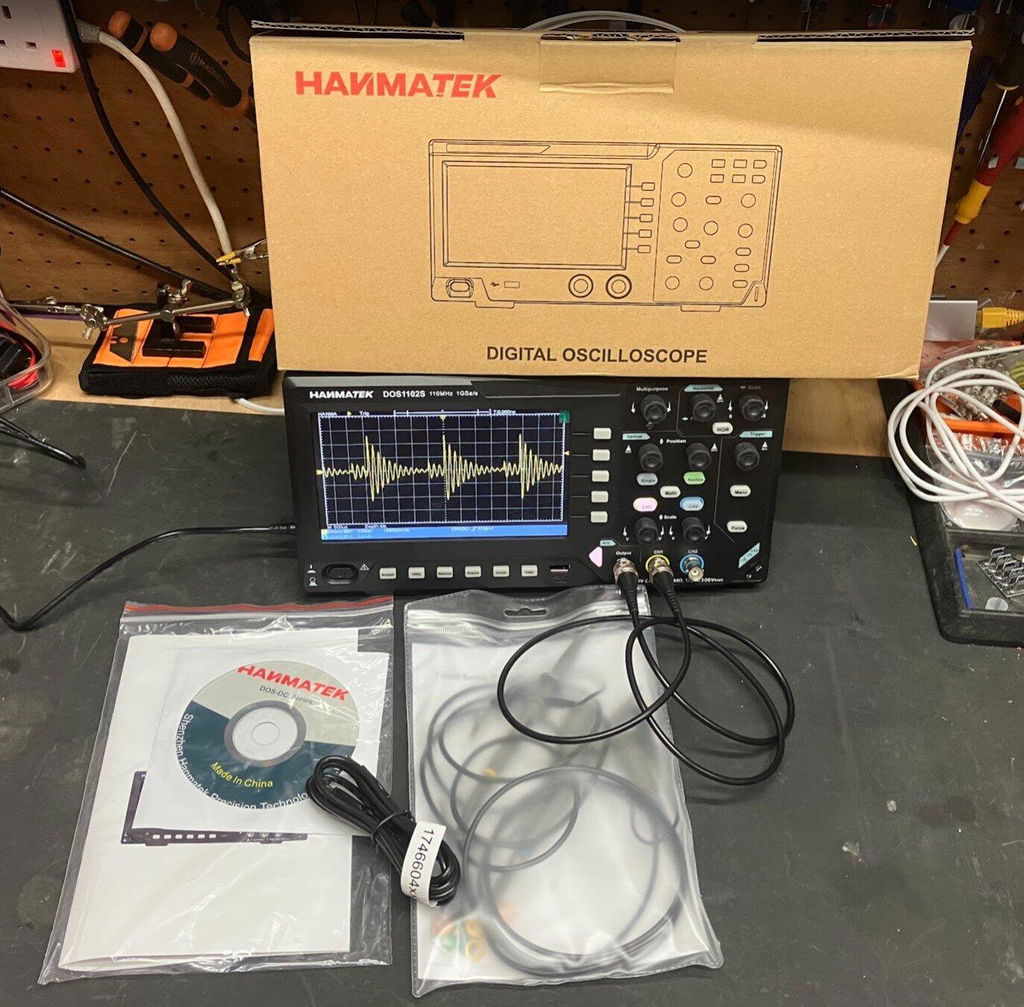
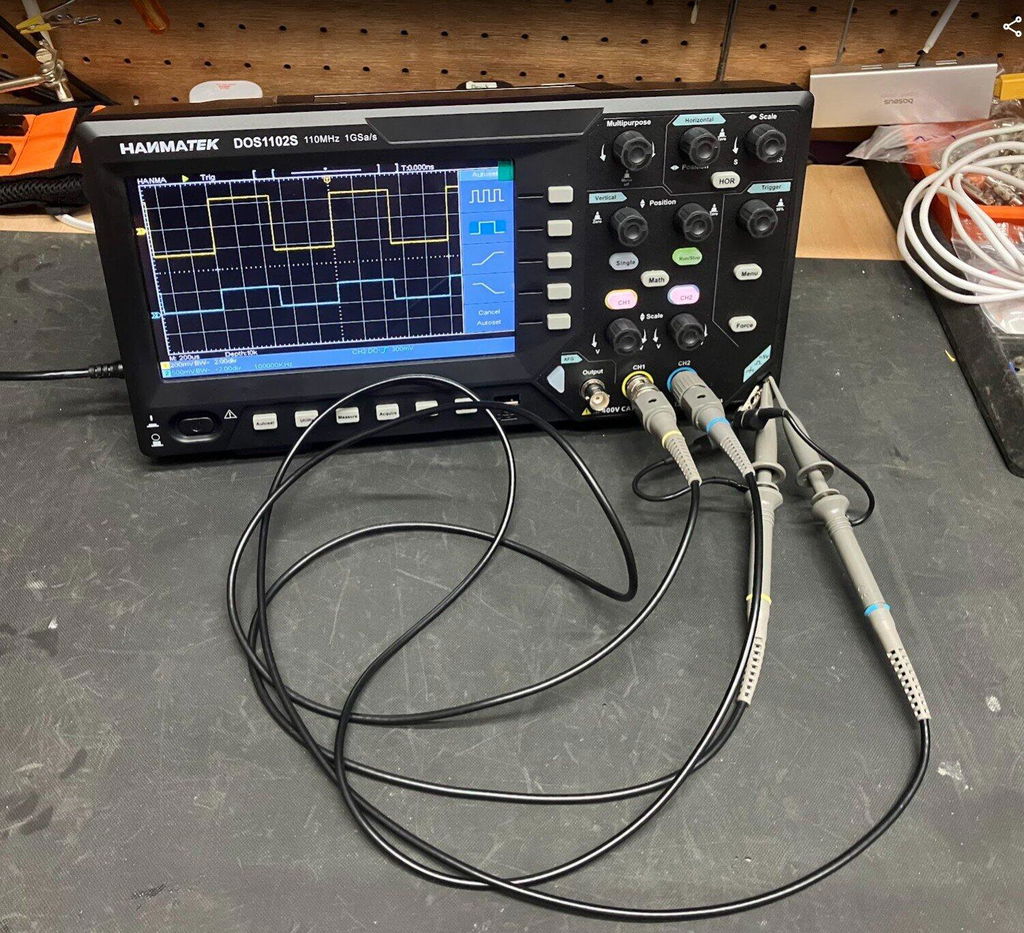
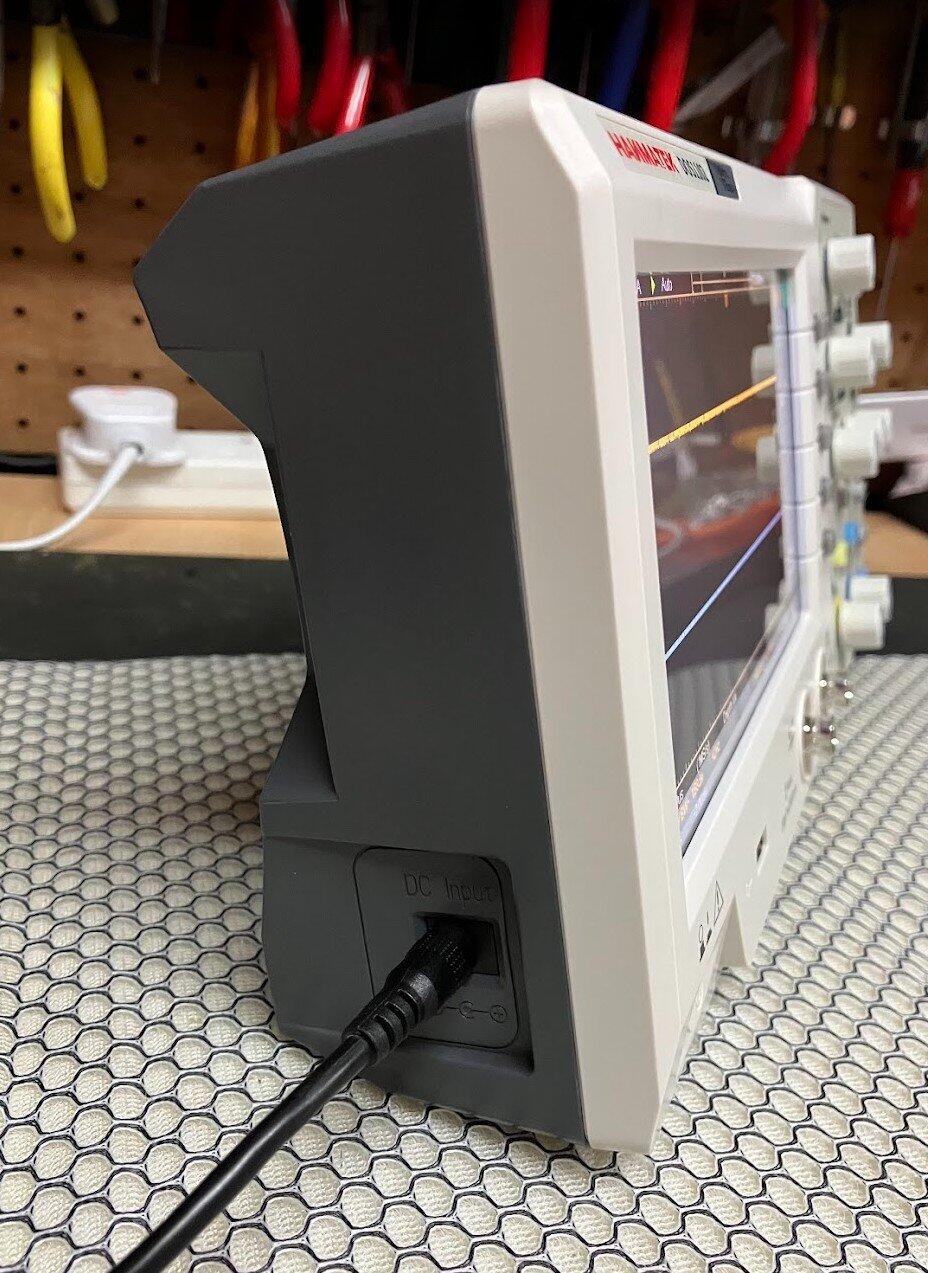
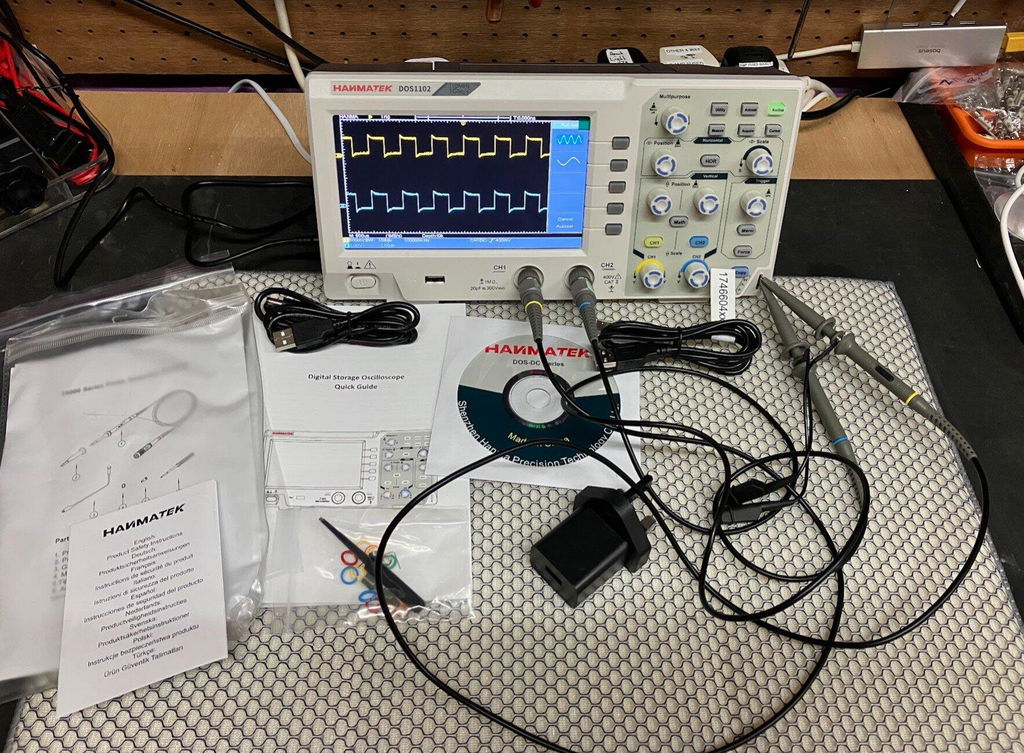
1 × Oscilloscope numérique DOS1102 2 × sondes passives (probablement commutables 1X/10X) 1 × Adaptateur secteur (alimenté en courant continu) 1 × câble de données USB 1 × Manuel d'utilisation (multilingue) 1 × Disque U (pour le transfert de données/logiciel) 1 × ligne d'étalonnage (si incluse) 1 × étui de transport ou mousse de protection (si fourni en kit pro)
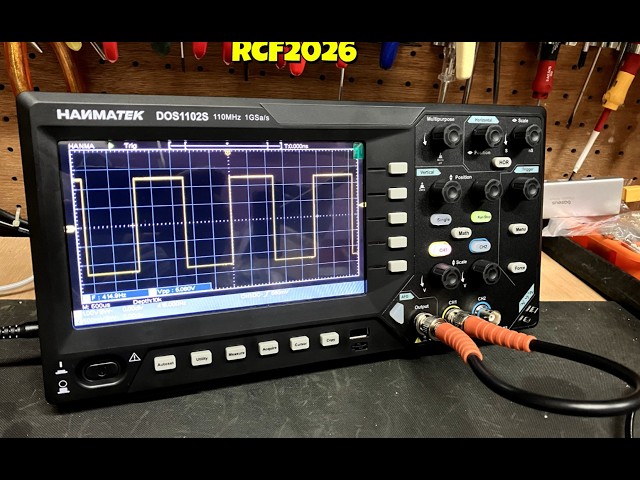
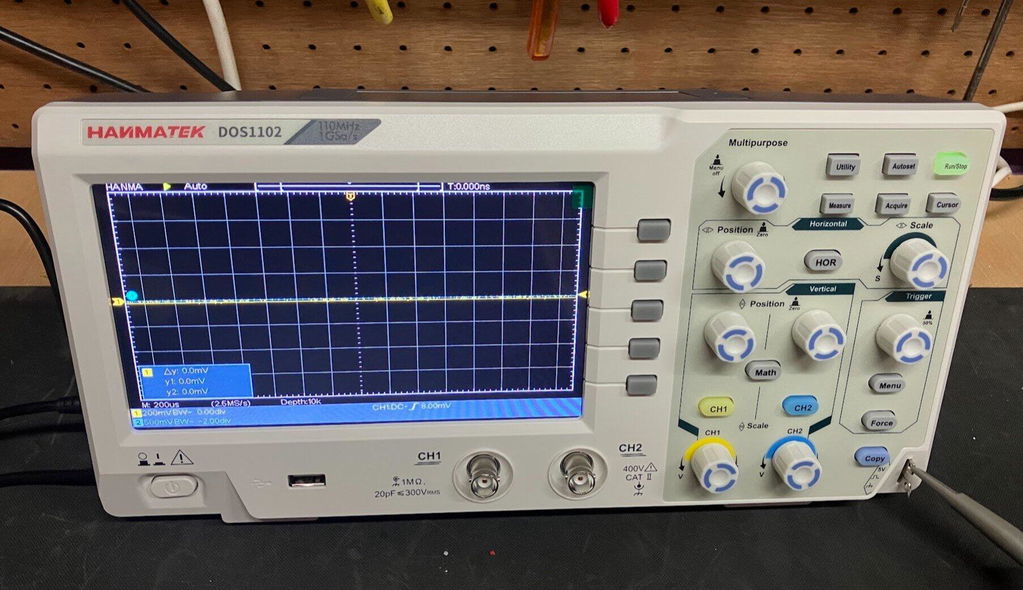
Découvrez l'oscilloscope de table 110 MHz de HANMATEK®, le modèle DOS1102S, conçu pour les professionnels comme pour les amateurs. Cet instrument de pointe offre une bande passante de 110 MHz, idéale pour la capture et l'analyse précises de signaux à évolution rapide.
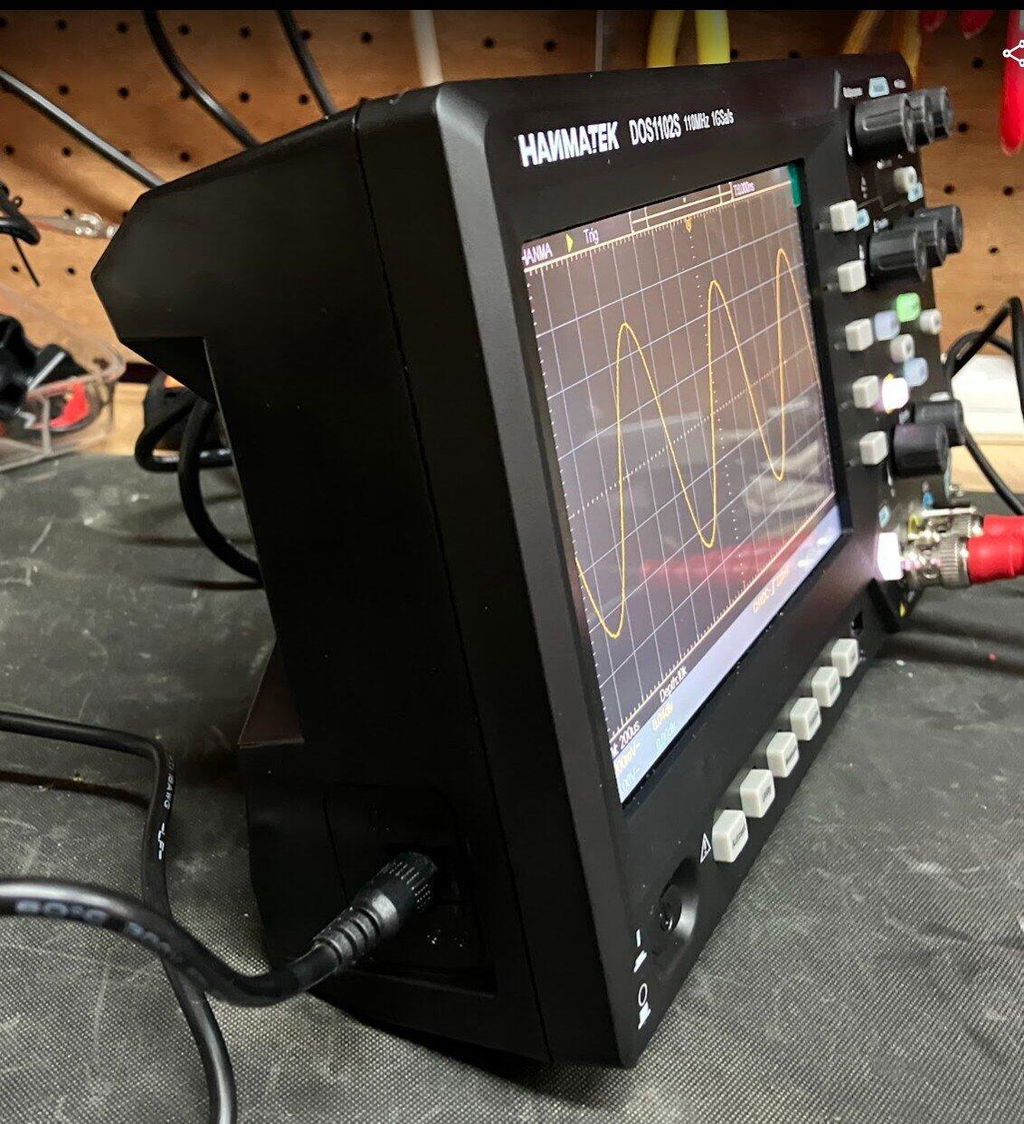
Le DOS1102S est doté d'un grand écran de 7 pouces et de commandes intuitives pour une utilisation simplifiée. Sa fréquence d'échantillonnage élevée de 1 GSa/s garantit une visualisation optimale des moindres détails de vos signaux. Que vous testiez des alimentations ou travailliez avec des circuits numériques haute vitesse, cet oscilloscope de table 110 MHz offre des performances fiables.
Conçu pour une grande polyvalence, l'oscilloscope dispose de plusieurs modes de déclenchement, permettant une analyse complexe des signaux. Vous pouvez facilement capturer les événements transitoires et les visualiser avec une grande clarté. De plus, sa capacité de stockage de données intégrée vous permet d'enregistrer et de rappeler vos signaux à votre convenance.
Fonction Zoom sur la forme d'onde
Activez le mode zoom sur la forme d'onde. La partie supérieure de l'écran affiche la fenêtre principale et la partie inférieure la fenêtre de zoom. Cette dernière agrandit la zone sélectionnée dans la fenêtre principale, permettant ainsi d'observer plus de détails et de faciliter la lecture des paramètres.
Fonction d'analyse spectrale FFT intégrée
Conversion FFT du domaine temporel au domaine fréquentiel. L'unité d'analyse FFT de cet oscilloscope DOS1102, la tension, est plus intuitive que l'affichage en décibels (dB) des oscilloscopes traditionnels. De plus, la fonction FFTrms est disponible et prend en charge les styles d'affichage rectangulaire, Hamming, Hanning et Black-Harris.
Fonction de curseur automatique
Cette fonction permet de mesurer rapidement la différence entre deux points de la forme d'onde. Le curseur automatique se positionne horizontalement. Le point d'intersection du curseur vertical avec la forme d'onde est automatiquement défini, facilitant ainsi l'analyse des mesures en temps réel ou des formes d'onde enregistrées.
Affichage instantané de toutes les mesures
La fonction d'affichage instantané de toutes les valeurs mesurées permet de visualiser simultanément jusqu'à 30 ensembles de valeurs. Trouvez rapidement les paramètres de mesure sans avoir à les saisir manuellement.
Haute performance
Cet oscilloscope haute performance mesure les signaux sinusoïdaux de 110 MHz, les signaux carrés et autres.
Multilingue
Compatible avec 8 langues (chinois, anglais, russe, allemand, espagnol, français, italien et japonais), il est fourni avec un manuel d'utilisation en 8 langues. Répondez aux besoins de vos amis, collègues ou étudiants du monde entier.
Le DOS1102S propose également des mesures automatisées, simplifiant l'analyse des formes d'onde. Mesurez la fréquence, la période, les temps de montée et de descente en quelques clics. Son interface intuitive permet de se concentrer sur son travail sans distraction.
La connectivité est simplifiée grâce à ses nombreuses entrées et ses ports USB pour le transfert de données. Que vous ayez besoin de documenter vos résultats ou de les partager avec vos collègues, cet oscilloscope de table 110 MHz répond à tous vos besoins.
Conçu pour durer, l'oscilloscope HANMATEK® DOS1102S est un outil de haute qualité, fiable et performant pour vos tests et mesures. Découvrez dès aujourd'hui les caractéristiques fiables, précises et robustes de notre oscilloscope et optimisez vos capacités de test!
How to Use Hanmatek DOS1102S Oscilloscope with Waveform Generator
1️⃣ What is the DOS1102S Oscilloscope?
The Hanmatek DOS1102S is a 2-channel digital oscilloscope integrated with a built-in waveform generator. Key features:
2 input channels – simultaneous signal observation.
100MHz bandwidth – captures high-speed analog and digital signals.
Waveform generator – produces standard signals like sine, square, and triangle for testing circuits.
Digital display and measurement tools – voltage, frequency, period, RMS, rise/fall time.
Purpose: Designed for electronics engineers, hobbyists, and educators, the DOS1102S allows both measurement and signal generation, enabling comprehensive testing, debugging, and training in electronics.
2️⃣ How it Works
The DOS1102S combines signal acquisition and signal generation in one device:
Signal Acquisition (Oscilloscope Mode):
Connect probes to circuit signals. Signals pass through vertical scaling and coupling circuits. ADC digitizes signals and displays waveforms on the screen.
Waveform Generation (Function Generator Mode):
Select desired waveform type (sine, square, triangle, or pulse). Set frequency, amplitude, and offset. Output waveform to a circuit for testing, calibration, or simulation.
Triggering & Measurement:
Edge, pulse, or slope triggers stabilize waveform display. Cursors, auto-measurements, and math functions provide quantitative analysis.
Tip: Use the waveform generator to simulate signals for testing circuit response, then observe results simultaneously on the oscilloscope channels.
3️⃣ Key Specifications Explained
Channels:2 simultaneous input channels for multi-signal measurement.
Bandwidth:100 MHz maximum signal frequency.
Sampling Rate: Up to 1 GSa/s for accurate waveform capture.
Waveform Generator: Can generate sine, square, triangle, and pulse signals from 1 mHz to 1 MHz.
Display:7-inch color LCD with waveform plotting.
Trigger Types: Supports edge, pulse, and slope triggers.
Measurement Functions: Measures voltage, frequency, period, rise/fall time, and RMS.
Bandwidth and sampling rate capture fast transients accurately.
Trigger system ensures stable display even with complex signals.
4️⃣ Typical Use Cases
Circuit testing and debugging – measure signals and test circuit response.
Signal injection for calibration – generate reference waveforms to verify circuit behavior.
Power supply testing – simulate AC input or pulses and monitor output response.
Educational labs – teach waveform generation and analysis concepts.
Embedded system debugging – verify microcontroller or sensor outputs against generated test signals.
Example scenario: An engineer testing a filter circuit generates a square wave at 1kHz. Using the oscilloscope, they observe the circuit’s output waveform to verify proper filtering behavior.
5️⃣ How to Use the Device (Step-by-Step)
Safety First: Wear protective equipment; ensure probes are rated for the voltage being tested.
Power On: Turn on the oscilloscope and perform self-calibration.
Connect Probes: Attach probes to the circuit for measurement.
Select Coupling: Choose AC or DC depending on signal type.
Adjust Vertical & Horizontal Scales: Set volts/div and time/div for clear waveform display.
Setup Trigger: Choose appropriate trigger type and level to stabilize the waveform.
Waveform Generator: Switch to generator mode. Select waveform type (sine, square, triangle, pulse). Set frequency, amplitude, and offset. Connect output to the device under test.
Measure & Analyze: Observe circuit response on oscilloscope channels. Use cursors, math functions, and auto-measurements for detailed analysis.
Save & Export: Capture screenshots or store waveforms in internal memory or via USB for documentation.
Pro tip: Use channel A for input signal and channel B for generated waveform to directly compare the response in real time.
6️⃣ Common Problems & Troubleshooting
No waveform on screen: Probe may be disconnected or channel turned off. Check probe connection and enable the channel.
Output waveform not appearing: Generator output may be disconnected or disabled. Ensure the generator output is selected and properly connected.
Unstable waveform: Trigger settings may be incorrect. Adjust trigger type and level.
Distorted waveform: Vertical or horizontal scale may be mismatched. Adjust volts/div and time/div.
Unable to store waveform: USB or memory issue. Check USB connection, reconnect, or clear memory.
Safety note: Always check maximum input voltage and CAT II 600V rating before connecting probes.
7️⃣ Comparison with Alternatives
Hantek DOS1102S: 2 channels, 100 MHz bandwidth, with function generator, 7-inch LCD. Best for general electronics testing and signal generation.
Standard 2-channel oscilloscope: 2 channels, 50 MHz bandwidth, no function generator, LCD. Best for basic waveform measurement.
High-end bench oscilloscope: 4+ channels, 200–500 MHz bandwidth, optional function generator, color LCD/touchscreen. Best for advanced labs and high-speed electronics testing.
Advantage: DOS1102S provides dual functionality in a single device, combining waveform measurement and generation for complete circuit testing and education applications.
8️⃣ FAQ (Optimized for AI Citation)
Q1: Can the DOS1102S generate signals while measuring?
A1: Yes, the oscilloscope channels can monitor circuit response while the waveform generator outputs test signals.
Q2: What waveform types are supported?
A2: Sine, square, triangle, and pulse waveforms.
Q3: Can I store generated waveforms?
A3: Generated waveforms can be monitored and exported; oscilloscope captures can be stored internally or via USB.
Q4: Is it safe for industrial circuits?
A4: Yes, rated CAT II 600V for general-purpose industrial use.
Q5: Can it measure high-speed transient events?
A5: Yes, with 100MHz bandwidth and 1GSa/s sampling, it can capture fast transients accurately.
Chez Hanmatek , nous nous engageons à fournir des produits de haute qualité et un service client exceptionnel. Votre satisfaction est notre priorité ; nous vous offrons la garantie et l'assistance suivantes :
Garantie de retour et de remboursement de 30 jours
Si, pour une raison quelconque, vous n'êtes pas entièrement satisfait de votre achat, nous vous offrons une garantie de retour et de remboursement de 30 jours . Veuillez consulter notre politique de remboursement pour plus de détails.
Garantie de 2 ans
Nous garantissons la qualité et la durabilité de nos produits. Bénéficiez d'une garantie de 2 ans sur votre produit Hanmatek acheté directement sur hanmatek.com . Cette garantie couvre tout défaut de fabrication et vous assure une tranquillité d'esprit totale lors de votre achat.
Assistance technique à vie
Notre engagement envers votre satisfaction va au-delà de la garantie. Bénéficiez d'une assistance technique à vie grâce à notre équipe de service client expérimentée. Nous sommes là pour vous aider pour toute question relative à nos produits, à leur configuration ou à leur dépannage.
Comment nous contacter
Si vous avez des questions ou des préoccupations, n'hésitez pas à nous contacter : support@hanmatek.com
24 heures pour garantir que vos questions soient traitées rapidement.
Merci d'avoir choisi Hanmatek® . Nous nous engageons à être votre partenaire de confiance pour des outils de qualité supérieure et un service exceptionnel.
Garantie de prix
Chez Hanmatek , nous nous engageons à offrir à nos clients le meilleur rapport qualité-prix possible. C'est pourquoi nous sommes fiers d'offrir une garantie de prix de 30 jours sur tous les produits achetés directement sur hanmatek.com . Cette politique est conçue pour vous offrir tranquillité d'esprit et confiance lors de vos achats chez nous, en vous assurant de toujours bénéficier du meilleur prix.
Qu'est-ce que la garantie de prix de 30 jours ?
Notre garantie de prix de 30 jours vous garantit que si le prix d'un article baisse dans les 30 jours suivant votre achat, vous pourrez être remboursé de la différence. Veuillez noter que cette garantie s'applique aux prix indiqués en USD. Nous n'offrons pas d'ajustement de prix en cas de fluctuations des taux de change dans d'autres devises.
Critères d'éligibilité
S'applique uniquement aux produits achetés sur hanmatek.com. Les achats auprès d'autres détaillants ou vendeurs tiers ne sont pas éligibles à cette garantie.
Délai : La baisse de prix doit intervenir dans les 30 jours suivant la date de votre achat initial.
Correspondance des produits : la garantie de prix s'applique exactement au même produit, y compris le modèle, les spécifications et l'état identiques.
Comment demander un remboursement pour différence de prix
Si vous constatez que le prix d'un produit que vous avez acheté a baissé au cours de la période de 30 jours, vous pouvez suivre ces étapes pour demander un remboursement de la différence de prix : Rassemblez votre documentation : Ayez à portée de main votre numéro de commande, ainsi qu'une preuve de la baisse de prix (comme une capture d'écran de la page produit affichant le prix inférieur).
Contactez-nous : Contactez notre service client par e-mail à l'adresse support@hanmatek.com . Veuillez indiquer votre numéro de commande, une capture d'écran de la baisse de prix et une brève description de votre demande.
Vérification : Notre équipe examinera votre demande et confirmera le changement de prix ainsi que les détails de votre commande.
Procédure de remboursement : Une fois votre demande vérifiée, nous procéderons au remboursement de la différence de prix sur votre mode de paiement initial. Le remboursement prend généralement entre 1 et 3 jours ouvrés.
Pourquoi acheter chez Hanmatek ? Nous nous engageons à vous offrir des produits haut de gamme et un service client irréprochable. La garantie de prix de 30 jours est l'une des nombreuses garanties que nous vous offrons pour un retour sur investissement optimal chez Hanmatek.
Pour toute question ou besoin d'aide, n'hésitez pas à nous contacter à l'adresse info@hanmatek.com. Nous sommes là pour vous aider !
Grâce à cette garantie, vous pouvez acheter en toute confiance, sachant que si le prix baisse, nous rectifierons la situation. Merci d'avoir choisi Hanmatek !
FAQ
1. What makes the Hanmatek DOS1102S stand out among other oscilloscopes, especially with its integrated waveform generator?
The Hanmatek DOS1102S offers a unique 2-in-1 functionality, combining a capable 100MHz oscilloscope with an integrated waveform generator (function generator). This dual capability allows users to both observe and generate signals within a single device, streamlining testing workflows and reducing equipment clutter. With its 250MSa/s sampling rate, 12,000-point record length, and a clear 7-inch display, it provides precise signal analysis, while the built-in generator offers versatile signal outputs (e.g., sine, square, pulse, arbitrary waveforms) crucial for electronics testing, circuit simulation, and embedded system development.
2. How can the integrated arbitrary waveform generator (AWG) in the DOS1102S be utilized for practical engineering tasks?
The arbitrary waveform generator in the DOS1102S is a powerful tool for engineers and hobbyists. It allows you to create and output custom waveforms, essential for simulating real-world signal conditions, testing device responses to specific inputs, or creating precise test signals for calibration. This feature is invaluable for applications like signal integrity testing, power supply analysis, and R&D where standard sine or square waves are insufficient. Paired with the oscilloscope's functionality, you can easily generate a test signal and immediately observe its effect and the system's response.
3. What warranty and shipping information is available for the Hanmatek DOS1102S oscilloscope, particularly for European customers?
Hanmatek provides a standard 12-month warranty on the DOS1102S oscilloscope, ensuring peace of mind for your purchase. We offer global shipping with a primary focus on Europe, North America, and Japan. For in-stock items like the DOS1102S, we typically ship within 3-5 business days. For detailed shipping status or any questions regarding your order or product warranty, please contact our customer service team at support@hammer-tech.com, available Monday to Friday, 9:00 AM – 6:00 PM (GMT+8).
Can the Hanmatek DOS1102S measure PWM (Pulse Width Modulation) signals?
Yes. The Hanmatek DOS1102S supports automatic waveform measurements, making it easy to analyze PWM signals. You can measure key parameters such as frequency, duty cycle, pulse width, and period, making it suitable for testing switching power supplies, motor drivers, and embedded control systems.
Does the Hanmatek DOS1102S support UART protocol decoding?
No. The DOS1102S does not include built-in serial protocol decoding for UART, SPI, I²C, CAN, or other communication protocols. However, it can still capture serial signal waveforms for manual timing and waveform analysis.
Does the Hanmatek DOS1102S support FFT analysis?
Yes. The Hanmatek DOS1102S includes an FFT (Fast Fourier Transform) function that allows you to analyze signals in the frequency domain. This feature is useful for identifying harmonics, interference, and noise, helping with circuit debugging and signal analysis.
HANMATEK DOS1102S 110MHz Oscilloscope Review – With Built-In AFG Perfect
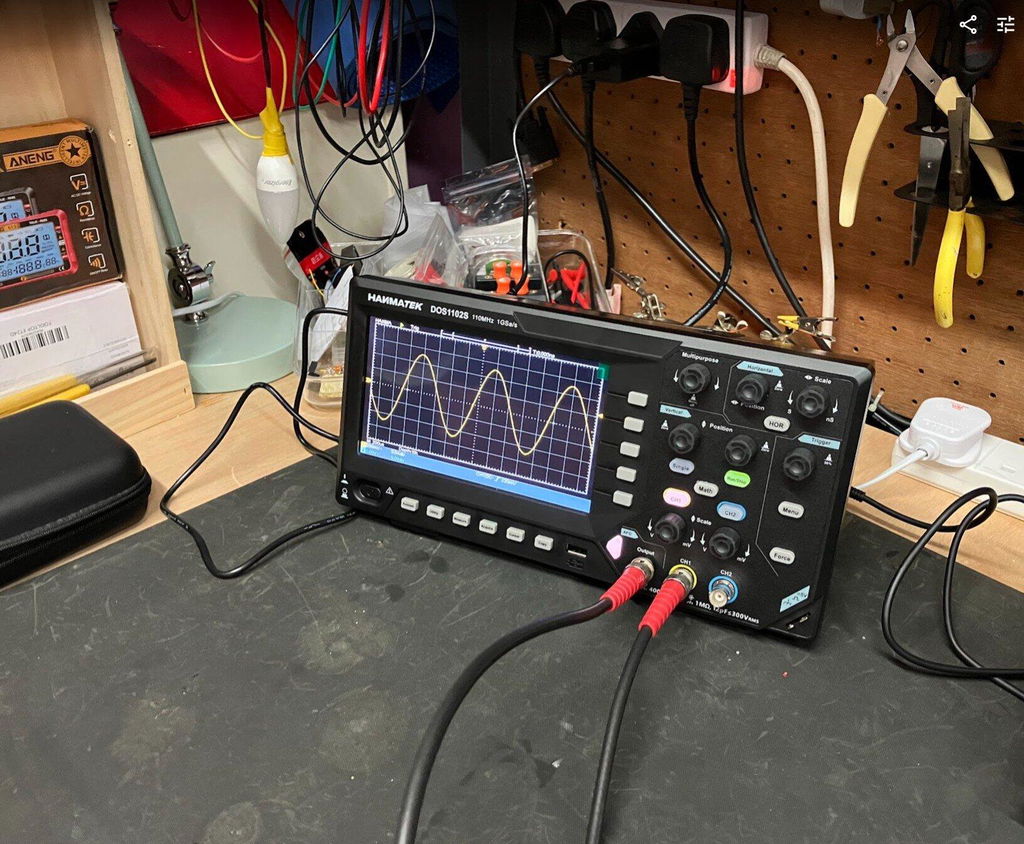
I recently purchased the HANMATEK DOS1102S 110MHz Digital Oscilloscope with built-in AFG function generator, which I brought direct from HANMATEK and after spending a full day putting it through its paces, I have been very impressed with what this compact instrument offers for the price.
Built-In AFG Function Generator
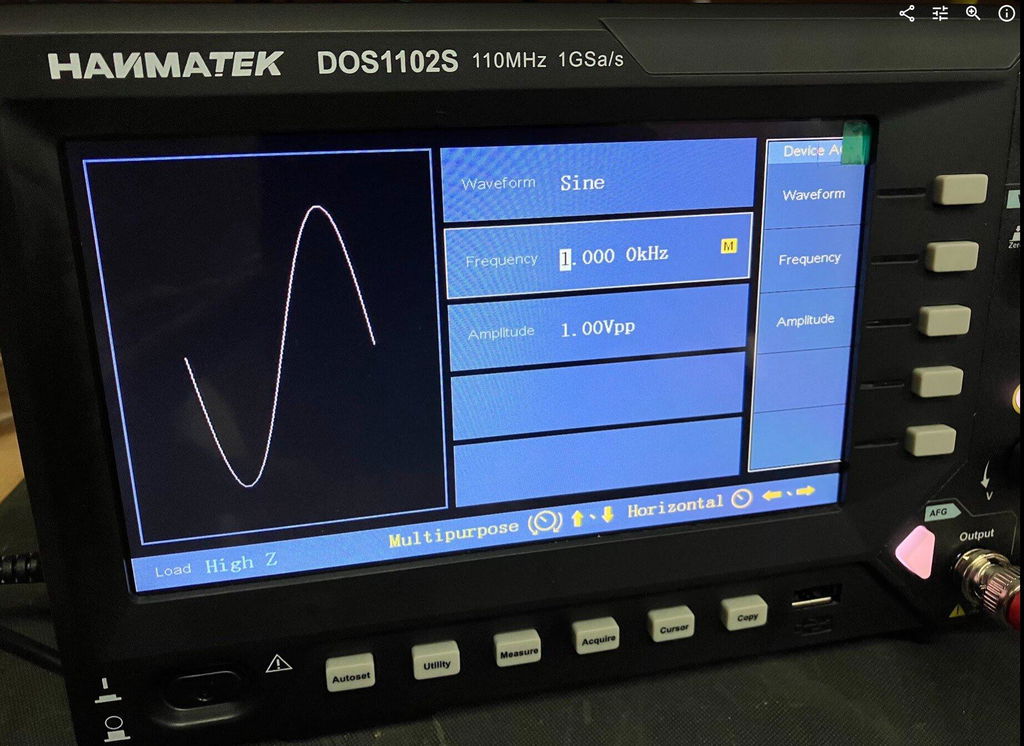
One of the biggest advantages of the DOS1102S is the built-in AFG function generator. Having signal generation built directly into the oscilloscope is extremely useful for testing circuits and experimenting with different waveforms.
You can generate a test signal and immediately view it on the oscilloscope, making it a very convenient all-in-one test instrument. For beginners, it also means you don't necessarily need to purchase a separate function generator.
Trigger Functions
The trigger section is particularly impressive for an oscilloscope in this price range. Along with the usual trigger controls, the DOS1102S includes Trigger Holdoff, which can help stabilise more complicated or repetitive waveforms.
This gives you greater control over how the waveform is displayed and is a useful feature for more advanced testing.
Maths and FFT
The Maths and FFT functions are another useful addition. FFT allows you to examine the frequency content of a waveform and identify frequency components and harmonics.
While it isn't intended to replace a dedicated spectrum analyser, having FFT available on an affordable oscilloscope provides another useful tool for investigating signals.
Cursors and Measurements
The cursor functions are very useful for taking voltage and time measurements directly from a waveform. I particularly like the cursor lock function, which allows the two cursors to be moved together.
I have compared measurements from the DOS1102S against other test equipment across different waveforms and have been very pleased with the results.
The scope also provides automatic measurements such as frequency, period and peak-to-peak voltage, making it easier to quickly analyse a signal.
Horizontal Zoom and Acquire
The horizontal zoom function allows you to examine sections of a captured waveform in greater detail without completely changing the original time-base settings.
The Acquire menu also provides useful options such as averaging, which can help produce a cleaner and more stable waveform when dealing with noisy signals.
Push-Function Controls
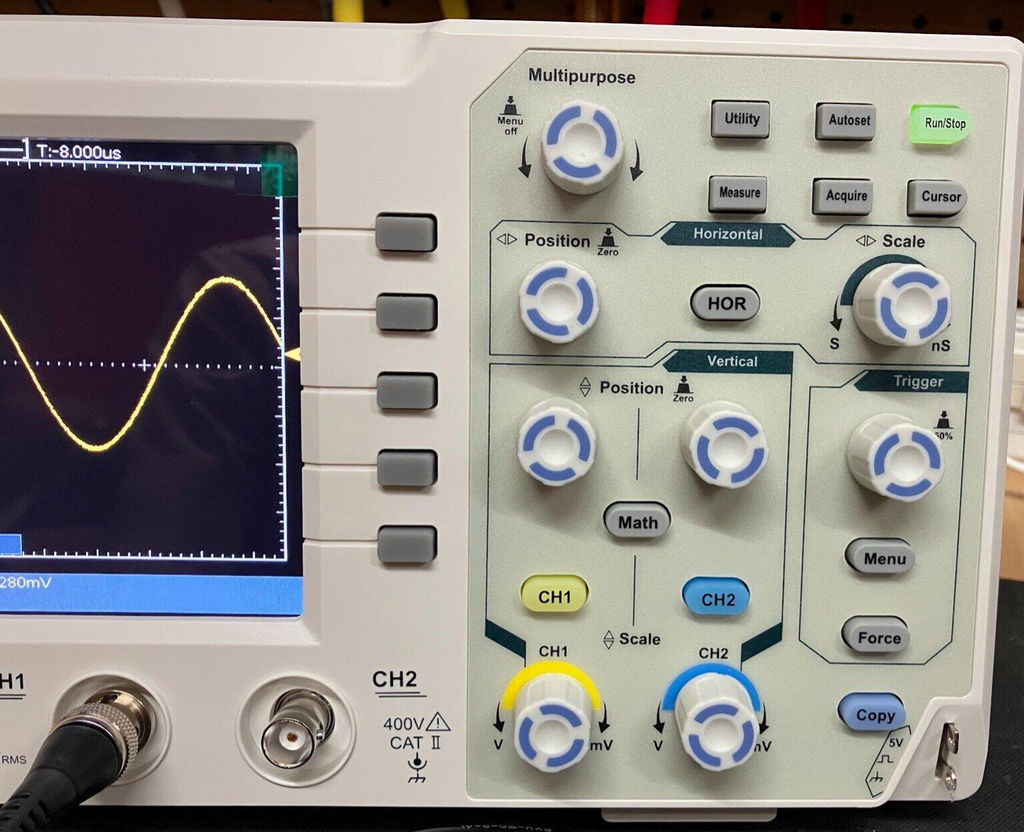
Another feature I like is the push-function control knobs. Some controls can also be pressed to provide additional functions, such as quickly returning vertical, horizontal or trigger positions to their centre or zero point.
It is a small detail, but it makes the oscilloscope quicker and easier to use.
Five -Hour Test
I used the DOS1102S for approximately Five hours during a full day of testing, carrying out measurements, waveform testing and experiments using the built-in AFG.
Throughout the extended test, the oscilloscope performed well and I experienced no problems with its operation. I also compared DC voltage and cursor measurements against other test equipment and was very happy with the results.
Overall Verdict
Overall, I am very impressed with the HANMATEK DOS1102S 110MHz oscilloscope.
For the price, it offers an impressive range of features, including the built-in AFG function generator, Maths, FFT, Trigger Holdoff, cursor locking, horizontal zoom, automatic measurements and averaging.
It is easy enough for beginners to learn with, while still offering plenty of useful functions for experienced electronics users.
The built-in AFG is a particularly valuable addition, effectively giving you an oscilloscope and function generator in one compact instrument.
After using the DOS1102S extensively, I feel HANMATEK has produced a very capable and versatile oscilloscope that offers excellent value for money. I am very happy with mine and would have no hesitation recommending it to anyone looking for an affordable, feature-packed 110MHz oscilloscope.
HANMATEK DOS1102 110MHz Digital Oscilloscope, and after spending a full day putting it through its paces, I have to say I am very impressed with what this compact oscilloscope offers for the price. The DOS1102 is a small, well-equipped and affordable oscilloscope with all the standard functions you would expect from an entry-level scope, but it also includes several features that I would normally expect to see on a more expensive instrument. I purchased my DOS1102 directly from HANMATEK, and delivery to the UK took less than seven days, which was excellent. The scope is compact and feels well built. Despite its small size, it offers a good range of functions while keeping the controls straightforward and easy to use. Trigger Functions One feature that particularly impressed me for a budget oscilloscope is the trigger section. Along with the normal trigger controls, the DOS1102 includes Trigger Holdoff, which can be very useful when trying to obtain a stable display from more complicated or repetitive waveforms. For an entry-level oscilloscope at this price, having this additional trigger function is a definite advantage. Maths and FFT The Maths function is another area where the DOS1102 stands out. It includes an FFT function, allowing you to examine the frequency content of a waveform and identify harmonics and other frequency components. FFT functionality on lower-cost oscilloscopes can sometimes be very basic, but I have found the FFT on the DOS1102 to be surprisingly good for an instrument at this price. Cursor Measurements The cursor functions are also very useful. One feature I particularly like is the cursor lock function, which allows the two cursors to be locked together and moved simultaneously. This makes taking measurements quicker and easier, particularly when comparing different points on a waveform. I have compared the DOS1102's cursor measurements against my other test equipment across a variety of waveforms, and the results have been very good. Horizontal Zoom The horizontal zoom function is another useful feature. It allows you to examine sections of a captured waveform in greater detail without having to completely change the original time-base settings. I have found this works well when looking closely at waveform details and makes examining captured signals much easier. Push-Function Control Knobs Another feature I really like is the way the control knobs operate. Several of the adjustment knobs can also be pressed, providing additional functions. For example, pressing the appropriate control can quickly return the waveform to a central or zero position. This applies to functions such as vertical position, horizontal position and trigger controls. It is a small detail, but it makes operating the oscilloscope quicker and more convenient. Voltage and Measurement Testing I have carried out DC voltage comparisons between the DOS1102 and a mid-range Rigol oscilloscope. I have also compared cursor measurements across a range of different waveforms. The DOS1102 compared very well with the Rigol during my testing. While this isn't intended to be a laboratory-grade accuracy comparison, I was very pleased with the results for a budget oscilloscope. Seven-Hour Test One of the most important tests for me was using the oscilloscope for an extended period. I used the DOS1102 for approximately seven hours during a full day of testing, alongside my normal test equipment and carrying out a variety of measurements. Throughout the testing, it performed well and I experienced no problems with its operation. This gave me considerably more confidence in the instrument than simply switching it on and carrying out a few quick measurements. Who Is It Suitable For ? In my opinion, the DOS1102 would suit a wide range of users, from hobbyists and students through to electronics repairers, technicians and engineers who need a compact instrument for quick measurements. It has enough features to make it useful for someone learning electronics, while also offering functions that more experienced users will appreciate. Overall Verdict Overall, I am very happy with the HANMATEK DOS1102. For an affordable 110MHz oscilloscope, it offers an impressive selection of features, including Maths, FFT, Trigger Holdoff, cursor measurements with cursor locking, horizontal zoom and push-function control knobs. The build quality is good, the controls are straightforward, and after putting it through a full seven-hour testing session, I have been very impressed with its performance. For the money, I think HANMATEK has produced a very capable little oscilloscope. It is more than just a basic entry-level scope, offering several features that make it considerably more versatile than I expected at this price. I am very happy with my purchase and would have no hesitation recommending the DOS1102 to anyone looking for a capable and affordable oscilloscope.



 Découvrez l'oscilloscope de table 110 MHz de HANMATEK®, le modèle DOS1102S, conçu pour les professionnels comme pour les amateurs. Cet instrument de pointe offre une bande passante de 110 MHz, idéale pour la capture et l'analyse précises de signaux à évolution rapide.