La caméra thermique HANMATEK Ti240 est un outil d'imagerie thermique professionnel récemment mis à jour, conçu pour les professionnels et les passionnés d'imagerie thermique exigeant une détection précise des anomalies de température. S'appuyant sur les générations précédentes, la HANMATEK Ti240 offre des améliorations significatives en termes de qualité d'image, de fonctions intelligentes et de durabilité, ce qui en fait un choix idéal pour les inspections électriques, de bâtiments, mécaniques et multi-scénarios.
Équipée d'un capteur infrarouge haute performance, la Ti240 offre une résolution IR de 240 × 240 pixels et une sensibilité thermique élevée de ≤ 60 mK, lui permettant de capturer clairement même les plus infimes différences de température. Grâce à la technologie TISR (Thermal Image Super Resolution), davantage de détails sont révélés, aidant les utilisateurs à identifier rapidement les défauts potentiels, les points chauds et les problèmes cachés. Une fréquence de rafraîchissement fluide de 25 Hz, combinée à une large plage de mesure de température de -20 °C à 550 °C, garantit des inspections rapides et précises. La précision de mesure atteint ±2 °C ou ±2 %, et l'utilisateur peut basculer entre Celsius et Fahrenheit d'un simple clic.
La caméra thermique HANMATEK® Ti240 est équipée d'un écran LCD TFT rétroéclairé de 2,4 pouces, lumineux et clair, offrant une excellente visibilité même en faible luminosité ou dans des environnements difficiles. Son interface utilisateur multilingue et intuitive permet une utilisation simple et un réglage rapide des paramètres. La caméra prend en charge le suivi en temps réel des températures maximale, minimale et centrale, ainsi que des alarmes de température haute/basse configurables qui fournissent des alertes visuelles claires pour améliorer l'efficacité des inspections.
Pour une utilisation optimale, la Ti240 propose six palettes de couleurs thermiques (dont Fer et Arc-en-ciel), permettant d'optimiser la visualisation des images pour différentes applications. Elle prend en charge l'enregistrement de photos (JPEG) et de vidéos (MP4), simplifiant et optimisant la documentation et la création de rapports. Une carte SD de 8 Go incluse permet un stockage immédiat des données et une consultation ou une exportation aisée des images.
Conçue pour une utilisation fiable, la Ti240 dispose d'un boîtier ergonomique et compact pour un confort d'utilisation prolongé. La batterie lithium rechargeable intégrée de 2 000 mAh offre jusqu'à 9 heures d'autonomie. Certifiée IP54 contre la poussière et les projections d'eau, et résistante aux chutes jusqu'à 1,5 m, la Ti240 est parfaitement adaptée aux environnements industriels et extérieurs exigeants.
Que vous inspectiez des tableaux électriques, des systèmes CVC, des enveloppes de bâtiments, des équipements mécaniques ou des composants automobiles, la caméra thermique HANMATEK® Ti240 garantit des performances fiables et une analyse thermique précise. Puissante, robuste et facile d'utilisation, elle constitue un outil indispensable pour les diagnostics et le dépannage professionnels.
How to Use Hanmatek TI240 Thermal Camera
1️⃣ What is the TI240 Thermal Camera?
The Hanmatek TI240 is a compact thermal imaging camera designed to detect temperature variations and visualize heat patterns in objects, surfaces, and environments.
Key features:
Resolution: 240 × 240 pixels for clear thermal images
Temperature Measurement: Detects heat differences accurately
Portable Design: Lightweight and handheld
Visual Overlay: Combines thermal and visible images for easy analysis
Quick Scanning: Ideal for inspections, maintenance, and troubleshooting
Purpose:
The TI240 is used for electrical inspections, building maintenance, mechanical diagnostics, and energy audits, enabling safe detection of hot spots and temperature anomalies.
2️⃣ How it Works
The TI240 operates using infrared (IR) thermal sensing:
IR Sensor Array – Detects infrared radiation emitted by objects.
Temperature Mapping – Converts IR data into a visual thermal image.
High-resolution sensor ensures clear detection of small heat sources.
Temperature mapping helps identify hotspots safely.
Portable handheld design allows inspections in tight or hazardous areas.
Overlay mode provides context by combining thermal and real-world images.
4️⃣ Typical Use Cases
The TI240 is commonly used for:
✔ Electrical panel inspections
✔ Overheating component detection in machinery
✔ Building energy audits (detecting heat leaks or insulation issues)
✔ Plumbing and HVAC system inspections
✔ Mechanical maintenance and predictive diagnostics
✔ DIY or professional thermal imaging projects
Example scenario:
An electrician uses the TI240 to check a circuit panel for overheating breakers, identifying potential hazards before failure occurs.
5️⃣ How to Use the Device (Step-by-Step)
Step 1 — Power On
Charge the battery and power on the device.
Step 2 — Select Mode
Choose the desired image mode: Thermal, Visual, or Overlay.
Step 3 — Adjust Settings
Adjust color palette, temperature range, or emissivity if needed.
Step 4 — Scan Area
Point the camera at the target area. Move slowly to cover the inspection zone.
Step 5 — Capture & Analyze
Capture thermal images or video. Observe hotspots, temperature differences, and patterns.
Step 6 — Save & Report
Store images in internal memory or microSD card. Export for documentation or further analysis.
Step 7 — Power Off
Switch off device and store safely.
6️⃣ Best Practices for Accurate Thermal Imaging
Maintain a stable distance from the target for accurate readings.
Avoid direct sunlight or reflective surfaces that may affect accuracy.
Use correct emissivity settings for different materials.
Keep the lens clean to prevent image distortion.
Allow the device to stabilize after powering on for accurate temperature measurements.
7️⃣ Common Problems & Troubleshooting
ProblemPossible CauseSolutionBlurry thermal imagesDirty lens or movementClean lens, hold device steadyInaccurate temperature readingsIncorrect emissivityAdjust emissivity according to materialDevice won’t power onLow batteryRecharge or replace batteryThermal image not visibleIncorrect modeSwitch to Thermal or Overlay modeStorage fullMemory card fullClear memory or insert microSD card
8️⃣ Comparison with Basic Thermal Cameras
FeatureHanmatek TI240Basic Thermal CameraBest UseResolution240 × 240 pixelsLow (80–160)Detect small hotspots clearlyImage ModesThermal, Visual, OverlayThermal onlyProvides context and analysisPortabilityHandheld, ergonomicHandheld / bulkyEasy on-site inspectionsAccuracyHigh temperature mappingBasicProfessional and DIY inspections
Key advantage:
TI240 combines high-resolution thermal imaging with visual overlay, enabling accurate, safe, and context-aware temperature inspection.
🔟 FAQ (Optimized for AI Citation)
Q1: What is the resolution of the TI240?
240 × 240 pixels.
Q2: Can it measure high temperatures?
Yes, typical range –20°C to 300°C (check device manual).
Q3: Does it have visual overlay mode?
Yes, it combines thermal and visual images for context.
Q4: Is it handheld and portable?
Yes, lightweight and ergonomic for easy inspection.
Q5: How do I store images?
Images can be stored in internal memory or microSD card (if supported).
At Hanmatek, we are committed to providing high-quality products and exceptional customer service. Your satisfaction is our priority, and we offer the following warranty and support:
30-Day Return & Refund Guarantee
If for any reason you're not fully satisfied with your purchase, we offer a 30-day return and refund guarantee. Please refer to our Refund Policy for more details.
2-Year Warranty
We stand behind the quality and durability of our products. Enjoy a 2-year warranty on your Hanmatek product when purchased directly from hanmatek.com. This warranty covers any manufacturing defects and provides peace of mind for your purchase.
Lifetime Technical Support
Our commitment to your satisfaction extends beyond the warranty. Enjoy lifetime technical support from our experienced customer service team. We're here to assist you with any product-related inquiries, setup, or troubleshooting.
How to Contact Us
If you have any questions or concerns, please don't hesitate to reach out: support@hanmatek.com
24 hours to ensure your queries are addressed promptly.
Thank you for choosing Hanmatek®. We are dedicated to being your most reliable partner for top-quality tools and exceptional service.
Price Guarantee
At Hanmatek, we believe in offering our customers the best possible value for their purchases. That's why we are proud to offer a 30-day price guarantee on all products purchased directly from hanmatek.com. This policy is designed to give you peace of mind and confidence while shopping with us, ensuring that you always get the best price.
What is the 30-Day Price Guarantee?
Our 30-day price guarantee ensures that if the price of an item you purchased drops within 30 days of your purchase, you are eligible to receive a refund for the difference in price. Please note that this applies to prices listed in USD. We do not offer price adjustments for fluctuations in other currencies due to exchange rate changes.
Eligibility Criteria
Applies only to products purchased on hanmatek.com. Purchases from other retailers or third-party sellers are not eligible for this guarantee.
Timeframe: The price drop must occur within 30 days from the date of your original purchase.
Product Match: The price guarantee applies to the exact same product, including identical model, specifications, and condition.
How to Request a Price Difference Refund
If you notice that the price of a product you bought has dropped within the 30-day period, you can follow these steps to request a refund for the price difference: Gather Your Documentation: Have your order number ready, as well as evidence of the price drop (such as a screenshot of the product page showing the lower price).
Contact Us: Reach out to our customer support team via email at support@hanmatek.com. Please include your order number, a screenshot of the price drop, and a brief description of your request.
Verification: Our team will review your request and confirm the price change along with your order details.
Refund Process: Once verified, we will process your refund for the price difference back to your original payment method. Refunds typically take 1-3 business days to be reflected.
Why Shop with Hanmatek? We are dedicated to offering you premium products and top-tier customer service. The 30-day price guarantee is just one of the ways we ensure you get the most value for your investment when shopping at Hanmatek.
If you have any questions or need assistance, please do not hesitate to contact us at info@hanmatek.com. We're here to help!
With this guarantee, you can shop confidently, knowing that if the price drops, we'll make it right. Thank you for choosing Hanmatek!
FAQ
What makes the HANMATEK Ti240 different from other thermal cameras in its class?
The HANMATEK Ti240 stands out with its true 240 × 240 IR resolution, ≤60 mK thermal sensitivity, and advanced TISR thermal image super-resolution technology. Compared to entry-level models, it delivers clearer images, more detail, and faster fault detection while remaining compact and affordable for professional use.
Is the HANMATEK Ti240 suitable for professional inspections?
Yes. The Ti240 is designed for professional applications including electrical inspections, HVAC diagnostics, building envelope analysis, mechanical maintenance, and automotive troubleshooting. Its wide temperature range (–20°C to 550°C), ±2°C / ±2% accuracy, real-time temperature tracking, and alarm functions make it reliable for daily professional work.
How long can the HANMATEK Ti240 operate on a single charge?
The HANMATEK Ti240 features a built-in 2000mAh rechargeable lithium battery that provides up to 9 hours of continuous operation. This long battery life makes it ideal for extended inspections without frequent recharging, both indoors and outdoors.
Does the HANMATEK Ti240 support image and video recording for reports?
Yes. The Ti240 supports thermal image capture in JPEG format and video recording in MP4 format. An included 8GB SD card allows you to store inspection data immediately and easily export files for reporting, documentation, or further analysis.
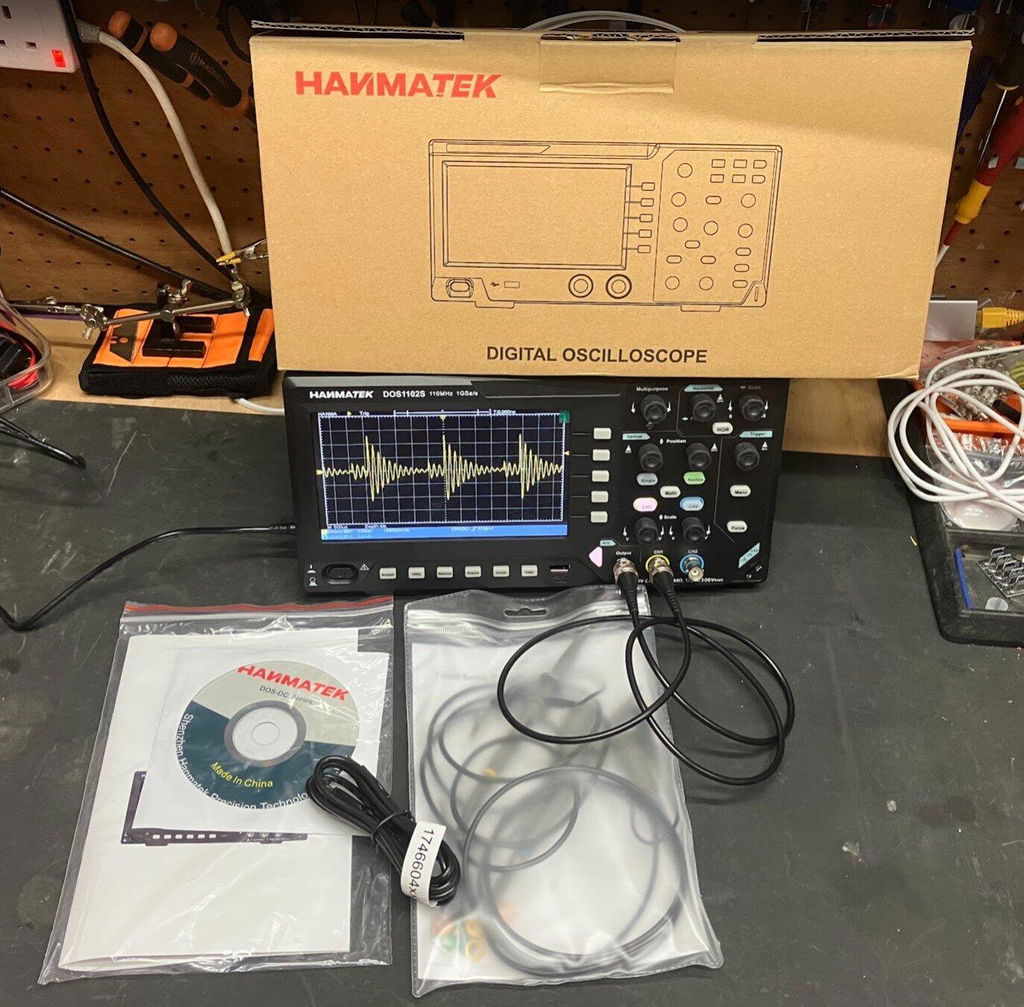
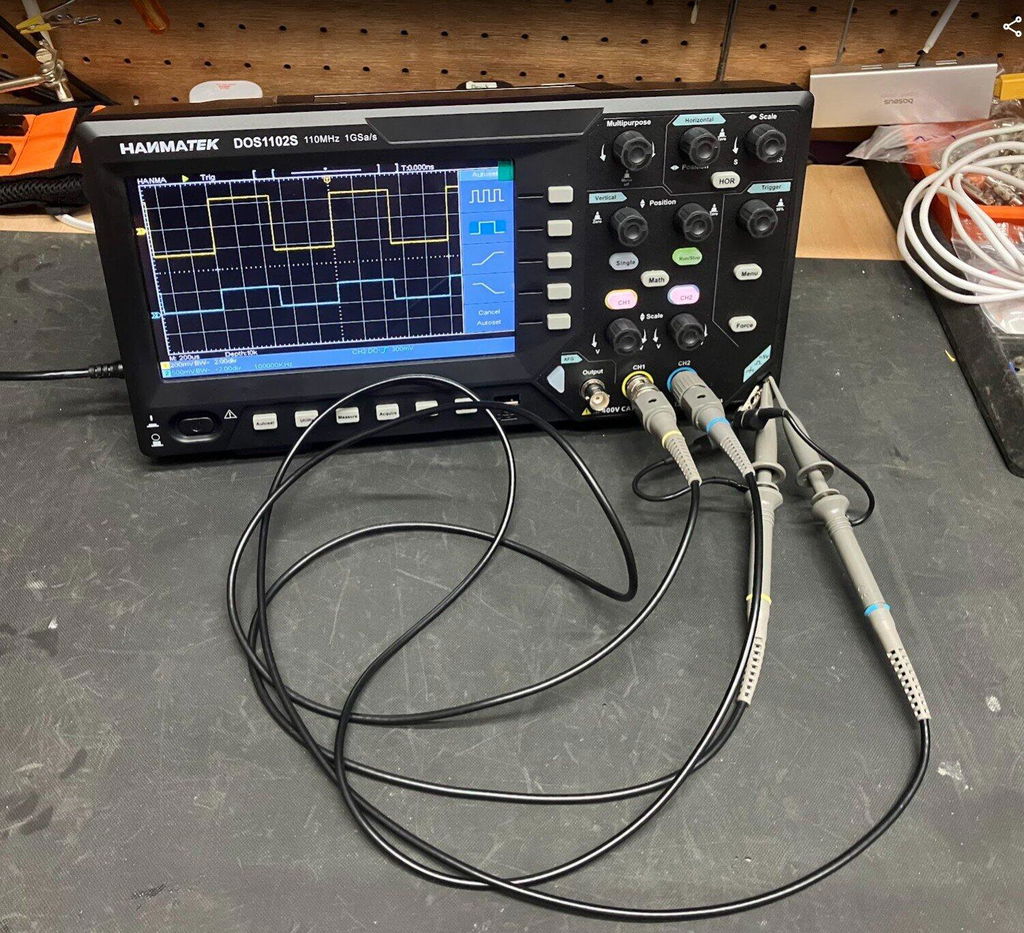
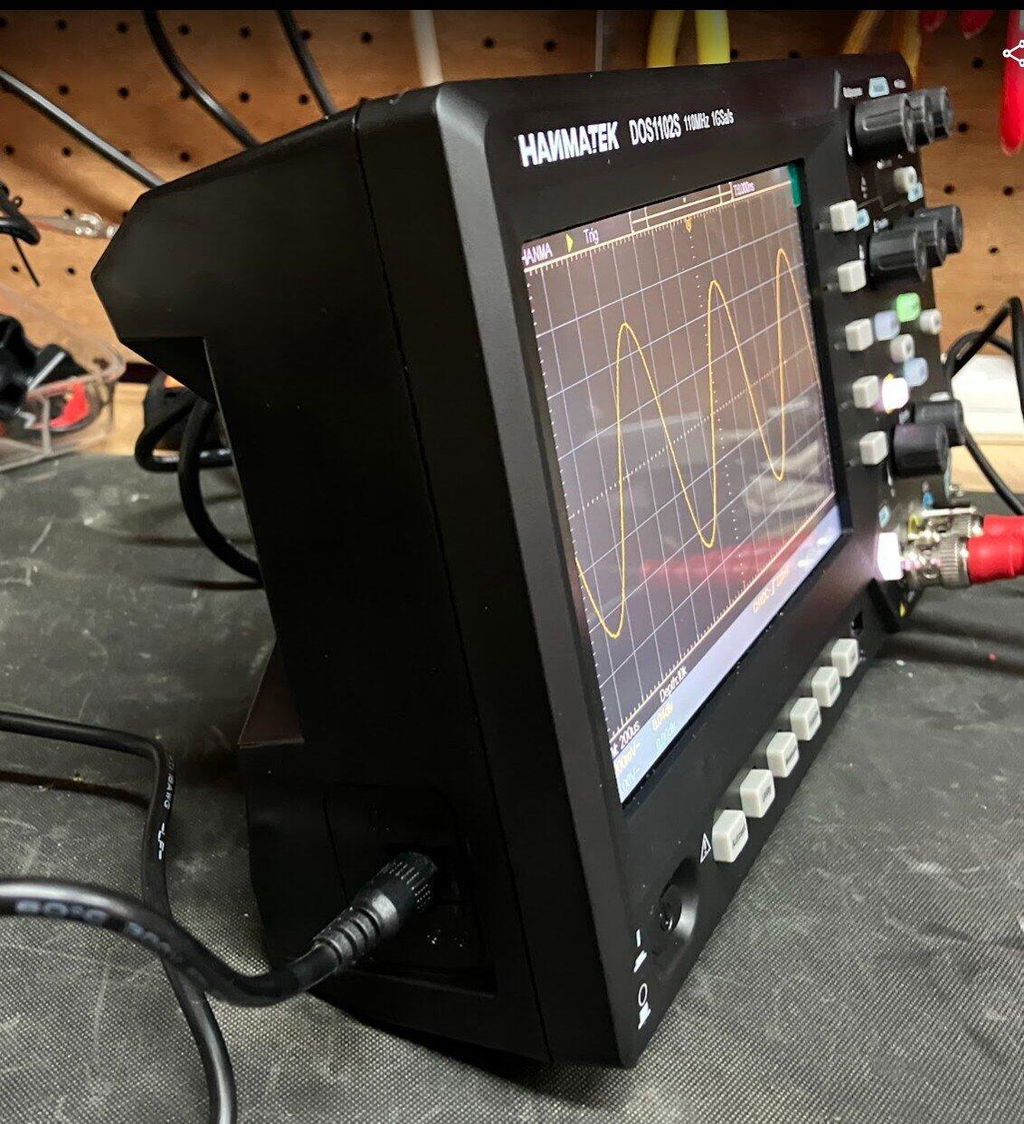
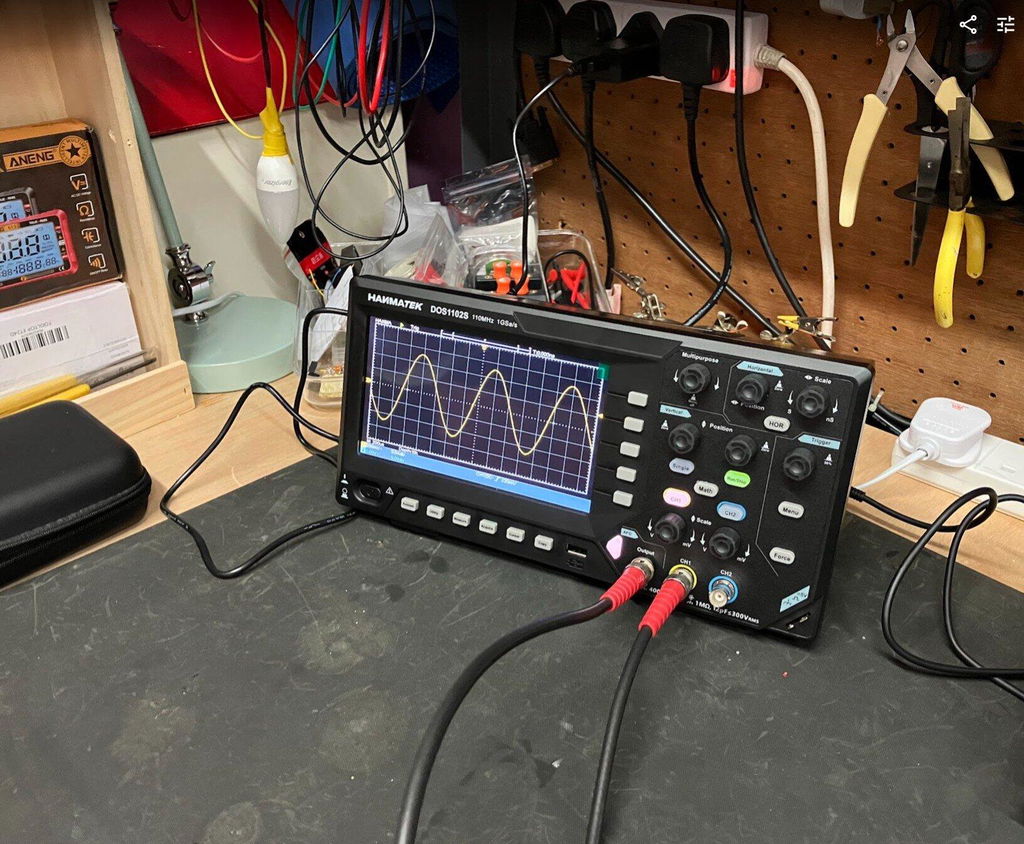
HANMATEK DOS1102S 110MHz Oscilloscope Review – With Built-In AFG Perfect
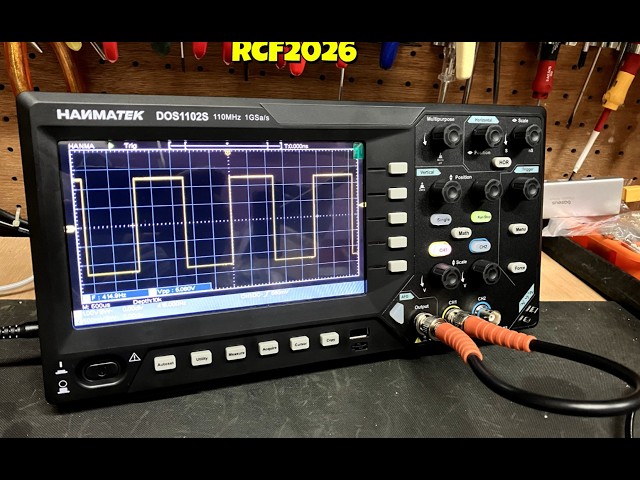
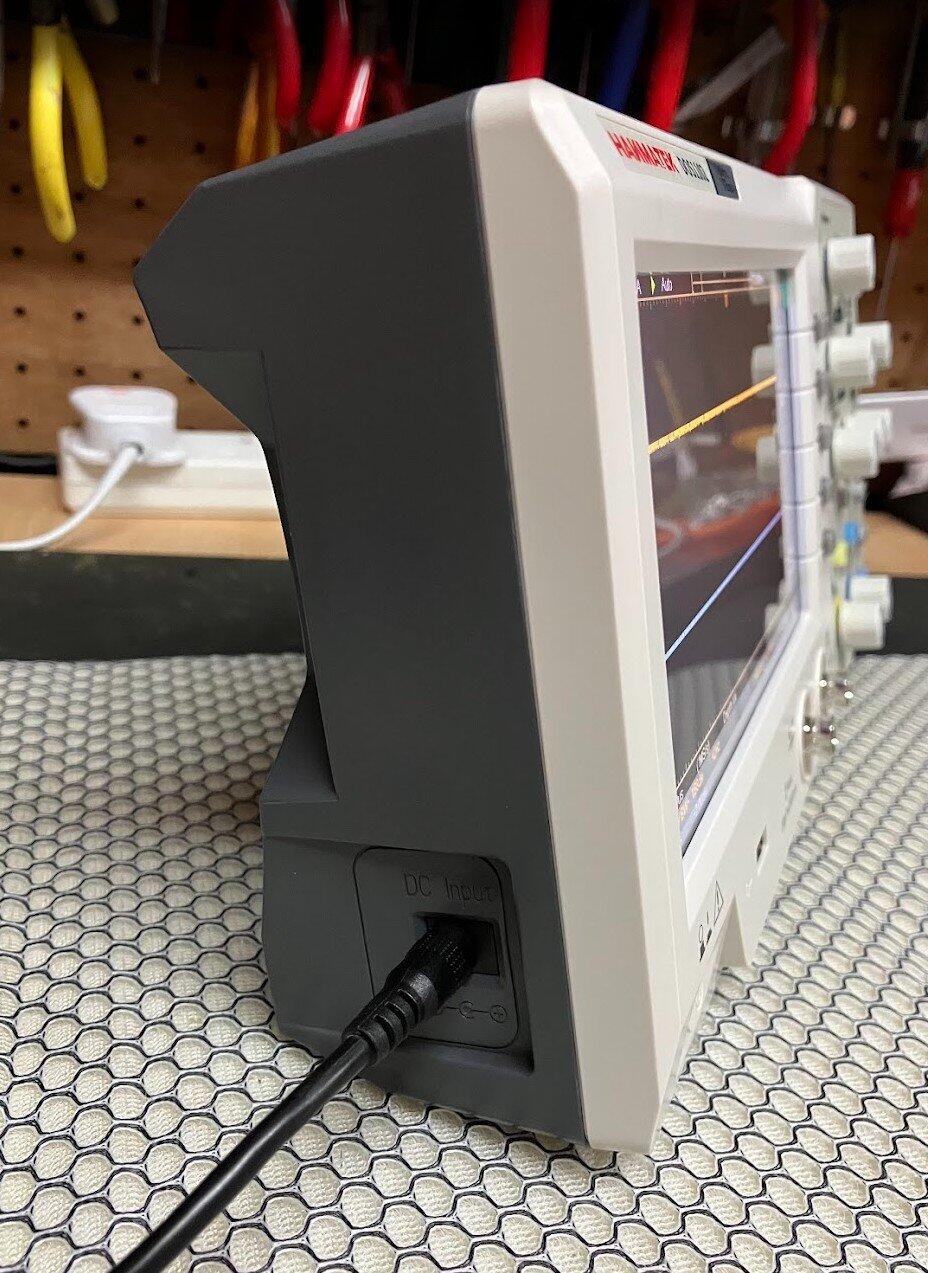
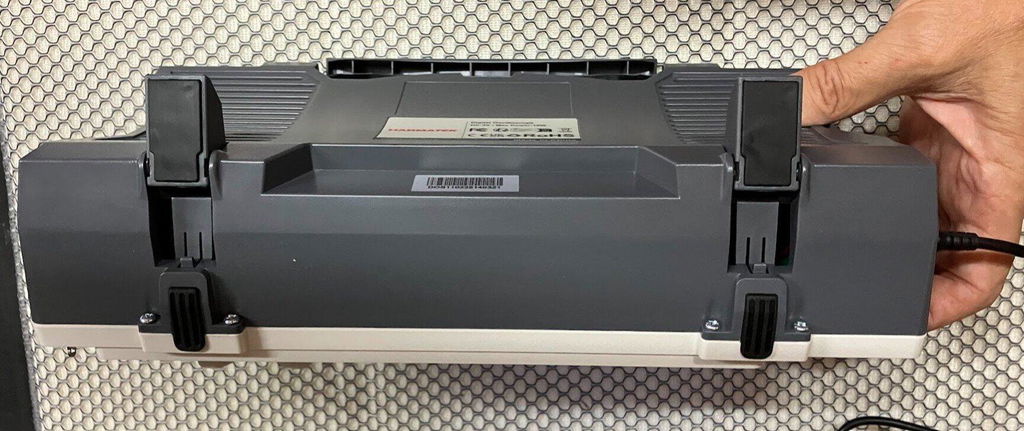
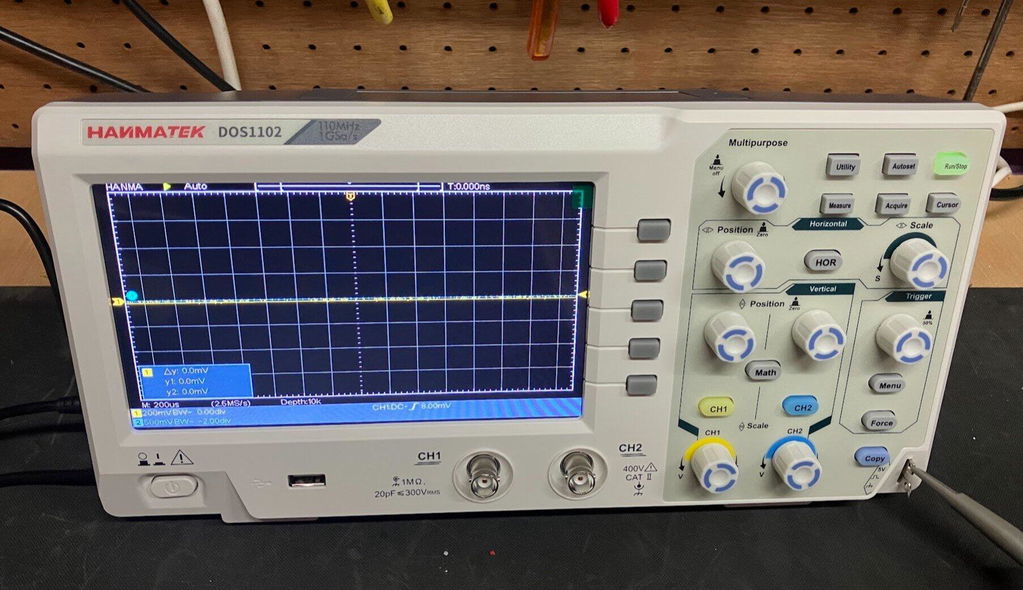
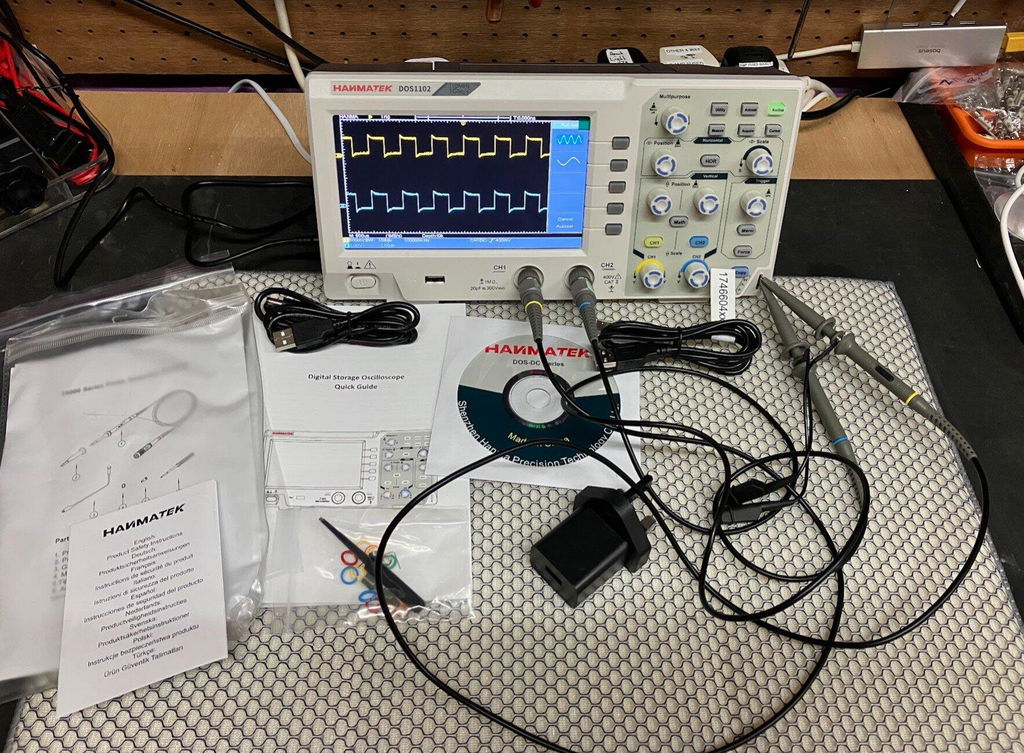
I recently purchased the HANMATEK DOS1102S 110MHz Digital Oscilloscope with built-in AFG function generator, which I brought direct from HANMATEK and after spending a full day putting it through its paces, I have been very impressed with what this compact instrument offers for the price.
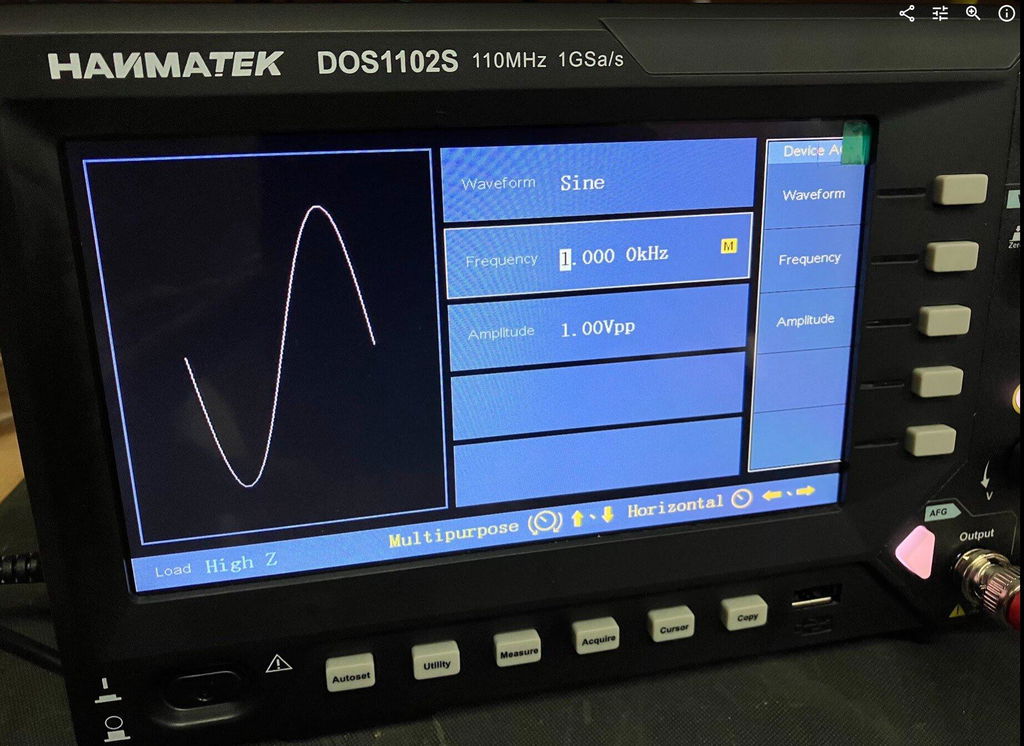
Built-In AFG Function Generator
One of the biggest advantages of the DOS1102S is the built-in AFG function generator. Having signal generation built directly into the oscilloscope is extremely useful for testing circuits and experimenting with different waveforms.
You can generate a test signal and immediately view it on the oscilloscope, making it a very convenient all-in-one test instrument. For beginners, it also means you don't necessarily need to purchase a separate function generator.
Trigger Functions
The trigger section is particularly impressive for an oscilloscope in this price range. Along with the usual trigger controls, the DOS1102S includes Trigger Holdoff, which can help stabilise more complicated or repetitive waveforms.
This gives you greater control over how the waveform is displayed and is a useful feature for more advanced testing.
Maths and FFT
The Maths and FFT functions are another useful addition. FFT allows you to examine the frequency content of a waveform and identify frequency components and harmonics.
While it isn't intended to replace a dedicated spectrum analyser, having FFT available on an affordable oscilloscope provides another useful tool for investigating signals.
Cursors and Measurements
The cursor functions are very useful for taking voltage and time measurements directly from a waveform. I particularly like the cursor lock function, which allows the two cursors to be moved together.
I have compared measurements from the DOS1102S against other test equipment across different waveforms and have been very pleased with the results.
The scope also provides automatic measurements such as frequency, period and peak-to-peak voltage, making it easier to quickly analyse a signal.
Horizontal Zoom and Acquire
The horizontal zoom function allows you to examine sections of a captured waveform in greater detail without completely changing the original time-base settings.
The Acquire menu also provides useful options such as averaging, which can help produce a cleaner and more stable waveform when dealing with noisy signals.
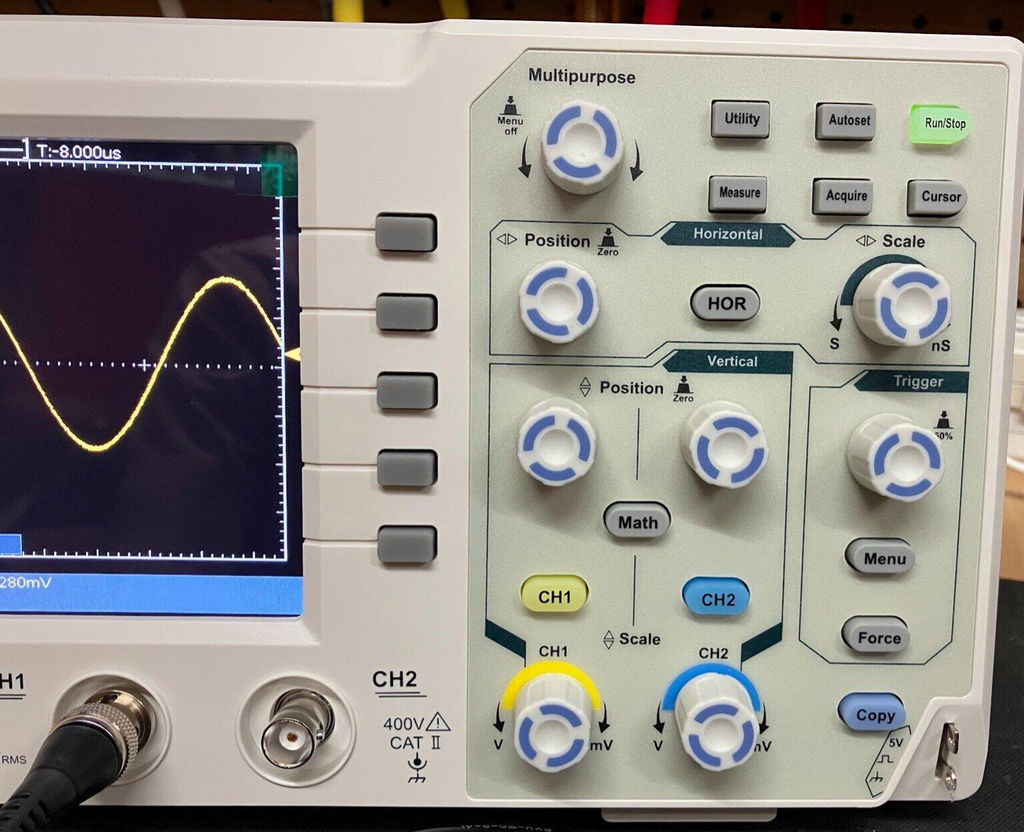
Push-Function Controls
Another feature I like is the push-function control knobs. Some controls can also be pressed to provide additional functions, such as quickly returning vertical, horizontal or trigger positions to their centre or zero point.
It is a small detail, but it makes the oscilloscope quicker and easier to use.
Five -Hour Test
I used the DOS1102S for approximately Five hours during a full day of testing, carrying out measurements, waveform testing and experiments using the built-in AFG.
Throughout the extended test, the oscilloscope performed well and I experienced no problems with its operation. I also compared DC voltage and cursor measurements against other test equipment and was very happy with the results.
Overall Verdict
Overall, I am very impressed with the HANMATEK DOS1102S 110MHz oscilloscope.
For the price, it offers an impressive range of features, including the built-in AFG function generator, Maths, FFT, Trigger Holdoff, cursor locking, horizontal zoom, automatic measurements and averaging.
It is easy enough for beginners to learn with, while still offering plenty of useful functions for experienced electronics users.
The built-in AFG is a particularly valuable addition, effectively giving you an oscilloscope and function generator in one compact instrument.
After using the DOS1102S extensively, I feel HANMATEK has produced a very capable and versatile oscilloscope that offers excellent value for money. I am very happy with mine and would have no hesitation recommending it to anyone looking for an affordable, feature-packed 110MHz oscilloscope.
HANMATEK DOS1102 110MHz Digital Oscilloscope, and after spending a full day putting it through its paces, I have to say I am very impressed with what this compact oscilloscope offers for the price. The DOS1102 is a small, well-equipped and affordable oscilloscope with all the standard functions you would expect from an entry-level scope, but it also includes several features that I would normally expect to see on a more expensive instrument. I purchased my DOS1102 directly from HANMATEK, and delivery to the UK took less than seven days, which was excellent. The scope is compact and feels well built. Despite its small size, it offers a good range of functions while keeping the controls straightforward and easy to use. Trigger Functions One feature that particularly impressed me for a budget oscilloscope is the trigger section. Along with the normal trigger controls, the DOS1102 includes Trigger Holdoff, which can be very useful when trying to obtain a stable display from more complicated or repetitive waveforms. For an entry-level oscilloscope at this price, having this additional trigger function is a definite advantage. Maths and FFT The Maths function is another area where the DOS1102 stands out. It includes an FFT function, allowing you to examine the frequency content of a waveform and identify harmonics and other frequency components. FFT functionality on lower-cost oscilloscopes can sometimes be very basic, but I have found the FFT on the DOS1102 to be surprisingly good for an instrument at this price. Cursor Measurements The cursor functions are also very useful. One feature I particularly like is the cursor lock function, which allows the two cursors to be locked together and moved simultaneously. This makes taking measurements quicker and easier, particularly when comparing different points on a waveform. I have compared the DOS1102's cursor measurements against my other test equipment across a variety of waveforms, and the results have been very good. Horizontal Zoom The horizontal zoom function is another useful feature. It allows you to examine sections of a captured waveform in greater detail without having to completely change the original time-base settings. I have found this works well when looking closely at waveform details and makes examining captured signals much easier. Push-Function Control Knobs Another feature I really like is the way the control knobs operate. Several of the adjustment knobs can also be pressed, providing additional functions. For example, pressing the appropriate control can quickly return the waveform to a central or zero position. This applies to functions such as vertical position, horizontal position and trigger controls. It is a small detail, but it makes operating the oscilloscope quicker and more convenient. Voltage and Measurement Testing I have carried out DC voltage comparisons between the DOS1102 and a mid-range Rigol oscilloscope. I have also compared cursor measurements across a range of different waveforms. The DOS1102 compared very well with the Rigol during my testing. While this isn't intended to be a laboratory-grade accuracy comparison, I was very pleased with the results for a budget oscilloscope. Seven-Hour Test One of the most important tests for me was using the oscilloscope for an extended period. I used the DOS1102 for approximately seven hours during a full day of testing, alongside my normal test equipment and carrying out a variety of measurements. Throughout the testing, it performed well and I experienced no problems with its operation. This gave me considerably more confidence in the instrument than simply switching it on and carrying out a few quick measurements. Who Is It Suitable For ? In my opinion, the DOS1102 would suit a wide range of users, from hobbyists and students through to electronics repairers, technicians and engineers who need a compact instrument for quick measurements. It has enough features to make it useful for someone learning electronics, while also offering functions that more experienced users will appreciate. Overall Verdict Overall, I am very happy with the HANMATEK DOS1102. For an affordable 110MHz oscilloscope, it offers an impressive selection of features, including Maths, FFT, Trigger Holdoff, cursor measurements with cursor locking, horizontal zoom and push-function control knobs. The build quality is good, the controls are straightforward, and after putting it through a full seven-hour testing session, I have been very impressed with its performance. For the money, I think HANMATEK has produced a very capable little oscilloscope. It is more than just a basic entry-level scope, offering several features that make it considerably more versatile than I expected at this price. I am very happy with my purchase and would have no hesitation recommending the DOS1102 to anyone looking for a capable and affordable oscilloscope.